 CloudConsole
AccessDenied with an explicit deny in a service control policy
A service control policy (SCP) attached to your account, one of its parent OUs or the organisation root contains a Deny that matches this request. No IAM policy in your account can override it, not even AdministratorAccess. Find the SCP from the organisation's management account (or ask whoever runs it), then either change the request to comply, typically the region, instance type or required tags, or get an exception added.
What it means
An error occurred (AccessDenied) when calling the RunInstances operation:
User: arn:aws:sts::123456789012:assumed-role/Admin/alice is not authorized to perform:
ec2:RunInstances on resource: arn:aws:ec2:ap-southeast-2:123456789012:instance/*
with an explicit deny in a service control policy
SCPs are guardrails set by AWS Organizations. They don't grant anything; they set the ceiling on what any principal in the account may do. A matching Deny in any SCP on the path from the root to your account wins over every Allow. If instead the message says because no service control policy allows, your organisation uses an allow-list style SCP and the action simply isn't on it.
SCPs don't apply to the organisation's management account or to service-linked roles, which is why the same action can work in one account and fail in another.
The SCPs that usually cause it
| Guardrail | What trips it | What to do |
|---|---|---|
Region restriction on aws:RequestedRegion | CLI default region or a console region outside the approved list | Use an approved region: --region eu-west-2 |
| Global services exemption list incomplete | IAM, CloudFront, Route 53 or support calls blocked under a region rule | Ask for the action to be added to the SCP's NotAction list |
| Required tags on create | Launching without CostCenter or Owner tags | Pass the tags in the create call (e.g. --tag-specifications) |
| Instance type or size limits | GPU or large instances in a sandbox account | Pick an allowed type or request an exception |
| Protect security tooling | Stopping CloudTrail, deleting GuardDuty detectors, changing Config | Intended; done only by a security role |
| Deny root user or leaving the organisation | Using the root user for routine work | Use an IAM role instead |
Find the policy
Member accounts usually can't read SCPs. From the management account, or a delegated administrator for Organizations, list what applies to the account and walk up its parents:
aws organizations list-policies-for-target \
  --target-id 123456789012 --filter SERVICE_CONTROL_POLICY \
  --query 'Policies[].[Id,Name]' --output table

aws organizations list-parents --child-id 123456789012

aws organizations list-policies-for-target \
  --target-id ou-ab12-cdef3456 --filter SERVICE_CONTROL_POLICY

aws organizations describe-policy --policy-id p-examplepolicy \
  --query Policy.Content --output text
Repeat list-parents until you reach the root (r-…). Search each policy's content for the action prefix in the error (here ec2:) and for conditions such as aws:RequestedRegion or aws:PrincipalArn.
CloudTrail in the member account records the denied call with errorCode AccessDenied and the full message, which is useful to send to the platform team.
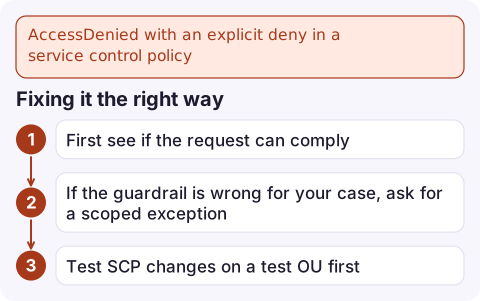
Fixing it the right way
- First see if the request can comply: correct region, allowed instance type, required tags. That's usually a one-line change.
- If the guardrail is wrong for your case, ask for a scoped exception. A common pattern is an
ArnNotLikecondition onaws:PrincipalArnexempting one break-glass or pipeline role, rather than removing the rule. - Test SCP changes on a test OU first. A typo in an SCP attached to the root affects every account in the organisation at once.
Mistakes to avoid
- Adding more IAM permissions in the member account. They are evaluated, but the SCP Deny still wins.
- Assuming it's a permissions boundary. Boundaries produce their own wording; see permissions boundary deny.
- Forgetting resource control policies (RCPs). A similar message mentioning a resource control policy comes from the organisation too, but limits access to resources rather than what principals can do.
Questions
Can an administrator override a service control policy?
Not from inside the member account. SCPs cap every principal there, including roles with AdministratorAccess and the root user. Only the organisation's management account can change or detach them.
Why does the same command work in our management account?
SCPs never apply to the management account, so a guardrail can only be tested properly from a member account.
How do I know which SCP denied my request?
List the SCPs attached to the account, each parent OU and the root from the management account, and search their content for the action and conditions in the error.

SCP denials often surface as a blocked fix during an incident, for example when a recovery must happen in a different region. CloudConsole, a phone app for AWS, is built to show alarms and resource state across accounts on your phone, which helps you see where the guardrail applies.
Did it start after a deploy? What changed? on the app’s alarm screen lists the deploys and configuration changes from the hour before the alarm fired.
About the app → · Download on the App Store