 CloudConsole
ACM certificate stuck in Pending validation
ACM is waiting to see proof that you control the domain. For DNS validation, the CNAME record ACM gave you must be resolvable on the public internet exactly as specified; it usually is not because the record went into the wrong (or a private) hosted zone, the DNS provider appended the domain twice, or a CAA record forbids Amazon from issuing. After 72 hours without validation the request times out.
Check what ACM is waiting for
aws acm describe-certificate --region us-east-1 \
  --certificate-arn arn:aws:acm:us-east-1:123456789012:certificate/0a1b2c3d-1234-5678-9abc-0123456789ab \
  --query 'Certificate.{status:Status,reason:FailureReason,validation:DomainValidationOptions[].{domain:DomainName,method:ValidationMethod,status:ValidationStatus,record:ResourceRecord}}'
Each domain on the certificate has its own validation status and CNAME. Then look the record up from outside AWS:
dig +short CNAME _3f1a2b3c4d5e6f.www.example.com
dig +short NS example.com
The CNAME must return ACM's _....acm-validations.aws. value. If it returns nothing, ACM cannot see it either.
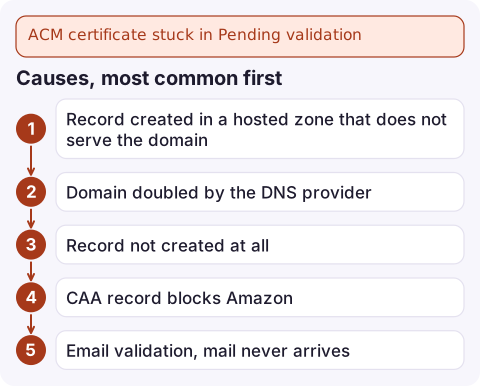
Causes, most common first
| Cause | How to tell |
|---|---|
| Record created in a hosted zone that does not serve the domain | dig NS shows different name servers from the zone where you added the record; or the zone is private |
| Domain doubled by the DNS provider | Record exists as _abc.www.example.com.example.com; many providers append the zone, so enter only the part before your domain |
| Record not created at all | Nobody clicked "Create records in Route 53" or the IaC never added it |
| CAA record blocks Amazon | dig CAA example.com lists issuers that do not include Amazon |
| Email validation, mail never arrives | No MX or the admin addresses do not exist; prefer DNS validation |
| Domain registration problem | Expired or suspended domain, or registrar name servers not updated after moving DNS |
Fix it
- Route 53 in the same account: let ACM create the records for you from the console, or UPSERT the CNAME yourself into the public hosted zone that the registrar points at:
aws route53 change-resource-record-sets --hosted-zone-id Z0123456789ABCDEFGHIJ \ --change-batch '{"Changes":[{"Action":"UPSERT","ResourceRecordSet":{"Name":"_3f1a2b3c4d5e6f.www.example.com.","Type":"CNAME","TTL":300,"ResourceRecords":[{"Value":"_9e8d7c6b5a.abcdefghij.acm-validations.aws."}]}}]}' - External DNS provider: create the CNAME there, entering the host part only if the provider appends the domain.
- CAA: add an entry allowing Amazon (for example
0 issue "amazon.com") alongside your existing issuers. - Timed out: a certificate that failed validation cannot be revived; request a new one once DNS is right.
Once the record resolves publicly, validation usually completes within minutes, though it can take longer.
Region and reuse gotchas
- Certificates for CloudFront must be requested in
us-east-1; for an ALB or API Gateway Regional endpoint, request it in that resource's Region. - The validation CNAME for a name stays the same across certificates in the account, so leave it in DNS: ACM uses it again for automatic renewal.
- A wildcard
*.example.comand the apexexample.comshare one validation record, so you add it once. - In CloudFormation, a certificate in pending validation holds the stack in
CREATE_IN_PROGRESSuntil it validates or times out; adding the domain's hosted zone ID to the certificate resource lets CloudFormation create the record.
Questions
How long does ACM DNS validation take?
Usually a few minutes after the CNAME is publicly resolvable, but it can take longer. If the record is not found within 72 hours, the request times out and you must request a new certificate.
Why is my ACM certificate pending validation when the record exists in Route 53?
The record is probably in a hosted zone that does not serve the domain, such as a private zone or an old public zone the registrar no longer points to. Compare the zone's name servers with dig NS.
Should I delete the ACM validation CNAME after the certificate is issued?
No. ACM uses the same record to renew the certificate automatically. Removing it causes renewal to fail later.

Certificate validation failures usually surface weeks later, as a renewal that never happened. CloudConsole, a phone app for AWS, is built to show certificate expiry alarms on your phone, so a renewal problem is caught while there is still time.
Did it start after a deploy? What changed? on the app’s alarm screen lists the deploys and configuration changes from the hour before the alarm fired.
About the app → · Download on the App Store