 CloudConsole
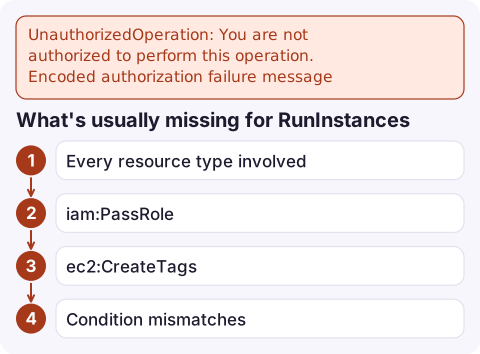
UnauthorizedOperation: You are not authorized to perform this operation. Encoded authorization failure message
EC2 (and services built on it, such as Auto Scaling) hides the details of a denied request inside an encoded blob. Decode it with aws sts decode-authorization-message --encoded-message, which needs the sts:DecodeAuthorizationMessage permission, and read the action, resource and matched statements in the JSON it returns. With RunInstances the missing piece is often iam:PassRole, ec2:CreateTags or access to a subnet, volume or security group.
Why the message is encoded
Some EC2 denials depend on resources and conditions you might not be entitled to see, so the API returns them encrypted instead of in plain text:
An error occurred (UnauthorizedOperation) when calling the RunInstances operation:
You are not authorized to perform this operation. User: arn:aws:sts::123456789012:assumed-role/ci/run
is not authorized to perform: ec2:RunInstances on resource: arn:aws:ec2:eu-west-2:123456789012:volume/*
because no identity-based policy allows the ec2:RunInstances action.
Encoded authorization failure message: 4Q8f…kZ
Recent messages often name the action and resource in plain text before the blob, as above. The encoded part still adds the full request context and conditions, which matter when the plain text isn't enough.
Decode it
aws sts decode-authorization-message \
  --encoded-message "4Q8f…kZ" \
  --query DecodedMessage --output text | jq .
Paste the blob exactly, with no surrounding quotes or line breaks. The caller needs sts:DecodeAuthorizationMessage; if you don't have it, ask an administrator to run the command for you. The useful fields in the output:
| Field | What it tells you |
|---|---|
allowed | Always false here |
explicitDeny | true means a Deny matched (identity policy, SCP or boundary); false means nothing allowed it |
matchedStatements | The statements that matched, if any, including deny statements |
context.action / context.resource | The exact action and resource ARN evaluated |
context.conditions | Keys and values in the request: region, tags, instance type, VPC |
What's usually missing for RunInstances
RunInstances is authorised against many resources at once, and a policy scoped only to instance/* fails on the others:
- Every resource type involved:
instance,volume,network-interface,subnet,security-group,imageand, if used,key-pairandlaunch-template. iam:PassRoleon the role in the instance profile you're attaching.ec2:CreateTagswhen you pass--tag-specifications; tagging at launch is authorised separately.- Condition mismatches, such as a policy that allows only certain instance types (
ec2:InstanceType) or requires a tag in the request (aws:RequestTag/…).
Use the decoded context.resource to see which of these failed, add that resource or action, and retry. Test without launching anything using the dry-run flag:
aws ec2 run-instances --dry-run \
  --image-id ami-0123456789abcdef0 --instance-type t3.micro \
  --subnet-id subnet-0123456789abcdef0
A DryRunOperation response means the request would have succeeded.
Mistakes to avoid
- Granting
ec2:*on*to get past it. Fix the one resource the decoded message names. - Decoding with a different account's credentials. The message can only be decoded in the account where the request was denied.
- Reading only the first denial. After you fix one resource type, the next call can fail on another; decode each new message.
Questions
How do I decode an AWS encoded authorization failure message?
Run aws sts decode-authorization-message --encoded-message <blob> and read the DecodedMessage field, which is JSON. You need the sts:DecodeAuthorizationMessage permission.
Why can't I decode the authorization message?
Your identity lacks sts:DecodeAuthorizationMessage, you are in a different account from the one that issued the message, or the blob was truncated when copied.
Does a dry run need the same permissions?
Yes. --dry-run checks authorisation without making changes, so it returns UnauthorizedOperation for the same reasons and DryRunOperation when you would be allowed.

This error typically breaks an Auto Scaling group's launches quietly, which you notice when capacity stops growing under load. CloudConsole, a phone app for AWS, is built to show those alarms and scaling activity on your phone.
Did it start after a deploy? What changed? on the app’s alarm screen lists the deploys and configuration changes from the hour before the alarm fired.
About the app → · Download on the App Store