 CloudConsole
KMSInvalidStateException: key is pending deletion
Someone scheduled the KMS key for deletion, and a key in the PendingDeletion state can't be used for any cryptographic operation, so every decrypt or encrypt with it fails. During the waiting period (7 to 30 days, 30 by default) you can undo it: run aws kms cancel-key-deletion, then aws kms enable-key, because a cancelled key comes back disabled. Once the waiting period ends the key and all data encrypted only under it are unrecoverable.
What it looks like
An error occurred (KMSInvalidStateException) when calling the Decrypt operation:
arn:aws:kms:eu-west-2:123456789012:key/1234abcd-12ab-34cd-56ef-1234567890ab is pending deletion.
Services surface it in their own words: S3 GETs on SSE-KMS objects fail, EBS volumes can't attach or instances fail to start, RDS and Secrets Manager can't decrypt, Lambda can't decrypt environment variables (KMSInvalidStateException in the function error). If the message says is disabled instead, the key was disabled rather than scheduled for deletion; enable-key alone fixes that.
Cancel the deletion
KEY=arn:aws:kms:eu-west-2:123456789012:key/1234abcd-12ab-34cd-56ef-1234567890ab

aws kms describe-key --key-id $KEY \
  --query 'KeyMetadata.{state:KeyState,deletionDate:DeletionDate,manager:KeyManager}'

aws kms cancel-key-deletion --key-id $KEY
aws kms enable-key --key-id $KEY
In the console: KMS > Customer managed keys, select the key, Key actions > Cancel key deletion, then Key actions > Enable. Forgetting the enable step is common: after cancelling, the key's state is Disabled and the errors continue with a different message.
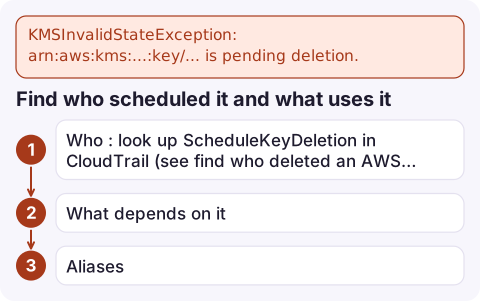
Find who scheduled it and what uses it
- Who: look up
ScheduleKeyDeletionin CloudTrail (see find who deleted an AWS resource). Often it's a stack teardown: deleting a CloudFormation stack schedules deletion of keys it created, unless they haveDeletionPolicy: Retain. - What depends on it: CloudTrail
Decrypt/GenerateDataKeyevents with this key ID over recent weeks show the callers. Usage during the waiting period is recorded with an error, which is why AWS suggests a CloudWatch alarm on attempts to use a key pending deletion. - Aliases: an alias such as
alias/app-datakeeps pointing at the pending key; repoint it only if you intend to switch keys.
Before deleting a key on purpose
- Disable it first for a few weeks instead. Disabling is reversible at any time and breaks the same things, so you learn what depends on it safely.
- Use the longest waiting period:
aws kms schedule-key-deletion --key-id $KEY --pending-window-in-days 30. - Re-encrypt data first: S3 objects need copying with a new key, EBS snapshots copying with a new key, RDS a snapshot copy and restore.
- AWS managed keys (
aws/s3,aws/ebs) can't be scheduled for deletion; this only happens to customer managed keys. - Multi-Region primary keys can't be deleted until their replicas are deleted.
Questions
How do I cancel a KMS key deletion?
Run aws kms cancel-key-deletion with the key ID during the waiting period, then aws kms enable-key, because the key returns in the Disabled state.
How long is the KMS key deletion waiting period?
Between 7 and 30 days, chosen when deletion is scheduled. The default is 30 days.
Can I recover data after a KMS key is deleted?
No. Once the waiting period ends, the key material is gone and data encrypted only under that key can't be decrypted.

A key scheduled for deletion breaks things quietly at first and then everywhere at once. CloudConsole, a phone app for AWS, is being built to show alarms and logs on your phone, so a burst of decrypt failures is visible early in the waiting period.
Did it start after a deploy? What changed? on the app’s alarm screen lists the deploys and configuration changes from the hour before the alarm fired.
About the app → · Download on the App Store