 CloudConsole
S3 AccessDenied: Access Denied when calling an S3 operation
S3 refused the request because something in the chain of IAM policy, bucket policy, Block Public Access, object ownership, KMS key policy, VPC endpoint policy or SCP doesn't allow it. Start by confirming who is calling (aws sts get-caller-identity), then check the IAM policy covers the right ARN (bucket for ListBucket, bucket/* for objects), then the bucket policy for explicit denies; if the object is KMS-encrypted, the caller also needs kms:Decrypt.
Why S3 access denied is hard to read
An error occurred (AccessDenied) when calling the GetObject operation: Access DeniedS3 often gives no reason at all, and several independent layers can each say no. Newer responses sometimes add context, such as which policy type denied the request, but don't count on it. One more twist: when the caller lacks s3:ListBucket, S3 answers a request for a missing object with 403 rather than 404, so "access denied" can really mean "no such key".
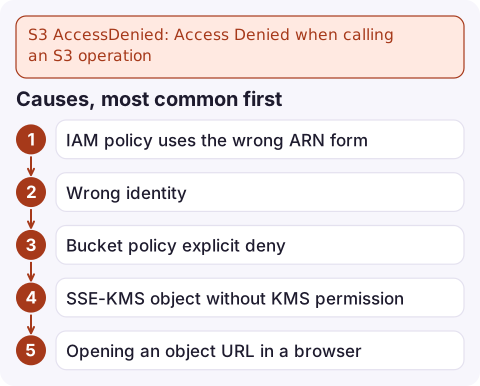
Causes, most common first
| Cause | Tell-tale sign |
|---|---|
| IAM policy uses the wrong ARN form | ListBucket works but GetObject fails, or the reverse. Bucket actions need arn:aws:s3:::my-bucket; object actions need arn:aws:s3:::my-bucket/* |
| Wrong identity | Code runs as a Lambda, ECS task or instance role you didn't grant |
| Bucket policy explicit deny | Conditions like aws:SecureTransport, aws:SourceVpce or aws:PrincipalOrgID |
| SSE-KMS object without KMS permission | Unencrypted objects in the same bucket work; head-object shows SSEKMSKeyId |
| Opening an object URL in a browser | The browser sends no credentials; with Block Public Access on (the default) anonymous reads are always refused |
| Object owned by another account | Older buckets with ACLs enabled, objects uploaded cross-account |
Object doesn't exist, no ListBucket | 403 instead of 404 for a key you mistyped |
| VPC endpoint policy or SCP | Works from your laptop, fails from inside the VPC or a member account |
Diagnose step by step
- Who is calling?
aws sts get-caller-identity --query Arn --output text - Does the caller's IAM policy allow it?
aws iam simulate-principal-policy \ --policy-source-arn arn:aws:iam::123456789012:role/app \ --action-names s3:GetObject \ --resource-arns arn:aws:s3:::my-bucket/reports/2026-11.csv \ --query 'EvaluationResults[].EvalDecision' --output text - Read the bucket policy and public access settings:
aws s3api get-bucket-policy --bucket my-bucket --query Policy --output text | jq . aws s3api get-public-access-block --bucket my-bucket aws s3api get-bucket-ownership-controls --bucket my-bucket - Check the object's encryption (from an identity that can read it):
If it names a KMS key, see KMS AccessDenied.aws s3api head-object --bucket my-bucket --key reports/2026-11.csv \ --query '[ServerSideEncryption,SSEKMSKeyId]' - Check the key exists, and whether you can list:
aws s3api list-objects-v2 --bucket my-bucket --prefix reports/ --max-items 5
Fixes
- IAM: grant
s3:ListBucketon the bucket ARN and object actions onbucket/*(or a narrower prefix). - Cross-account: both the caller's IAM policy and the bucket policy must allow it, and with ACLs disabled (Bucket owner enforced, the default for new buckets) the bucket owner owns every object, which removes the ownership problem.
- Public content: don't loosen Block Public Access to serve a website. Put CloudFront with origin access control in front instead; see CloudFront S3 AccessDenied.
- Temporary sharing: use a presigned URL (
aws s3 presign) instead of a public object.
Mistake to avoid: adding "Principal": "*" to a bucket policy to get past the error. With Block Public Access on it won't work anyway, and with it off you've published the bucket.
Questions
Why do I get access denied when I open an S3 object URL in a browser?
The browser makes an anonymous request. Unless the object is public, which Block Public Access prevents by default, S3 refuses it. Use a presigned URL or serve it through CloudFront.
Why is S3 access denied on a public bucket?
Block Public Access at the account or bucket level overrides public bucket policies and ACLs. If any of its settings are on, the public grant is ignored.
Why does S3 return 403 instead of 404 for a missing object?
Without s3:ListBucket permission, S3 won't confirm whether a key exists, so a missing key returns AccessDenied. Grant ListBucket to get a proper NoSuchKey.

S3 permission errors after a change usually show up as a burst of 4xx errors from one application. CloudConsole, a phone app for AWS, is built to show the alarm and the failing requests in the logs on your phone, which helps you connect the errors to the change that caused them.
Did it start after a deploy? What changed? on the app’s alarm screen lists the deploys and configuration changes from the hour before the alarm fired.
About the app → · Download on the App Store