 CloudConsole
You can't create this secret because a secret with this name is already scheduled for deletion
A secret with this name was deleted with a recovery window, so it still exists in a scheduled-for-deletion state and holds the name until the window ends (7 to 30 days, 30 by default). Either restore it with aws secretsmanager restore-secret and update its value, or, if you really want a fresh secret, delete it permanently with --force-delete-without-recovery and create the new one.
Why it happens
An error occurred (InvalidRequestException) when calling the CreateSecret operation:
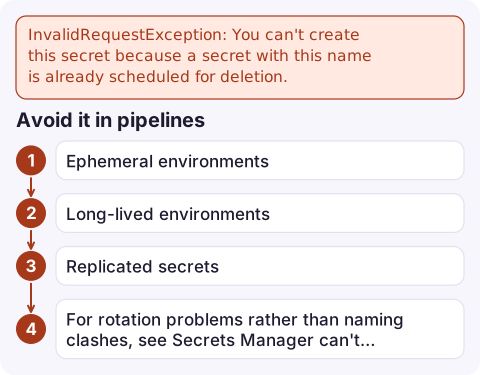
You can't create this secret because a secret with this name is already scheduled for deletion.
The classic trigger is infrastructure as code: a stack or terraform destroy deletes the secret (with the default recovery window), and the next create uses the same name. While a secret is scheduled for deletion, reading it also fails, with You can't perform this operation on the secret because it was marked for deletion, so apps that still use it break too.
A plain aws secretsmanager list-secrets doesn't show scheduled secrets, which is why the name looks free. Add --include-planned-deletion to see them, with their DeletedDate.
Option 1: restore it
aws secretsmanager describe-secret --secret-id prod/orders/db \
  --query '{name:Name,deleted:DeletedDate,arn:ARN}'

aws secretsmanager restore-secret --secret-id prod/orders/db

# Optionally set a new value
aws secretsmanager put-secret-value --secret-id prod/orders/db \
  --secret-string file://db.json
Restoring keeps the same ARN (including its random suffix), so IAM policies and apps that reference the full ARN keep working. In the console, scheduled secrets are hidden by default: turn on Show secrets scheduled for deletion in the list's preferences, then choose Cancel deletion.
Option 2: delete it for good, then create
# Destructive: the old secret value cannot be recovered
aws secretsmanager delete-secret --secret-id prod/orders/db --force-delete-without-recovery

aws secretsmanager create-secret --name prod/orders/db --secret-string file://db.json
Deletion is asynchronous, so an immediate create can still fail for a short time; retry after a few seconds. The new secret gets a new ARN suffix, so anything referencing the old full ARN must be updated. References by name, or by partial ARN without the suffix, keep working.
Avoid it in pipelines
- Ephemeral environments: set a zero recovery window on teardown (Terraform
recovery_window_in_days = 0), or include the environment or a unique suffix in secret names. - Long-lived environments: keep the recovery window. It's your undo button if a secret is deleted by mistake, and it's worth checking a stack's resources before deletion.
- Replicated secrets: a secret with replicas in other Regions must have its replicas removed before it can be deleted.
- For rotation problems rather than naming clashes, see Secrets Manager can't find the specified secret.
Questions
How do I restore a deleted secret in Secrets Manager?
During the recovery window, run aws secretsmanager restore-secret --secret-id NAME, or choose Cancel deletion in the console after showing scheduled secrets.
How do I delete a secret immediately?
Run aws secretsmanager delete-secret with --force-delete-without-recovery. The value can't be recovered afterwards.
How long does Secrets Manager keep a deleted secret?
For the recovery window you choose, 7 to 30 days; 30 days by default.

A secret deleted by a teardown can take a running service down with it. CloudConsole, a phone app for AWS, is being built to show alarms and logs on your phone, so the resulting errors are visible straight away.
Did it start after a deploy? What changed? on the app’s alarm screen lists the deploys and configuration changes from the hour before the alarm fired.
About the app → · Download on the App Store