 CloudConsole
How to find who deleted a resource in AWS
Search CloudTrail Event history in the resource's Region for its name or ID, or for the Delete event name (DeleteBucket, TerminateInstances, DeleteDBInstance, DeleteStack and so on), then read userIdentity in the event. Global services such as IAM and CloudFront log to us-east-1. Event history only goes back 90 days and doesn't include S3 object deletions, which need a trail with data events.
Find the event
In the CloudTrail console, open Event history, choose the lookup attribute Resource name and enter the name or ID, or choose Event name and enter the delete call. From the CLI:
# By resource name: shows every recorded action on it, including the delete
aws cloudtrail lookup-events --region eu-west-2 \
  --lookup-attributes AttributeKey=ResourceName,AttributeValue=orders-db \
  --query 'Events[].[EventTime,EventName,Username]' --output table

# By event name, when you know the type but not the exact name
aws cloudtrail lookup-events --region eu-west-2 \
  --lookup-attributes AttributeKey=EventName,AttributeValue=DeleteDBInstance \
  --start-time 2026-11-01T00:00:00Z \
  --query 'Events[].[EventTime,Username,Resources[0].ResourceName]' --output table
Event names to search for
| Resource | Delete event | Region to search |
|---|---|---|
| EC2 instance | TerminateInstances | Instance's Region |
| EBS volume / snapshot | DeleteVolume / DeleteSnapshot | Resource's Region |
| S3 bucket | DeleteBucket | Bucket's Region |
| S3 object | DeleteObject, DeleteObjects | Data event: only in a trail with S3 data events |
| RDS instance / Aurora cluster | DeleteDBInstance / DeleteDBCluster | Database's Region |
| CloudFormation stack | DeleteStack | Stack's Region |
| DynamoDB table | DeleteTable | Table's Region |
| IAM user, role, policy | DeleteUser, DeleteRole, DeletePolicy | us-east-1 |
| Security group rule | RevokeSecurityGroupIngress | VPC's Region |
Some services record event names with an API version suffix, Lambda being the common example. If an exact name finds nothing, search by resource name instead.
Interpret what you find
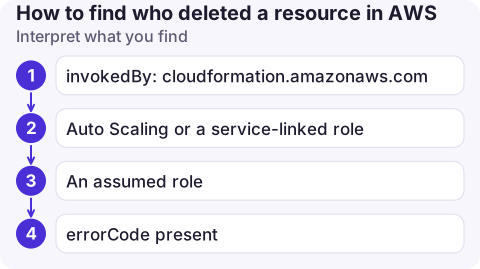
invokedBy: cloudformation.amazonaws.com: CloudFormation deleted it during a stack update or delete. Find theUpdateStackorDeleteStackcall to see who triggered that.- Auto Scaling or a service-linked role: an automated process, such as scale-in or a lifecycle rule. Not a person.
- An assumed role: the session name (after the last slash in the ARN) plus
sourceIPAddressusually identify the human or pipeline. errorCodepresent: the call failed, so that isn't your culprit. Look for the successful one.
Beyond 90 days, or object-level deletes
- Trail in S3: if a trail delivers logs to S3, query them with Athena for any period you've retained.
- CloudWatch Logs: if the trail also sends to a log group, Logs Insights can search it; see the CloudTrail who-did-what query.
- AWS Config: if recording is on, the resource timeline shows configuration changes and the related CloudTrail events, even after deletion.
- S3 server access logs are another source for object deletions if enabled on the bucket.
If none of these were set up, the record may simply not exist; set up an organisation trail now so next time it does.
Common mistakes
- Searching the wrong Region, especially for IAM (us-east-1) or a bucket in another Region.
- Assuming the console user who clicked "delete stack" is the identity on the resource events; those show CloudFormation.
- Expecting real-time results: allow several minutes for events to arrive.
Questions
How long does CloudTrail keep events?
Event history keeps the last 90 days of management events per Region at no cost. For longer, create a trail delivering to S3 or use CloudTrail Lake.
How do I find who deleted an S3 object?
Object deletions are data events. You can only see them if a trail was logging S3 data events for that bucket at the time, or S3 server access logging was on.
Can I restore a deleted resource from CloudTrail?
No. CloudTrail records the API call, not the data. Recovery depends on backups, snapshots, versioning or the service's own restore features.

Missing resources are usually discovered as an outage, often outside working hours. CloudConsole, a phone app for AWS, is built to show recent changes and who made them next to your alarms.
About the app → · Download on the App Store