 CloudConsole
Invalid principal in policy
AWS validates every principal when you save a bucket policy, trust policy or other resource policy, and at least one doesn't resolve to a real identity: usually a role or user that was deleted or never existed, a typo in the ARN, an ARN in the wrong format (such as an assumed-role session ARN or a role path missing), or a service principal spelled wrongly. Fix or remove that principal and save again.
Where you see it
An error occurred (MalformedPolicy) when calling the PutBucketPolicy operation: Invalid principal in policy

An error occurred (MalformedPolicyDocument) when calling the UpdateAssumeRolePolicy operation:
Invalid principal in policy: "AWS":"arn:aws:iam::123456789012:role/deploy"
IAM's version names the bad principal; S3's often doesn't, so with several principals you have to test them one by one. CloudFormation and Terraform surface the same message when they apply the policy.
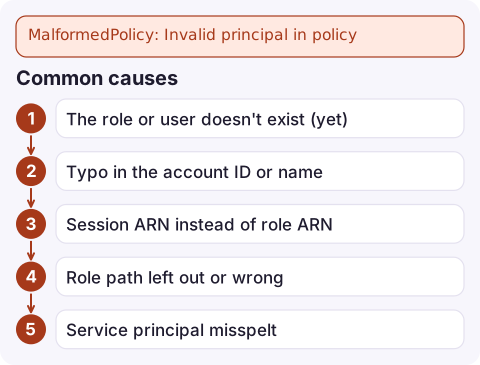
Common causes
| Cause | Example |
|---|---|
| The role or user doesn't exist (yet) | Policy deployed before the role in the same template, or the role was deleted |
| Typo in the account ID or name | arn:aws:iam::12345678912:role/deploy (11 digits) |
| Session ARN instead of role ARN | arn:aws:sts::123456789012:assumed-role/deploy/alice works only as an exact session; use the role ARN |
| Role path left out or wrong | Identity Center roles live under /aws-reserved/sso.amazonaws.com/ |
| Service principal misspelt | lambda.amazon.com instead of lambda.amazonaws.com |
| Wildcards in the ARN | arn:aws:iam::123456789012:role/app-* isn't allowed in Principal; use a condition such as aws:PrincipalArn |
How to fix it
- Check each principal exists.
For cross-account principals, ask the other account to run the same and send you the exact ARN.aws iam get-role --role-name deploy --query Role.Arn aws iam get-user --user-name ci-bot --query User.Arn - Copy the ARN, don't type it. Use the ARN returned above, including any path.
- To match many roles, put
"AWS": "*"in the principal and narrow it with a condition such as"ArnLike": {"aws:PrincipalArn": "arn:aws:iam::123456789012:role/app-*"}, oraws:PrincipalOrgIDfor a whole organisation. - In templates, reference the role (
!GetAtt DeployRole.Arn) so the policy is created after it, rather than hard-coding the ARN.
The deleted-role trap
When a role named in an existing policy is deleted, AWS replaces the ARN in that policy with the role's internal unique ID (it starts with AROA). Recreating a role with the same name does not restore access: the policy still points at the old ID. Worse, the next time anyone edits and saves that policy, it can fail with Invalid principal because the ID no longer resolves. Remove the stale ID and add the new role's ARN.
aws s3api get-bucket-policy --bucket my-bucket --query Policy --output text | grep -o 'AROA[A-Z0-9]*'Questions
Why does my S3 bucket policy say invalid principal in policy?
One of the principals doesn't resolve: a deleted or misspelt role or user, a wrong account ID, a session ARN, or a wildcard in the ARN. Fix the ARN or remove it.
Can I use a wildcard in a policy principal?
Only "*" on its own. To match a pattern of role names, use "*" with a condition such as ArnLike on aws:PrincipalArn.
How do I fix invalid principal in policy for a cross-account role?
Confirm the exact role ARN with the other account, including any path, and make sure the role exists before you save the policy.

Policy changes that fail to save are usually caught in a pipeline, but a deleted role can silently break access that pages you later. CloudConsole, a phone app for AWS, is being built to show alarms and logs on your phone so you can see which workload lost access.
Did it start after a deploy? What changed? on the app’s alarm screen lists the deploys and configuration changes from the hour before the alarm fired.
About the app → · Download on the App Store