 CloudConsole
How to redrive a Step Functions execution
For a Standard workflow execution that failed, timed out or was aborted in the last 14 days, choose Redrive on the execution's page in the Step Functions console, or run aws stepfunctions redrive-execution --execution-arn ARN. Step Functions resumes from the unsuccessful state with the same input and keeps the results of steps that already succeeded. Fix the cause first: redrive reruns the same state machine definition, so it helps when the problem was in a downstream service or Lambda code, not in the workflow definition.
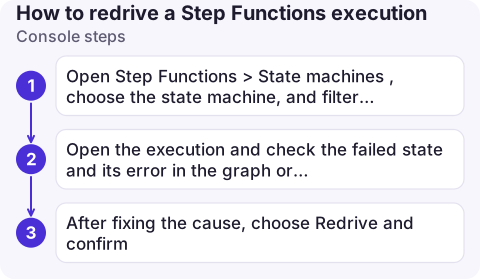
Console steps
- Open Step Functions > State machines, choose the state machine, and filter executions by Failed, Timed out or Aborted.
- Open the execution and check the failed state and its error in the graph or events view.
- After fixing the cause, choose Redrive and confirm. The same execution continues; its details page shows the redrive count.
CLI steps
# Failed executions that haven't been redriven yet
aws stepfunctions list-executions \
  --state-machine-arn arn:aws:states:eu-west-2:123456789012:stateMachine:order-pipeline \
  --status-filter FAILED --redrive-filter NOT_REDRIVEN \
  --query 'executions[].[name,stopDate]' --output table

# Is this one eligible, and why not?
aws stepfunctions describe-execution \
  --execution-arn arn:aws:states:eu-west-2:123456789012:execution:order-pipeline:7f3a9c2e \
  --query '[status,redriveStatus,redriveStatusReason,redriveCount]'

# Redrive
aws stepfunctions redrive-execution \
  --execution-arn arn:aws:states:eu-west-2:123456789012:execution:order-pipeline:7f3a9c2e
To redrive many, loop over the list-executions output, but pace it: a mass redrive hits the same downstream that just failed.
When you can redrive
- Standard workflows, status not
SUCCEEDED, finished within the last 14 days, and with fewer than about 25,000 history events (redrives append to the same history). - Express workflows can't be redriven directly. Child executions of a Distributed Map are redriven by redriving the parent;
redriveStatusshowsREDRIVABLE_BY_MAP_RUNfor those. redriveStatusReasonexplains why an execution isNOT_REDRIVABLE.
What redrive does and doesn't change
| Kept | Reset or rerun |
|---|---|
| Execution ARN, input, definition, version/alias | The failed state runs again, with its retry count reset to 0 |
| Outputs of states that succeeded | The state machine-level timeout restarts |
| Event history (appended to) | Inline Map reruns only failed iterations (unless the failure was a data limit error) |
Because the definition is fixed, a bug in the ASL (a wrong JSONPath, a missing Catch) needs a new execution after you update the state machine. A transient downstream error, a fixed Lambda bug (when the task calls an unqualified function or $LATEST) or a raised quota is exactly what redrive is for.
Common mistakes
- Non-idempotent steps: the failed step reruns. If it half-completed (charged a card, sent an email) before failing, make it idempotent or check first.
- Pinned Lambda versions: if the task calls
my-fn:12, deploying a fix as version 13 doesn't affect the redrive. - Starting a new execution with the same name: Standard execution names must be unique for 90 days, so you'll get
ExecutionAlreadyExists; use redrive or a new name.
Questions
How do I restart a failed Step Functions execution from the failed step?
Use redrive: choose Redrive in the console or run aws stepfunctions redrive-execution with the execution ARN. It resumes from the failed state with the same input.
Can I redrive an Express workflow?
No. Redrive is for Standard workflow executions. Express child workflows of a Distributed Map are redriven through the parent's Map Run.
How long can I redrive a Step Functions execution?
Within 14 days of the execution finishing, provided it didn't succeed and its history is under the event limit.

Failed workflow runs are often discovered hours later through missing results. CloudConsole, a phone app for AWS, is being built to show alarms and logs on your phone, so you can see failures as they happen and plan the redrive.
About the app → · Download on the App Store