 CloudConsole
How to roll back a Lambda version
If callers invoke your function through an alias, rolling back is one call: point the alias at the previous published version with aws lambda update-alias --function-version. The change takes effect for new invocations within seconds. If everything invokes $LATEST and you never published versions, there is nothing to roll back to inside Lambda; you redeploy the previous code package and configuration instead.
Which situation are you in?
Run this first:
aws lambda list-aliases --function-name my-function \
  --query 'Aliases[].{alias:Name,version:FunctionVersion,weights:RoutingConfig}'

aws lambda list-versions-by-function --function-name my-function \
--query 'Versions[].{v:Version,modified:LastModified,sha:CodeSha256,desc:Description}' --output table- Aliases exist and callers use them (API Gateway integration, event source mapping or SDK calls reference
my-function:live): use the alias rollback below. - Only
$LATEST: skip to redeploying the old package.
A published version is an immutable snapshot of both code and configuration (environment variables, memory, timeout, layers), so rolling the alias back also restores the old configuration.
Roll back an alias
Console: open the function in the Lambda console, go to Aliases, select the alias, choose Edit, pick the earlier version and save.
CLI:
# Point "live" back at version 41 and clear any weighted routing
aws lambda update-alias \
  --function-name my-function \
  --name live \
  --function-version 41 \
  --routing-config '{"AdditionalVersionWeights":{}}'

# Confirm
aws lambda get-alias --function-name my-function --name live
Clearing the routing config matters if you were mid-way through a weighted (canary) release; otherwise some traffic may keep going to the bad version.
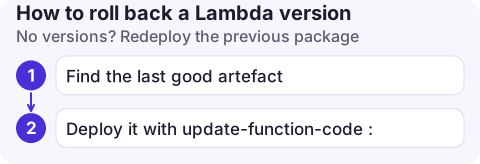
No versions? Redeploy the previous package
- Find the last good artefact: your CI build output, an S3 object version, or a container image digest in ECR.
- Deploy it with
update-function-code:
aws lambda update-function-code --function-name my-function \
  --s3-bucket my-artifacts --s3-key my-function/build-1187.zip --publish

# Container image functions: deploy by digest, not by tag
aws lambda update-function-code --function-name my-function \
  --image-uri 123456789012.dkr.ecr.eu-west-2.amazonaws.com/my-function@sha256:3f5c0d...
If the bad release also changed configuration, revert that separately with update-function-configuration; code and configuration are deployed independently on $LATEST. If you deploy with SAM, CDK, Terraform or the Serverless Framework, roll back through that tool instead, or the next deploy will reapply the broken state.
Check after rolling back
- The
Errorsmetric for the alias (or the function) drops; look at the alias-level metrics with the Resource dimensionmy-function:live. - Log lines show the expected version: the log stream name contains the version number in square brackets, such as
[41]. - Event source mappings and API integrations point at the alias, not at a fixed version or
$LATEST; otherwise the rollback didn't reach them.
Mistakes to avoid next time
- Publishing versions but invoking
$LATEST: you have history but no switch. - Deleting old versions aggressively to save code storage; keep at least the last few.
- Rolling back code without checking data compatibility. If the bad version wrote records in a new format, the old code must be able to read them.
- For automatic rollbacks, CodeDeploy can shift traffic between versions gradually and revert when an alarm fires.
Questions
Can you roll back Lambda $LATEST?
Not directly. $LATEST is always the most recent code you uploaded. Redeploy the previous package, or start publishing versions behind an alias so future rollbacks are one command.
How do I download the code of an old Lambda version?
Run aws lambda get-function --function-name my-function:41 --query Code.Location. It returns a short-lived URL to the deployment package for that version.
Does rolling back an alias restore environment variables?
Yes. Each published version stores its own configuration, including environment variables, so the alias serves the old code with its old settings.

A bad deploy is often noticed after you have left your desk. CloudConsole, a phone app for AWS, is built to show Lambda errors next to recent changes on your phone, with production guardrails on any action.
About the app → · Download on the App Store