 CloudConsole
How to restore a deleted S3 object
If the bucket has versioning enabled, a normal delete only adds a delete marker on top of the object's versions. Delete that marker (aws s3api delete-object with the marker's --version-id) and the previous version becomes current again. To restore an older version of an overwritten object, copy that version over the current one. If versioning was never enabled, S3 can't undelete; look for a replica, an AWS Backup recovery point or your own backups.
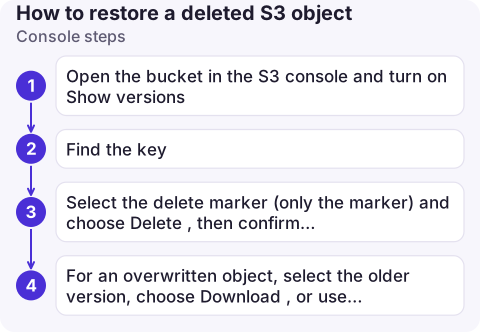
Console steps
- Open the bucket in the S3 console and turn on Show versions.
- Find the key. A deleted object shows a Delete marker as its latest version, with the real versions below it.
- Select the delete marker (only the marker) and choose Delete, then confirm with
permanently delete. The object reappears. - For an overwritten object, select the older version, choose Download, or use Actions > Copy to copy that version into the same key.
CLI steps
# Is versioning on?
aws s3api get-bucket-versioning --bucket my-bucket

# Versions and delete markers for one key
aws s3api list-object-versions --bucket my-bucket --prefix reports/q3.pdf \
  --query '{versions: Versions[].[Key,VersionId,IsLatest,LastModified], markers: DeleteMarkers[].[Key,VersionId,IsLatest]}'

# Remove the delete marker (this restores the object)
aws s3api delete-object --bucket my-bucket --key reports/q3.pdf \
  --version-id 'kXq3.Zb2Y4kPqvF9oWm7e1hJ8lSxN0aR'

# Or copy an older version back on top
aws s3api copy-object --bucket my-bucket --key reports/q3.pdf \
  --copy-source 'my-bucket/reports/q3.pdf?versionId=3HL4kqtJlcpXroDTDmJ.rmSpXd3dIbrHY'
Double-check the version ID: deleting a real version by ID removes it permanently. For many objects (a deleted prefix), script the marker deletion from list-object-versions output filtered on IsLatest == true, or use S3 Batch Operations.
If versioning was off
- Replication: a replica bucket (Same-Region or Cross-Region Replication) may still have the object; by default, deletes aren't replicated.
- AWS Backup: if the bucket is protected by AWS Backup, restore the object from a recovery point.
- Other copies: CloudFront caches, build artefacts, the uploader's source. AWS Support can't recover objects deleted from unversioned buckets.
- Turn versioning on now, with a lifecycle rule to expire noncurrent versions so storage doesn't grow without limit:
aws s3api put-bucket-versioning --bucket my-bucket --versioning-configuration Status=Enabled.
Common mistakes
- Lifecycle rules that expire noncurrent versions after a few days can remove your recovery window; check them before relying on versioning.
- Deleting the version instead of the marker in the console, which makes the loss permanent.
- Expecting
aws s3 lsto show deleted objects: it only shows current versions. - Finding out who deleted it: object deletes are CloudTrail data events, only logged if enabled; S3 server access logs are the other option.
Questions
Can I recover a deleted file from S3?
Yes, if versioning was enabled: remove the delete marker or copy back a previous version. Without versioning, S3 can't recover it; use replicas or backups.
How do I remove a delete marker in S3?
In the console, show versions and delete the delete marker. With the CLI, run aws s3api delete-object with the marker's --version-id.
How do I restore a previous version of an S3 object?
Copy the older version over the current key with aws s3api copy-object and a copy source that includes ?versionId=, or use Copy in the console.

Accidental deletes are usually noticed by someone who can't find a file. CloudConsole, a phone app for AWS, is being built to show resources and logs on your phone, which helps you check what happened before you restore anything.
About the app → · Download on the App Store