 CloudConsole
NoSuchKey: The specified key does not exist
S3 found the bucket but no current object with exactly that key. Keys are case-sensitive strings with no real folders, so a leading slash, a different case, a stray space or an un-decoded URL character all point to a different key. In Lambda functions triggered by S3, the usual cause is using the event's key without URL-decoding it first.
What it means
An error occurred (NoSuchKey) when calling the GetObject operation: The specified key does not exist.This is a genuine 404: the caller is allowed to list the bucket (otherwise S3 would have returned 403), and there is no current version of that exact key. Since December 2020 S3 has been strongly consistent for reads after writes, so "the upload hasn't propagated yet" is no longer an explanation; if a PUT succeeded first, a following GET finds it.
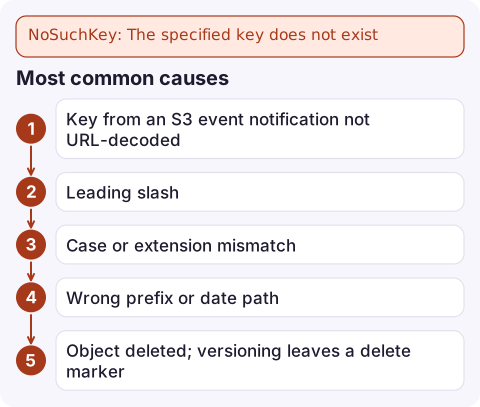
Most common causes
| Cause | Example |
|---|---|
| Key from an S3 event notification not URL-decoded | Event has reports/q3+summary%282%29.pdf; real key is reports/q3 summary(2).pdf |
| Leading slash | /images/logo.png vs images/logo.png: two different keys |
| Case or extension mismatch | Logo.PNG vs logo.png |
| Wrong prefix or date path | Code builds 2026/11/16/ but the writer uses 2026-11-16/ or UTC vs local date |
| Object deleted; versioning leaves a delete marker | GET returns 404 with header x-amz-delete-marker: true |
| Lifecycle rule expired it | Objects vanish after a fixed number of days |
| Reading before the writer has finished | A consumer is triggered by something other than the upload completing |
Find the real key
- List what's actually there near the path you expect:
Pipe throughaws s3api list-objects-v2 --bucket my-bucket --prefix reports/q3 \ --query 'Contents[].[Key,LastModified,Size]' --output textcat -Ato reveal trailing spaces or odd characters in keys. - If the bucket is versioned, look for a delete marker:
To restore, delete the delete marker by its version ID; the previous version becomes current again.aws s3api list-object-versions --bucket my-bucket --prefix reports/q3-summary.pdf \ --query '{Versions: Versions[].[VersionId,LastModified], DeleteMarkers: DeleteMarkers[].[VersionId,LastModified]}' - Check the lifecycle configuration if objects disappear on a schedule:
aws s3api get-bucket-lifecycle-configuration --bucket my-bucket
The Lambda event fix
S3 event notifications deliver object keys URL-encoded, with spaces as +. Decode them before calling S3:
from urllib.parse import unquote_plus

def handler(event, context):
    for record in event["Records"]:
        bucket = record["s3"]["bucket"]["name"]
        key = unquote_plus(record["s3"]["object"]["key"])
        s3.get_object(Bucket=bucket, Key=key)
In Node.js use decodeURIComponent(key.replace(/\+/g, ' ')). Test with a filename containing spaces and brackets; plain names hide the bug until a user uploads Invoice (1).pdf.
Mistakes to avoid
Don't respond to NoSuchKey by retrying in a loop; S3 is consistent, so the object won't appear unless something writes it. And if you see 403 instead of 404 for a missing key, that's a permissions gap (no s3:ListBucket), covered in S3 AccessDenied.
Questions
What does S3 error NoSuchKey mean?
The bucket exists and you may list it, but there is no current object with exactly that key. Check case, leading slashes, URL encoding and whether a delete marker or lifecycle rule removed it.
Why does my Lambda get NoSuchKey for an object that exists?
S3 event notifications URL-encode the key. Decode it with unquote_plus in Python or decodeURIComponent with + replaced by spaces in Node.js before calling GetObject.
Can I recover an object that returns NoSuchKey?
Only if versioning was on. Find the delete marker with list-object-versions and delete that marker; the previous version becomes current.

NoSuchKey errors in an event-driven pipeline usually show up as a rising Lambda error count. CloudConsole, a phone app for AWS, is built to show that alarm and the failing log lines on your phone so you can see the bad key straight away.
Did it start after a deploy? What changed? on the app’s alarm screen lists the deploys and configuration changes from the hour before the alarm fired.
About the app → · Download on the App Store