 CloudConsole
CloudWatch Logs limits and quotas
A single CloudWatch Logs event can be up to 1 MB, and a PutLogEvents batch can hold 10,000 events and 1,048,576 bytes (each event adds 26 bytes of overhead). Batches must be in time order, span at most 24 hours, and can't include events older than 14 days or more than 2 hours in the future. PutLogEvents is throttled at 5,000 calls per second per account per Region by default (adjustable); each log group can have 5 subscription filters and 100 metric filters, and an account can have 1,000,000 log groups.
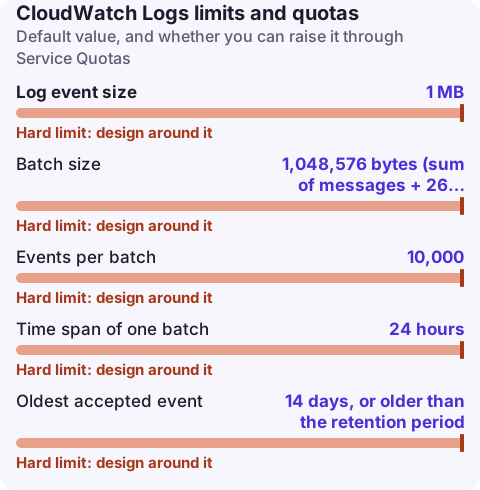
Ingestion limits (PutLogEvents)
| Limit | Value | Adjustable |
|---|---|---|
| Log event size | 1 MB | No |
| Batch size | 1,048,576 bytes (sum of messages + 26 bytes per event) | No |
| Events per batch | 10,000 | No |
| Time span of one batch | 24 hours | No |
| Oldest accepted event | 14 days, or older than the retention period | No |
| Newest accepted event | 2 hours in the future | No |
| PutLogEvents rate | 5,000 calls per second per account per Region | Yes |
The old limit of five PutLogEvents calls per second per log stream no longer exists; throttling is now per account. Events outside the 14-day or 2-hour window are rejected individually while the rest of the batch is accepted, and the response reports them in rejectedLogEventsInfo (tooOldLogEventEndIndex, tooNewLogEventStartIndex, expiredLogEventEndIndex). Events that are not in chronological order make the whole call fail.
Most people never call PutLogEvents themselves: the Lambda runtime, the awslogs and FireLens drivers in ECS, and the CloudWatch agent do it for you. They split oversized events or truncate them, which is why a long stack trace can appear as several log events or end abruptly.
Log group and filter quotas
| Quota | Default | Adjustable |
|---|---|---|
| Log groups per account per Region | 1,000,000 | Yes |
| Subscription filters per log group | 5 | No |
| Metric filters per log group | 100 | No |
| Resource policies per Region | 10 | No |
| Live Tail concurrent sessions | 15 | Yes |
| Log groups scanned per Live Tail session | 10 | No |
| CreateLogGroup calls per second | 10 | Yes |
| DescribeLogGroups calls per second | 10 | Yes |
| FilterLogEvents calls per second | 10 in most Regions (25 in us-east-1) | No |
| StartQuery / GetQueryResults calls per second | 10 each | No |
| Free data archiving | 5 GB | No |
The read-side API limits are low. Scripts that loop over filter-log-events or get-log-events across many log groups hit ThrottlingException: Rate exceeded quickly; add backoff, or use Logs Insights (start-query) or an export to S3 for bulk reads. Logs Insights results are capped at 10,000 rows per query; see getting more than 10,000 results.
Check and raise
aws service-quotas list-service-quotas --service-code logs \
  --query 'Quotas[*].{Name:QuotaName,Code:QuotaCode,Value:Value,Adjustable:Adjustable}' --output table

# Count log groups in this Region
aws logs describe-log-groups --query 'length(logGroups)'
Only the adjustable rows above can be raised. PutLogEvents throttling shows up in agents and drivers as retries and delayed or dropped logs; where Service Quotas shows a utilisation graph for a quota, you can create an alarm from the quota page.
Designing within the limits
- Log structured JSON on one line per event, so multi-line messages don't get split and Logs Insights can parse fields.
- Keep individual events well under 1 MB; log references (request IDs, S3 keys) for large payloads.
- Five subscription filters per log group is a hard ceiling: fan out from one Kinesis or Firehose destination rather than adding a filter per consumer, or use an account-level subscription filter policy.
- Set a retention period on every log group; retention doesn't change limits, but events older than retention are rejected on ingestion.
Questions
What is the maximum size of a CloudWatch log event?
1 MB per event. Larger messages are rejected by the API, so agents and drivers split or truncate them.
What is the PutLogEvents limit?
5,000 calls per second per account per Region by default (adjustable), with up to 10,000 events and 1,048,576 bytes per call.
How many subscription filters can a log group have?
Five per log group. The quota can't be increased.
When logging breaks you usually find out because the logs you need during an incident aren't there. CloudConsole, a phone app for AWS, is being built to show log groups and recent events on your phone, which makes a gap easy to spot.
About the app → · Download on the App Store