 CloudConsole
Getting more than 10,000 results from Logs Insights
A CloudWatch Logs Insights query returns at most 10,000 rows, and limit can't be set higher. To work with more, aggregate with stats so fewer rows are needed, split the time range into slices that each return under 10,000 rows, or use a different tool for bulk retrieval: filter-log-events with pagination or an export task to S3.
Why you hit the cap
The 10,000-row ceiling applies to the rows a query returns, not to how much data it scans. A query over millions of events works fine as long as its output is small. You hit the cap when you ask for raw events (fields … | limit 10000) over a busy period, or group by something with very many values. If the results pane shows exactly 10,000 rows, assume it's truncated.
Option 1: aggregate instead of listing
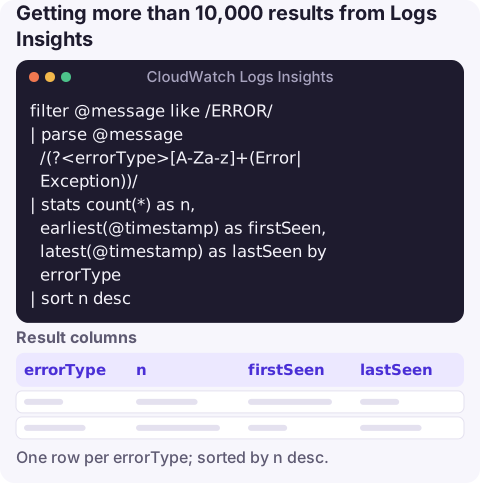
Most of the time you don't need every line, you need an answer. Replace a raw listing with a summary:
filter @message like /ERROR/
| parse @message /(?<errorType>[A-Za-z]+(Error|Exception))/
| stats count(*) as n, earliest(@timestamp) as firstSeen, latest(@timestamp) as lastSeen by errorType
| sort n desc
One row per error type, with counts and the time window, replaces tens of thousands of lines. See group by and unique values for more patterns.
Option 2: slice the time range with the CLI
If you really need every matching event, run the same query over consecutive windows small enough that each returns fewer than 10,000 rows. This script uses start-query and get-query-results with one-hour slices (GNU date syntax):
LOG_GROUP=/aws/lambda/my-function
QUERY='fields @timestamp, @requestId, @message | filter @message like /ERROR/ | sort @timestamp asc | limit 10000'
start=$(date -u -d '2026-11-15T00:00:00Z' +%s)
end=$(date -u -d '2026-11-16T00:00:00Z' +%s)
step=3600

for ((t=start; t<end; t+=step)); do
  qid=$(aws logs start-query --log-group-name "$LOG_GROUP" \
    --start-time "$t" --end-time "$((t+step))" \
    --query-string "$QUERY" --query queryId --output text)
  while true; do
    status=$(aws logs get-query-results --query-id "$qid" --query status --output text)
    [ "$status" = Running ] || [ "$status" = Scheduled ] || break
    sleep 2
  done
  aws logs get-query-results --query-id "$qid" --output json > "slice-$t.json"
done- Check each file's row count. Any slice returning exactly 10,000 rows was truncated; rerun it with a smaller step.
- Events right on a boundary can appear in two slices. Each result row carries an
@ptrvalue that identifies the log event, so dedupe on it when merging. - Every slice is billed for the data it scans, and concurrent queries are subject to a per-account quota, so don't fire hundreds in parallel.
Option 3: use a bulk tool instead
| Tool | When it fits |
|---|---|
| aws logs filter-log-events | Simple text or JSON filter patterns; the CLI paginates through all matches with no 10,000 cap. Slower for huge ranges. |
aws logs create-export-task | Copy a whole log group and time range to S3, then query with Athena or download. Export tasks run asynchronously and AWS limits how many can run at once per account. |
| Subscription filter to Firehose | Continuous copy to S3 or another destination when you regularly need full history outside CloudWatch. |
aws logs filter-log-events \
  --log-group-name /aws/lambda/my-function \
  --start-time 1794700800000 --end-time 1794787200000 \
  --filter-pattern '"ERROR"' \
  --query 'events[].[timestamp,message]' --output text > errors.tsv
Note that filter-log-events takes times in milliseconds since the epoch, while start-query takes seconds; mixing them up gives an empty result or a range in 1970.
Questions
What is the maximum limit in CloudWatch Logs Insights?
10,000 rows per query. Setting limit higher than that isn't allowed.
How do I export all CloudWatch Logs Insights results?
Split the query into time slices that each return fewer than 10,000 rows and merge them, or use filter-log-events or an S3 export task for bulk retrieval.
Does the 10,000 limit affect stats queries?
Only if the aggregation produces more than 10,000 groups. A stats query over millions of events that returns a few hundred rows is unaffected.
Pulling 100,000 log lines is a laptop job, but spotting that you need to is often a phone moment. CloudConsole, a phone app for AWS, is built to show alarms and recent log lines on your phone.
About the app → · Download on the App Store