 CloudConsole
How to download CloudWatch logs
For a few thousand lines, redirect the CLI: aws logs filter-log-events (or aws logs tail with --since) with --output text writes events to a local file. For whole log groups or long time ranges, run aws logs create-export-task to copy the logs to an S3 bucket as compressed files, then download them from S3. In the console, Logs Insights can export query results.
Pick a method
| Amount | Method | Notes |
|---|---|---|
| One stream or a short window | filter-log-events or logs tail to a file | Simple; CLI handles paging |
| Results of a specific query | Logs Insights, then export the results | Only the matched rows, capped by the query's result limit |
| Days or months of a log group | create-export-task to S3 | Asynchronous; one active export per account |
| Ongoing archive | A subscription filter to Firehose into S3 | AWS recommends this over repeated exports |
CLI: straight to a file
# One log stream, everything retained, oldest first
aws logs filter-log-events \
  --log-group-name /aws/lambda/checkout \
  --log-stream-names '2026/11/16/[$LATEST]0a1b2c3d4e5f67890a1b2c3d4e5f6789' \
  --output text --query 'events[].[timestamp,message]' > checkout-stream.tsv

# Whole log group, last 24 hours, readable timestamps
aws logs tail /aws/lambda/checkout --since 24h --format short > checkout-24h.log
Avoid get-log-events for bulk downloads: it returns one page per call and the CLI doesn't follow its forward token for you, so you'd silently get only the first batch. filter-log-events is paginated automatically.
Export a log group to S3
aws logs create-export-task \
  --task-name checkout-nov \
  --log-group-name /aws/lambda/checkout \
  --from 1793491200000 --to 1794787200000 \
  --destination my-log-exports \
  --destination-prefix checkout/2026-11

aws logs describe-export-tasks --query 'exportTasks[].[taskName,status.code]' --output text

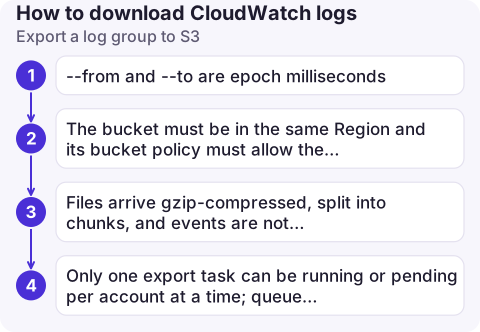
aws s3 cp s3://my-log-exports/checkout/2026-11/ ./checkout-export --recursive--fromand--toare epoch milliseconds.- The bucket must be in the same Region and its bucket policy must allow the CloudWatch Logs service principal to check the ACL and write objects; without it the task fails at once.
- Files arrive gzip-compressed, split into chunks, and events are not guaranteed to be sorted by time across files.
- Only one export task can be running or pending per account at a time; queue the rest.
From the console
In the CloudWatch console, open Logs Insights, run a query over the period you need, and use the export option on the results to download them as a file. For a full log group, the log group's actions include exporting data to Amazon S3, which runs the same export task as the CLI.
Mistakes to avoid
- Downloading gigabytes through the CLI from a laptop when an export to S3 would be faster and doesn't need your terminal open.
- Getting the bucket policy wrong for an export to a KMS-encrypted bucket: the key policy must also let the logs service use the key.
- Forgetting that downloaded logs may contain personal data or secrets; store them as carefully as the source.
- Exporting a long range from a busy log group in one go; split it into days so a failed or slow task doesn't mean starting again from the beginning.
Questions
How do I download a CloudWatch log stream with the AWS CLI?
Use aws logs filter-log-events with --log-group-name, --log-stream-names and --output text, redirected to a file. It pages through all events in the stream automatically.
How long does a CloudWatch Logs export to S3 take?
It depends on the volume of data; small exports finish in minutes, large ones can take hours. Check progress with aws logs describe-export-tasks.
Can I download logs as CSV?
Logs Insights results can be exported from the console. From the CLI, --output text with --query gives tab-separated values that open in a spreadsheet.

Pulling logs for a post-incident review is a desk job. CloudConsole, a phone app for AWS, is built for the moment before that: seeing the relevant log lines on your phone while the alarm is still firing.
About the app → · Download on the App Store