 CloudConsole
ALB vs NLB vs Gateway Load Balancer
Use an Application Load Balancer for HTTP and HTTPS: it routes on host, path and headers, terminates TLS, authenticates users, runs AWS WAF and can invoke Lambda. Use a Network Load Balancer for TCP, UDP or TLS traffic, static or Elastic IP addresses, PrivateLink services and very high connection rates. Use a Gateway Load Balancer only to insert third-party firewalls or inspection appliances into a traffic path.
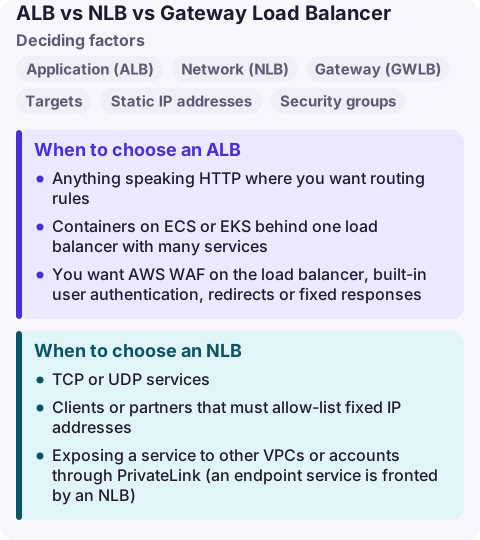
ALB vs NLB vs GWLB at a glance
| Load balancer | Works at | Typical use |
|---|---|---|
| Application (ALB) | Layer 7: HTTP, HTTPS, HTTP/2, gRPC, WebSockets | Web apps and APIs; routing by host, path, header, query string; Lambda targets; WAF; OIDC or Cognito sign-in |
| Network (NLB) | Layer 4: TCP, UDP, TLS, QUIC | Non-HTTP protocols, static IPs (one Elastic IP per subnet), PrivateLink endpoint services, preserving client IPs, millions of requests per second |
| Gateway (GWLB) | Layer 3: all IP packets, GENEVE on port 6081 to appliances | Firewalls, IDS/IPS and deep packet inspection fleets, reached through Gateway Load Balancer endpoints |
| Factor | ALB | NLB |
|---|---|---|
| Targets | Instances, IPs, Lambda functions | Instances, IPs, an ALB |
| Static IP addresses | No (DNS name only) | Yes, one per AZ, optionally your Elastic IPs |
| Security groups | Yes | Yes, but only if attached at creation |
| TLS | Terminates HTTPS, SNI, many certificates | TLS listener termination or TCP pass-through |
| Billing unit | Hours plus LCUs (Load Balancer Capacity Units) | Hours plus NLCUs |
When to choose an ALB
- Anything speaking HTTP where you want routing rules:
/api/*to one target group,admin.example.comto another. - Containers on ECS or EKS behind one load balancer with many services.
- You want AWS WAF on the load balancer, built-in user authentication, redirects or fixed responses.
- Lambda behind a plain HTTPS endpoint (note the 1 MB request and response limit for Lambda targets, and no WebSockets to Lambda).
When to choose an NLB
- TCP or UDP services: databases, MQTT, SIP, game servers, custom binary protocols.
- Clients or partners that must allow-list fixed IP addresses.
- Exposing a service to other VPCs or accounts through PrivateLink (an endpoint service is fronted by an NLB).
- Preserving the client source IP at the target without proxy headers.
- You still want ALB routing but need static IPs: register the ALB as the target of an NLB.
Create NLBs with a security group even if it allows everything at first. If you create one without, you cannot add security groups later, and blocked traffic is not charged when a group drops it.
Where the Gateway Load Balancer fits
GWLB is not an alternative to the other two for applications. It sits in an inspection VPC, distributes flows to a fleet of virtual appliances with flow stickiness, and is reached from application VPCs through route-table entries pointing at Gateway Load Balancer endpoints. Pick it when a security team mandates a specific vendor firewall; otherwise AWS Network Firewall or security groups are simpler.
Common wrong reasons
- "NLB is faster, so use it for websites." You lose host and path routing, WAF and HTTP health semantics. Use NLB for HTTP only when you need its specific features.
- "ALB has a static IP if I look it up." ALB addresses change as it scales. Use an NLB in front, or Global Accelerator, when you need fixed IPs.
- "Classic Load Balancer is fine." It is the previous generation; new designs should use ALB or NLB.
Questions
What is the difference between ALB and NLB?
ALB works at layer 7 and routes HTTP requests by content; NLB works at layer 4 and forwards TCP, UDP and TLS connections with static IP addresses and very high throughput.
Is NLB cheaper than ALB?
Both charge per hour plus capacity units, measured differently (LCU for ALB, NLCU for NLB). Which costs less depends on your traffic shape; check both on the ELB pricing page.
Can an NLB forward to an ALB?
Yes. NLB supports an Application Load Balancer as a target type, which combines static IPs with layer 7 routing.
Load balancer alarms are usually the first sign of trouble behind them: 5xx counts, unhealthy hosts, rising target response time. CloudConsole is being built to show these alarms and target health on a phone with production guardrails.
About the app → · Download on the App Store