 CloudConsole
Aurora Serverless v2 vs provisioned
Use Aurora Serverless for variable, unpredictable or intermittent load (dev and test, multi-tenant SaaS, spiky APIs): capacity scales in half-ACU steps between a minimum and maximum, and can pause at zero. Use provisioned instances for steady, well-understood load, where a right-sized instance (optionally covered by Reserved Instances) costs less than the equivalent ACU-hours.
Serverless vs provisioned compared
| Factor | Aurora Serverless | Provisioned instances |
|---|---|---|
| Capacity unit | ACU: about 2 GiB memory plus matching CPU and networking | DB instance class (for example db.r7g.large) |
| Range | 0 to 256 ACUs (Aurora MySQL), 0 to 384 (Aurora PostgreSQL) | Fixed per instance; change class to resize |
| Scaling | Automatic, in 0.5 ACU increments, usually without interrupting connections | Manual or scheduled; add readers for read scale |
| Idle | Can scale to 0 ACUs and pause, then resume on connection | Billed while running (can be stopped temporarily) |
| Pricing | Per ACU-hour used | Per instance-hour |
| Commitments | Database Savings Plans | Reserved Instances or Database Savings Plans |
| Features | Readers, Global Database, Multi-AZ, IAM auth, RDS Proxy | All Aurora features |
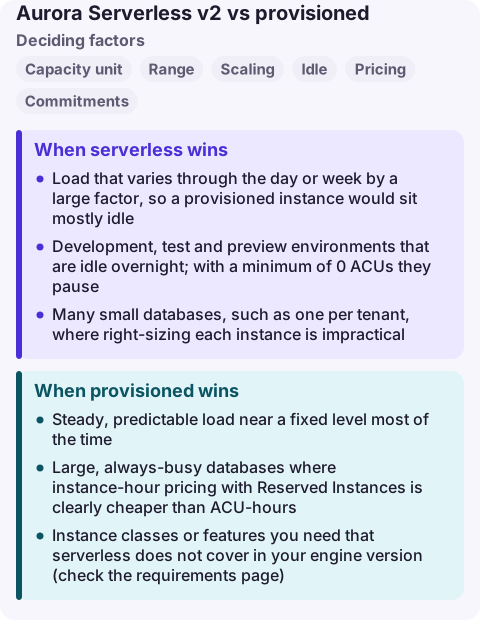
When serverless wins
- Load that varies through the day or week by a large factor, so a provisioned instance would sit mostly idle.
- Development, test and preview environments that are idle overnight; with a minimum of 0 ACUs they pause.
- Many small databases, such as one per tenant, where right-sizing each instance is impractical.
- New workloads with unknown demand: start serverless, measure, then decide.
Set the minimum high enough for a warm buffer pool if latency matters. A very low minimum saves money but means the first queries after a quiet period run against a cold cache, and a paused cluster must resume before it accepts work.
When provisioned wins
- Steady, predictable load near a fixed level most of the time.
- Large, always-busy databases where instance-hour pricing with Reserved Instances is clearly cheaper than ACU-hours.
- Instance classes or features you need that serverless does not cover in your engine version (check the requirements page).
Mixing them in one cluster
A cluster can contain both: a provisioned writer with serverless readers for bursty reporting, or a serverless writer with provisioned readers. Serverless readers in promotion tiers 0 and 1 track the writer's capacity so they are ready to take over on failover; readers in other tiers scale independently.
You can convert a provisioned writer or reader to serverless by adding a serverless reader and failing over to it (and the reverse), which lets you trial serverless on a production cluster with an easy way back.
Common wrong reasons
- "Serverless is always cheaper." At sustained high load, ACU-hours usually cost more than an equivalent instance with a commitment.
- "Serverless v2 is the same as v1." The newer version scales in place in small steps and supports readers, Multi-AZ and Global Database; do not judge it by v1's behaviour.
- "Set the maximum high just in case." The maximum is your cost ceiling; a runaway query will happily use it.
Questions
Can Aurora Serverless scale to zero?
Yes. With a minimum capacity of 0 ACUs, the cluster pauses when there are no connections and resumes when a connection arrives, on supported engine versions.
What is an ACU?
An Aurora capacity unit is about 2 GiB of memory with corresponding CPU and networking. Serverless capacity is set as a minimum and maximum number of ACUs.
Can I use Reserved Instances with Aurora Serverless?
No. Reserved Instances apply to provisioned instances. Database Savings Plans cover serverless usage.
A serverless database pinned at its maximum ACUs looks like slow queries rather than an outage. CloudConsole is being built to show capacity and CPU alarms on a phone with production guardrails.
About the app → · Download on the App Store