 CloudConsole
RDS Multi-AZ vs read replica
Multi-AZ is for availability: a synchronous standby in another AZ takes over automatically if the primary fails, but a Multi-AZ DB instance standby cannot serve reads. Read replicas are for read scaling and cross-Region copies: they replicate asynchronously and are readable, but do not fail over automatically. Production databases usually need Multi-AZ; add replicas only for read load or disaster recovery.
Multi-AZ vs read replica compared
| Factor | Multi-AZ DB instance | Read replica |
|---|---|---|
| Purpose | High availability | Read scaling, reporting, DR |
| Replication | Synchronous | Asynchronous (replica lag possible) |
| Readable | No, the standby serves no traffic | Yes, read-only |
| Failover | Automatic, same endpoint | Manual: promote to standalone instance |
| Location | Another AZ, same Region | Same AZ, another AZ or another Region |
| Backups | Taken from the standby to reduce impact on the primary | Optional on the replica |
| Scaling | One standby | Several replicas, created manually (no replica autoscaling in RDS) |
A third option, the Multi-AZ DB cluster (MySQL and PostgreSQL), has a writer and two readable standbys in three AZs with semi-synchronous replication: availability and some read capacity in one deployment.
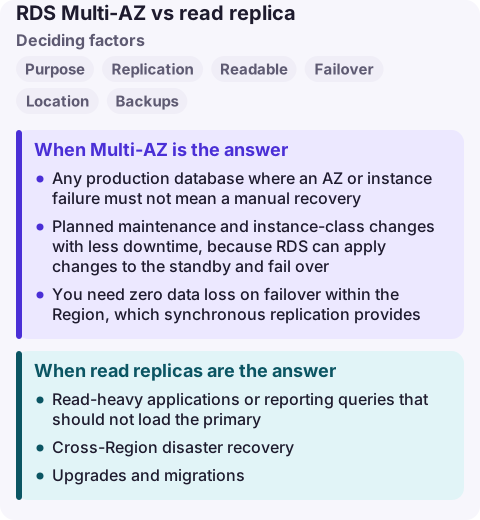
When Multi-AZ is the answer
- Any production database where an AZ or instance failure must not mean a manual recovery.
- Planned maintenance and instance-class changes with less downtime, because RDS can apply changes to the standby and fail over.
- You need zero data loss on failover within the Region, which synchronous replication provides.
When read replicas are the answer
- Read-heavy applications or reporting queries that should not load the primary.
- Cross-Region disaster recovery: promote the replica if the Region fails, accepting some data loss equal to the lag.
- Upgrades and migrations: test against a replica, or promote it as part of a cut-over.
Watch ReplicaLag. Applications that read their own writes from a replica will see stale data during lag; send those reads to the primary.
Cost and failover behaviour
Multi-AZ roughly doubles the instance and storage cost of the database, because the standby is a full instance you cannot use for reads. Each read replica is also a full instance, billed separately, plus data transfer if it is in another Region.
During a Multi-AZ failover the endpoint DNS name moves to the standby, so clients must reconnect; applications that cache DNS for a long time or hold pooled connections without validation see errors for longer than the failover itself. Test it with a reboot with failover in a quiet window and watch how your connection pool behaves.
Using both together
The common production layout is a Multi-AZ primary plus one or more read replicas: the standby protects availability, the replicas take read load. Replicas can themselves be Multi-AZ if you depend on them. On Aurora the picture is simpler: Aurora replicas are readable and are the failover targets, so one mechanism serves both purposes.
Common wrong reasons
- "A read replica is my high availability." It will not take over on its own, and promotion breaks replication.
- "Multi-AZ doubles my read capacity." The standby in a Multi-AZ DB instance deployment serves no reads.
- "Multi-AZ protects against bad queries or deletes." Synchronous replication copies mistakes instantly; use backups and point-in-time recovery for that.
Questions
Can I read from an RDS Multi-AZ standby?
Not with a Multi-AZ DB instance deployment. Use a read replica, a Multi-AZ DB cluster (two readable standbys) or Aurora replicas.
Is a read replica synchronous?
No. RDS read replicas use the engine's asynchronous replication, so they can lag behind the primary.
Does a read replica fail over automatically?
No. You promote it manually (or with automation), which turns it into a standalone instance.
A Multi-AZ failover shows up as a short burst of connection errors and an RDS event; replica lag shows up as stale reads before any alarm. CloudConsole is being built to show RDS events and alarms on a phone with production guardrails.
About the app → · Download on the App Store