 CloudConsole
How to stop an RDS instance
In the RDS console select the database and choose Actions, Stop temporarily, or run aws rds stop-db-instance --db-instance-identifier my-db (for Aurora, aws rds stop-db-cluster). You stop paying for instance hours but still pay for storage and backups, and AWS starts the database again automatically after seven days. For longer breaks, take a snapshot and delete the instance instead.
Stop it
Console: open the Amazon RDS console, choose Databases, select the DB instance (or the Aurora cluster), and choose Actions > Stop temporarily. You can choose to take a snapshot as part of stopping an RDS instance.
CLI:
# RDS instance, with an optional snapshot first
aws rds stop-db-instance --db-instance-identifier reporting-dev \
  --db-snapshot-identifier reporting-dev-before-stop-2026-11-16

# Aurora: stop the whole cluster (all its instances)
aws rds stop-db-cluster --db-cluster-identifier analytics-aurora-dev

# Later
aws rds start-db-instance --db-instance-identifier reporting-dev
aws rds start-db-cluster --db-cluster-identifier analytics-aurora-dev
Status goes stopping then stopped. Starting takes several minutes, so don't plan on a stopped database for anything that needs to be up quickly.
What you still pay for
| Charge | While stopped |
|---|---|
| Instance hours | Not charged |
| Provisioned storage (and provisioned IOPS) | Charged |
| Backup storage (automated backups and manual snapshots) | Charged |
| Public IPv4 address on a publicly accessible instance | Check current pricing; addresses are billed while allocated |
For a small dev database, storage is often a large share of the cost, so stopping saves less than people expect. If you won't need it for weeks, snapshot it, delete it, and restore later (see restoring from a snapshot).
The seven-day restart, and keeping it stopped
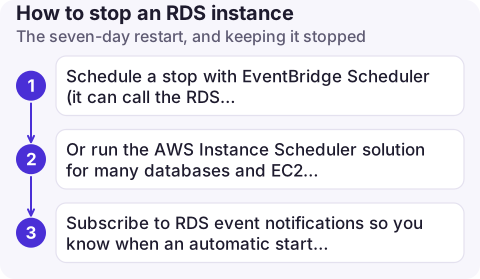
A stopped RDS instance or Aurora cluster is started automatically after seven days so it doesn't fall behind on maintenance. It then stays running, and billing, until you stop it again. To keep a dev database mostly off:
- Schedule a stop with EventBridge Scheduler (it can call the RDS
StopDBInstanceAPI directly) or a small Lambda function, every evening and again after the automatic start. - Or run the AWS Instance Scheduler solution for many databases and EC2 instances by tag.
- Subscribe to RDS event notifications so you know when an automatic start happens.
When it won't stop
- Read replicas: a read replica can't be stopped, and for several engines neither can an instance that has read replicas. Delete or promote replicas first, or stop the whole Aurora cluster.
- Aurora: stop the cluster, not individual instances. Aurora Global Database clusters and some other configurations can't be stopped.
- Status must be available. An instance that is modifying, backing up or already stopping rejects the call.
- The error message from
stop-db-instancenames the specific reason; read it before trying workarounds.
Before you stop
- Check nothing depends on it at night: scheduled jobs, reporting tools, replication from other systems.
- Make sure alarms on this database won't page anyone when it goes quiet (connections drop to zero, metrics stop). Mute or adjust them; see muting alarms.
- Pending maintenance can be applied when the instance next starts, so the first start may take longer.
Questions
How do I stop an RDS instance from the AWS CLI?
aws rds stop-db-instance --db-instance-identifier my-db. For Aurora, stop the cluster with aws rds stop-db-cluster --db-cluster-identifier my-cluster.
How long can an RDS instance stay stopped?
Up to seven days. After that AWS starts it automatically; stop it again if you still don't need it.
Am I charged for a stopped RDS instance?
Not for instance hours, but you still pay for its storage, provisioned IOPS and backups.

The automatic restart after seven days is easy to forget. CloudConsole, a phone app for AWS, is built to show which databases are running and what they cost on your phone.
About the app → · Download on the App Store