 CloudConsole
CloudWatch vs CloudTrail
They answer different questions and you need both. CloudWatch tells you how your systems are behaving: metrics, logs, alarms and dashboards. CloudTrail tells you who did what in your AWS account: every API call, by which identity, from where and when. Send CloudTrail to CloudWatch Logs when you want alarms on specific account activity.
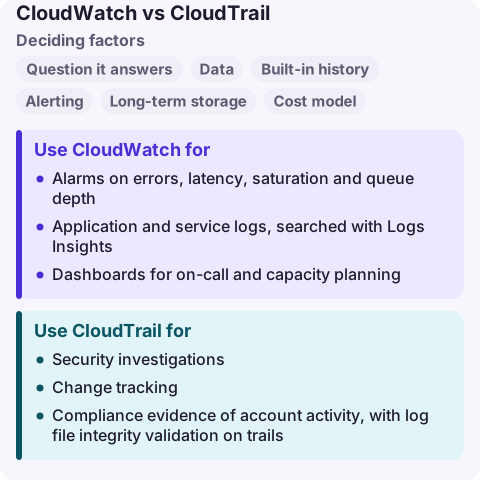
CloudWatch vs CloudTrail compared
| Factor | Amazon CloudWatch | AWS CloudTrail |
|---|---|---|
| Question it answers | Is it healthy and performing? | Who changed or accessed what? |
| Data | Metrics, logs, traces, events from resources and apps | API activity records (management and data events) |
| Built-in history | Metrics retained on a rolling schedule; logs kept per retention setting | 90 days of management events in Event history, per Region |
| Alerting | Alarms on metrics and metric filters | Through CloudWatch Logs metric filters or EventBridge rules |
| Long-term storage | CloudWatch Logs retention, export to S3 | Trails to S3; CloudTrail Lake event data stores |
| Cost model | Per metric, alarm, GB ingested and stored, query | First copy of management events to S3 free; data events, extra copies, Lake and Insights charged |
Use CloudWatch for
- Alarms on errors, latency, saturation and queue depth.
- Application and service logs, searched with Logs Insights.
- Dashboards for on-call and capacity planning.
- Container Insights, Lambda Insights and application performance monitoring.
Use CloudTrail for
- Security investigations: which access key created that instance, who deleted the bucket.
- Change tracking: what was modified right before an incident.
- Compliance evidence of account activity, with log file integrity validation on trails.
- Data events when you need object-level S3 or Lambda invoke records (charged separately).
Create an organisation trail that delivers to a central, locked-down S3 bucket. Event history alone covers only 90 days of management events in one Region.
How they work together
Deliver the trail to a CloudWatch Logs log group as well as S3, then create metric filters and alarms for events that matter: root user sign-in, IAM policy changes, security group changes, console sign-in failures. Alternatively, EventBridge rules match CloudTrail events in near real time and route them to SNS or Lambda.
During an incident, use CloudWatch to see what broke and when, then CloudTrail to see what changed just before. Logs Insights can query CloudTrail logs in CloudWatch Logs with the same syntax as your application logs.
Common mistakes
- "CloudWatch logs who did what." It logs what your resources and apps write; API activity comes from CloudTrail.
- "CloudTrail is on, so we have an audit trail." Event history is not a trail. Without a trail, older and data events are not kept.
- "Log everything as data events." High-volume S3 or Lambda data events can cost more than the workload; select them with advanced event selectors.
Questions
What is the difference between CloudWatch and CloudTrail?
CloudWatch monitors performance and health with metrics, logs and alarms. CloudTrail records API activity in your account: who made each call, when and from where.
Is CloudTrail free?
Event history for 90 days and one trail delivering management events to S3 have no CloudTrail charge (you pay for S3 storage). Data events, additional copies, CloudTrail Lake and Insights are charged.
Can CloudWatch alarm on CloudTrail events?
Yes. Send the trail to CloudWatch Logs and create metric filters with alarms, or use EventBridge rules on CloudTrail events.
The first question after a CloudWatch alarm is usually "what changed?", and the answer is in CloudTrail. CloudConsole is being built to put recent changes next to the alarm on a phone, with production guardrails.
About the app → · Download on the App Store