 CloudConsole
IAM role vs IAM user
Use roles for almost everything: workloads on AWS (EC2 instance profiles, ECS task roles, Lambda execution roles), CI/CD through OIDC federation, cross-account access and people signing in through IAM Identity Center. Roles hand out temporary credentials that expire. Create IAM users only for the few cases AWS lists, such as emergency break-glass access or third-party tools that cannot use roles, and protect their long-term keys.
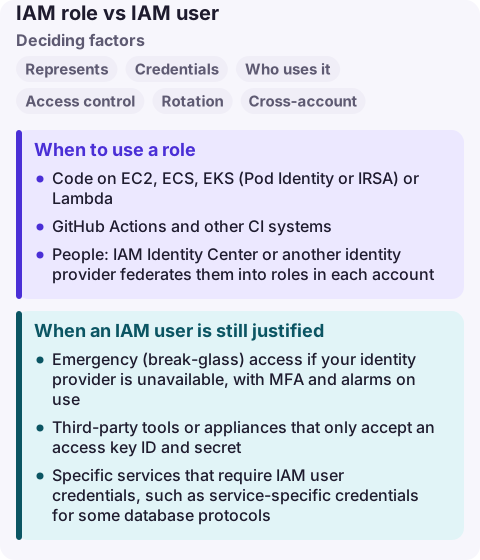
IAM role vs IAM user compared
| Factor | IAM role | IAM user |
|---|---|---|
| Represents | A set of permissions anyone trusted can assume | One person or application |
| Credentials | Temporary (session) credentials from STS | Long-term password and/or access keys |
| Who uses it | AWS services, federated users, other accounts, workloads | A named identity signing in or using keys |
| Access control | Permissions policies plus a trust policy saying who can assume it | Permissions policies (directly or through groups) |
| Rotation | Automatic: credentials expire | Manual: you rotate access keys |
| Cross-account | Native via sts:AssumeRole | Not directly; users assume roles in other accounts |
| Leak impact | Limited by session duration | Valid until someone notices and deactivates the key |
When to use a role
- Code on EC2, ECS, EKS (Pod Identity or IRSA) or Lambda: the SDK picks up credentials automatically.
- GitHub Actions and other CI systems: OIDC federation to a role, no stored keys.
- People: IAM Identity Center or another identity provider federates them into roles in each account.
- Cross-account access: a role in the target account trusts the source account or a specific principal.
- Workloads outside AWS with certificates: IAM Roles Anywhere issues temporary credentials.
When an IAM user is still justified
- Emergency (break-glass) access if your identity provider is unavailable, with MFA and alarms on use.
- Third-party tools or appliances that only accept an access key ID and secret.
- Specific services that require IAM user credentials, such as service-specific credentials for some database protocols.
- An account where no identity provider and no IAM Identity Center are available.
If you must use access keys: scope the policy tightly, add conditions such as aws:SourceIp or VPC endpoint where possible, rotate them, and alarm on use from unexpected places with CloudTrail.
Moving from users to roles
- Find active keys: the IAM credential report shows each key's last use and service.
- Move people to IAM Identity Center and give them permission sets instead of user policies.
- Move workloads to instance profiles, task roles or OIDC federation; deploy, confirm the old key is unused, then deactivate it before deleting.
- Add an SCP or alarm that flags new access key creation outside the approved break-glass path.
Common wrong reasons
- "A user with a narrow policy is just as safe." The scope may be narrow, but the credential never expires.
- "Roles are for services, users are for people." AWS recommends federation into roles for people too.
- "Groups are a kind of role." Groups only bundle policies for users; nobody signs in as a group or assumes it.
Questions
What is the difference between an IAM role and an IAM user?
A user is a long-term identity with its own password or access keys. A role has no long-term credentials; trusted principals assume it and receive temporary credentials.
Can an IAM user assume a role?
Yes, if the user's policies allow sts:AssumeRole on the role and the role's trust policy trusts that user or its account.
Should I create IAM users for my team?
No. AWS recommends IAM Identity Center or federation with your identity provider for people, with IAM users kept for the few cases that require long-term credentials.
A leaked access key is an incident you want to see within minutes: unfamiliar API calls, new Regions, new resources. CloudConsole is being built to show alarms and recent activity on a phone with production guardrails.
About the app → · Download on the App Store