 CloudConsole
How to set CloudWatch log retention
New log groups keep data forever by default. Set a retention period per log group in the CloudWatch console (Log groups, select, Actions, Edit retention setting) or with aws logs put-retention-policy --log-group-name name --retention-in-days 30. Metric retention is different: CloudWatch keeps metrics for up to 15 months on a fixed schedule you can't change.
Set it for one log group
aws logs put-retention-policy \
  --log-group-name /aws/lambda/checkout \
  --retention-in-days 30

# Check
aws logs describe-log-groups --log-group-name-prefix /aws/lambda/checkout \
  --query 'logGroups[].[logGroupName,retentionInDays]' --output text

# Back to "never expire"
aws logs delete-retention-policy --log-group-name /aws/lambda/checkout
Allowed values are fixed: 1, 3, 5, 7, 14, 30, 60, 90, 120, 150, 180, 365, 400, 545, 731, 1096, 1827, 2192, 2557, 2922, 3288 and 3653 days. Anything else is rejected with an InvalidParameterException.
Fix every never-expire group in a Region
The usual cleanup: find groups with no retention and set a default. Review the list before running the loop, because shortening retention deletes data.
aws logs describe-log-groups \
  --query 'logGroups[?!retentionInDays].[logGroupName]' --output text > no-retention.txt
cat no-retention.txt

while read -r lg; do
  aws logs put-retention-policy --log-group-name "$lg" --retention-in-days 90
done < no-retention.txt
Lambda and many other services create their log group on first write, with no retention. Define log groups in your infrastructure code (with retention) so new functions don't reintroduce the problem. CloudWatch Logs also supports account-level retention policies per Region, which take precedence over per-group settings where they apply.
What happens when you shorten retention
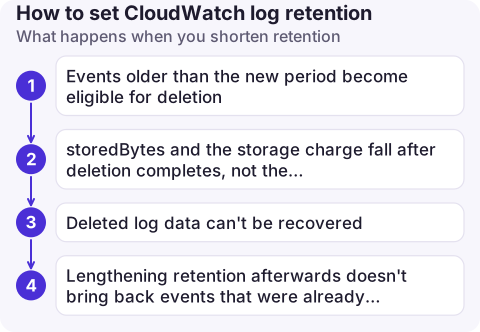
- Events older than the new period become eligible for deletion. Deletion isn't instant; it usually completes within about three days.
storedBytesand the storage charge fall after deletion completes, not the moment you change the setting.- Deleted log data can't be recovered. If you need it for audit, export it to S3 first, where lifecycle rules can move it to cheaper storage.
- Lengthening retention afterwards doesn't bring back events that were already deleted.
Metric and alarm history retention
You can't configure retention for CloudWatch metrics. Data is rolled up as it ages:
| Data point period | Kept for |
|---|---|
| Under 60 seconds (high-resolution) | 3 hours |
| 60 seconds | 15 days |
| 5 minutes | 63 days |
| 1 hour | 455 days (15 months) |
After 15 days you only see 5-minute data, after 63 days hourly. To keep metrics longer, stream them out with a metric stream or store them yourself. Alarm history is also kept for a limited, fixed period; send alarm state changes to EventBridge and on to storage if you need a permanent record.
Common mistakes
- Setting retention on the wrong Region's log groups; retention is per group, per Region.
- Choosing a value like 45 days that isn't on the allowed list.
- Assuming retention shrinks ingestion cost. It only cuts storage; ingestion is charged per GB as logs arrive.
- Overlooking log groups other services create, such as
/aws/rds/…,/aws/codebuild/…or VPC flow logs; the bulk loop above catches them all.
Questions
What is the default CloudWatch log retention?
Never expire. A new log group keeps events indefinitely until you set a retention policy.
How long are CloudWatch metrics retained?
Up to 15 months, at decreasing resolution: 1-minute data for 15 days, 5-minute data for 63 days and 1-hour data for 455 days. It is not configurable.
Can I set log retention for all log groups at once?
Not with a single per-group call; loop over the log groups with put-retention-policy, or use an account-level retention policy where available.

Log storage growing quietly for years is a classic line on a surprise bill. CloudConsole, a phone app for AWS, is built to show cost by service on your phone so a growing CloudWatch line is visible.
About the app → · Download on the App Store