 CloudConsole
DynamoDB vs RDS
Choose DynamoDB when you know your access patterns up front and they are key-based lookups at any scale, with single-digit-millisecond latency, no servers and pay-per-request pricing. Choose RDS (or Aurora) when you need ad hoc SQL queries, joins, reporting, complex transactions across many tables, or your team and tools are built around a relational schema.
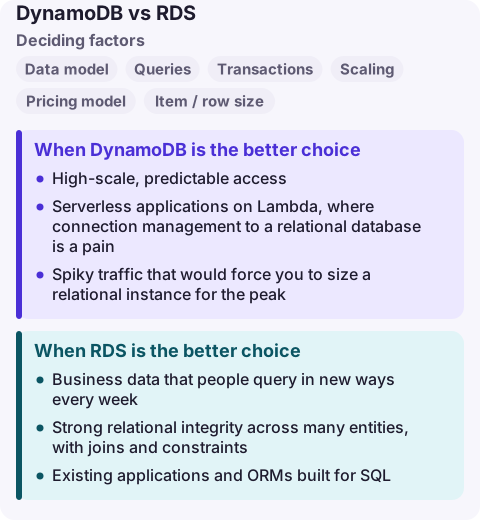
DynamoDB vs RDS compared
| Factor | Amazon DynamoDB | Amazon RDS |
|---|---|---|
| Data model | Key-value and document; tables with partition and optional sort key | Relational tables, schemas, foreign keys |
| Queries | Get, Query on keys and indexes, Scan; PartiQL for SQL-like syntax | Full SQL including joins and aggregates |
| Transactions | ACID transactions across items (bounded per request) | Full ACID transactions |
| Scaling | Horizontal and automatic; millions of requests per second | Vertical instance size plus read replicas |
| Pricing model | On-demand per request, or provisioned capacity per hour, plus storage | Instance hours plus storage and I/O |
| Item / row size | 400 KB per item | Engine limits, far larger |
| Operations | No instances, patching or connection pools | Maintenance windows, upgrades, connection limits |
| Connections | HTTPS API, no connection limit to manage | Database connections; pools or RDS Proxy needed for Lambda at scale |
When DynamoDB is the better choice
- High-scale, predictable access: user sessions, carts, device state, feature flags, leaderboards keyed by ID.
- Serverless applications on Lambda, where connection management to a relational database is a pain.
- Spiky traffic that would force you to size a relational instance for the peak.
- Global applications using global tables for multi-Region active-active writes.
Design the table from the queries, not the entities. If you cannot list your access patterns, you will end up scanning, which is slow and expensive.
When RDS is the better choice
- Business data that people query in new ways every week: reporting, finance, admin tools.
- Strong relational integrity across many entities, with joins and constraints.
- Existing applications and ORMs built for SQL.
- Moderate scale where one well-sized instance (plus replicas) handles the load comfortably.
Using both
Many systems keep the system of record in RDS or Aurora and put hot, key-based paths in DynamoDB (sessions, idempotency keys, rate-limit counters). DynamoDB Streams or zero-ETL integrations can feed analytics stores, so you do not have to answer reporting questions from DynamoDB itself.
Database Savings Plans now apply to both DynamoDB and RDS, so a commitment does not lock you to one.
Common wrong reasons
- "NoSQL scales, SQL does not." RDS and Aurora handle large workloads; DynamoDB removes the ceiling but demands access-pattern design.
- "DynamoDB is cheaper because it is serverless." At steady high throughput or with heavy scans it can cost more than an instance.
- "We can add queries later." In DynamoDB, a new access pattern often means a new index or a data migration.
Questions
Is DynamoDB cheaper than RDS?
For spiky or low-volume key lookups, often yes, since on-demand mode charges per request and nothing for idle time. For steady heavy workloads or scan-heavy queries, an RDS instance can be cheaper.
Can DynamoDB do joins?
No. You model related data together in one table or denormalise it. If you need joins, use a relational database.
Does DynamoDB support SQL?
It supports PartiQL, a SQL-compatible syntax for reading and writing items, but without joins or the query planner of a relational database.
DynamoDB fails as throttling on a hot key; RDS fails as connection exhaustion or CPU saturation. CloudConsole is being built to show both kinds of alarm and the relevant logs on a phone with production guardrails.
About the app → · Download on the App Store