 CloudConsole
Too many connections on RDS (MySQL / PostgreSQL)
The database reached its max_connections limit, which on RDS is derived from the instance class's memory by default. Find which application or user holds the connections, kill idle ones to recover, then fix the cause: oversized or leaking connection pools, Lambda functions opening a connection per execution environment, or a reconnect storm. RDS Proxy is the standard fix for serverless clients.
What the error looks like
MySQL and MariaDB:
ERROR 1040 (HY000): Too many connectionsPostgreSQL:
FATAL: sorry, too many clients already
FATAL: remaining connection slots are reserved for non-replication superuser connections
The second PostgreSQL message (worded slightly differently in newer versions) means only the reserved slots are left. The DatabaseConnections CloudWatch metric will sit flat at the limit while it happens.
Find who holds the connections
MySQL:
SELECT user, host, command, COUNT(*) AS conns
FROM information_schema.processlist
GROUP BY user, host, command
ORDER BY conns DESC;
PostgreSQL:
SELECT usename, application_name, client_addr, state, count(*)
FROM pg_stat_activity
GROUP BY 1, 2, 3, 4
ORDER BY 5 DESC;
Large numbers in Sleep (MySQL) or idle (PostgreSQL) mean clients are holding connections they are not using. idle in transaction is worse: those sessions also hold locks.
Recover now
- Kill idle sessions from the worst offender. On RDS for MySQL, the documented way to end another user's session is the RDS procedure, using the ID from the process list:
CALL mysql.rds_kill(12345);. - On PostgreSQL:
SELECT pg_terminate_backend(pid) FROM pg_stat_activity WHERE state = 'idle' AND state_change < now() - interval '10 minutes' AND usename = 'app'; - Scale down or restart the client that is leaking, rather than the database. Rebooting the database drops everything and invites a reconnect storm.
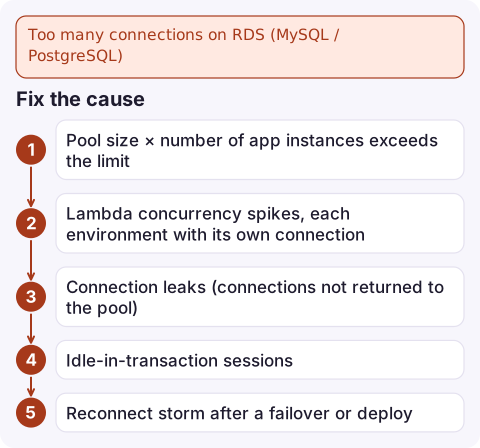
Fix the cause
| Cause | Fix |
|---|---|
| Pool size × number of app instances exceeds the limit | Size pools from the database's limit down: limit ÷ instances, minus headroom for admin and migrations |
| Lambda concurrency spikes, each environment with its own connection | Put RDS Proxy in front, or cap the function's reserved concurrency |
| Connection leaks (connections not returned to the pool) | Use try/finally or context managers; set pool idle timeouts |
| Idle-in-transaction sessions | PostgreSQL idle_in_transaction_session_timeout; fix code that opens transactions and waits |
| Reconnect storm after a failover or deploy | Exponential backoff with jitter on connect |
Raising max_connections
By default the limit is a formula based on instance memory (for example {DBInstanceClassMemory/12582880} for MySQL), so a larger instance class raises it. You can also set it explicitly in a custom parameter group:
aws rds describe-db-parameters --db-parameter-group-name orders-mysql8 \
  --query "Parameters[?ParameterName=='max_connections'].[ParameterValue,ApplyType]"

aws rds modify-db-parameter-group --db-parameter-group-name orders-mysql8 \
  --parameters ParameterName=max_connections,ParameterValue=600,ApplyMethod=immediate
For MySQL the parameter is dynamic; for PostgreSQL it is static and needs ApplyMethod=pending-reboot plus a reboot. Every connection uses memory, so raising the limit on a small instance can trade this error for memory pressure. Alarm on DatabaseConnections well below the limit.
Questions
What is the default max_connections on RDS?
It is calculated from the instance class's memory, so it differs per instance size. Check the value with SHOW VARIABLES LIKE 'max_connections' on MySQL or SHOW max_connections on PostgreSQL.
Does RDS Proxy fix too many connections?
It helps a lot for many short-lived clients such as Lambda: the proxy multiplexes many client connections onto a smaller pool of database connections. It does not fix leaks in long-lived applications.
Do I need to reboot after changing max_connections?
On RDS for MySQL and MariaDB the parameter is dynamic and applies immediately. On RDS for PostgreSQL it is static and requires a reboot.

Connection exhaustion often follows a traffic spike or a deploy that changed pool sizes. CloudConsole, a phone app for AWS, is built to show the DatabaseConnections alarm next to the application's errors on your phone so the link is clear.
Did it start after a deploy? What changed? on the app’s alarm screen lists the deploys and configuration changes from the hour before the alarm fired.
About the app → · Download on the App Store