 CloudConsole
DynamoDB on-demand vs provisioned capacity
Start with on-demand, which AWS now recommends as the default: you pay per read and write request, nothing for idle capacity, and DynamoDB scales automatically. Move a table to provisioned capacity (with auto scaling, and optionally reserved capacity) once its traffic is steady and predictable enough that paying for capacity by the hour works out cheaper than per request.
On-demand vs provisioned compared
| Factor | On-demand | Provisioned |
|---|---|---|
| You pay for | Read and write request units consumed | Read and write capacity units provisioned per hour, used or not |
| Capacity planning | None; optional maximum throughput per table | Set RCUs and WCUs, usually with auto scaling |
| Scaling | Instantly handles up to double the previous peak; higher growth scales over time | Auto scaling reacts after utilisation exceeds the target for two minutes |
| Throttling risk | Sudden growth beyond twice the previous peak, or per-partition hot keys | Spikes faster than auto scaling, or hot keys |
| Discounts | Database Savings Plans | Reserved capacity or Database Savings Plans |
| Decreases | Not applicable | Limited: 4 available at the start of a UTC day, plus 1 per hour |
| Switching | To provisioned at any time | To on-demand up to four times in a rolling 24 hours |
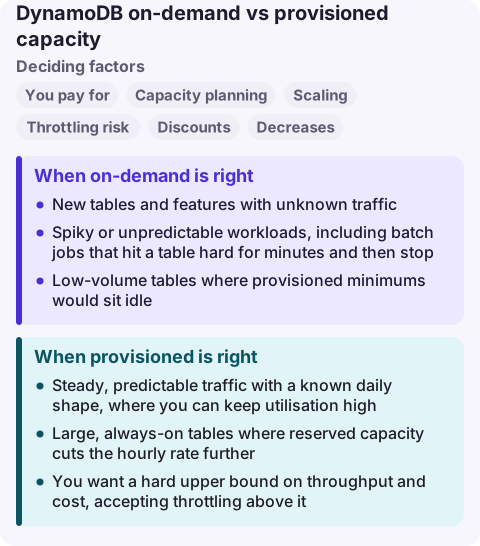
When on-demand is right
- New tables and features with unknown traffic.
- Spiky or unpredictable workloads, including batch jobs that hit a table hard for minutes and then stop.
- Low-volume tables where provisioned minimums would sit idle.
- Teams that do not want to tune auto scaling or get paged for throttling during a launch.
Set a maximum read and write throughput on on-demand tables you want to protect from runaway clients; requests above it are throttled rather than billed.
When provisioned is right
- Steady, predictable traffic with a known daily shape, where you can keep utilisation high.
- Large, always-on tables where reserved capacity cuts the hourly rate further.
- You want a hard upper bound on throughput and cost, accepting throttling above it.
Leave headroom in the auto scaling target (for example 70% utilisation) so short bursts are absorbed by burst capacity while scaling catches up. Global secondary indexes need their own capacity settings and scaling policies.
Switching modes safely
- Look at a few weeks of
ConsumedReadCapacityUnitsandConsumedWriteCapacityUnitsto find the baseline and peaks. - Estimate both bills from the current rates on the DynamoDB pricing page: on-demand from total request units, provisioned from the capacity you would need to hold all day with your scaling target.
- Switch during a quiet period. Moving from provisioned to on-demand takes several minutes, during which the table serves the previously provisioned throughput.
- After moving to provisioned, alarm on
ThrottledRequestsand the read and write throttle events for the table and its indexes.
Common wrong reasons
- "On-demand has no limits." It has account and table throughput quotas and per-partition limits; hot keys throttle in either mode.
- "Provisioned is always cheaper." Only if utilisation stays high. Idle provisioned capacity is pure cost.
- "We can drop capacity after the peak." Decreases are rate-limited per day, so plan scaling-in rather than reacting to it.
Questions
Is DynamoDB on-demand more expensive than provisioned?
Per request, yes; overall, it depends on utilisation. Provisioned at high, steady utilisation is cheaper. On-demand wins when traffic is spiky or low.
How often can I switch DynamoDB capacity modes?
From provisioned to on-demand up to four times in a rolling 24-hour window; from on-demand to provisioned at any time.
Can on-demand tables throttle?
Yes. Traffic that jumps beyond double the previous peak, hits a configured maximum throughput, or concentrates on one partition key can be throttled.
Throttling during a traffic spike is the classic DynamoDB page, and the fix is often a capacity change made under pressure. CloudConsole is being built to show throttle alarms and table settings on a phone with production guardrails.
About the app → · Download on the App Store