 CloudConsole
ECS vs EKS
Choose Amazon ECS if you run containers only on AWS and want the least to operate: there is no control-plane fee and no cluster version to upgrade. Choose Amazon EKS if you already run Kubernetes, need its ecosystem (Helm charts, operators, CRDs) or must keep workloads portable across clouds or on premises, and you have people to own cluster upgrades.
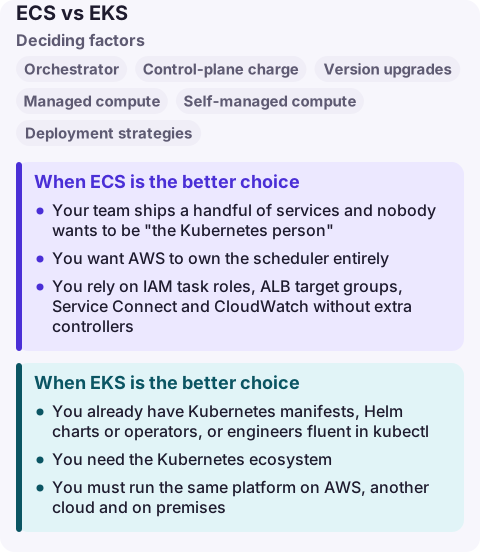
ECS vs EKS at a glance
| Factor | Amazon ECS | Amazon EKS |
|---|---|---|
| Orchestrator | AWS-native scheduler and API | Upstream Kubernetes API, managed control plane |
| Control-plane charge | None; you pay for compute and other resources | Hourly fee per cluster; higher once a Kubernetes version leaves standard support |
| Version upgrades | None at cluster level | About three Kubernetes minor releases a year; you schedule control-plane and node upgrades |
| Managed compute | Fargate, ECS Managed Instances, Express Mode | EKS Auto Mode, Fargate, managed node groups |
| Self-managed compute | EC2 Auto Scaling group capacity providers | Self-managed nodes, Karpenter |
| Deployment strategies | Rolling, blue/green, linear and canary built in | Kubernetes rollouts plus whatever tooling you add (Argo, Flux) |
| Portability | AWS only (ECS Anywhere for your own servers) | Same API on any conformant Kubernetes |
| Learning curve | Task definitions, services, clusters | Pods, deployments, services, ingress, RBAC, plus AWS integration add-ons |
With EKS on Amazon EC2, the cluster fee is only part of the bill: the nodes, EBS volumes and load balancers are charged as normal. EKS Auto Mode and ECS Managed Instances each add a management fee on top of the EC2 instances they run.
When ECS is the better choice
- Your team ships a handful of services and nobody wants to be "the Kubernetes person". ECS has fewer moving parts: a task definition, a service and a capacity provider.
- You want AWS to own the scheduler entirely. There is no control plane to size, no API server version to track and no add-ons (CNI, CoreDNS, kube-proxy) to keep compatible.
- You rely on IAM task roles, ALB target groups, Service Connect and CloudWatch without extra controllers.
- You want a fast path from image to HTTPS endpoint. ECS Express Mode takes an image and two IAM roles and creates a Fargate service, an Application Load Balancer, scaling and networking in your account.
ECS is also the safer default for a small platform team, because the operational work that never appears on the bill (upgrade testing, add-on compatibility, cluster RBAC) is far smaller.
When EKS is the better choice
- You already have Kubernetes manifests, Helm charts or operators, or engineers fluent in
kubectl. Rewriting them as ECS task definitions throws that away. - You need the Kubernetes ecosystem: custom resources, admission controllers, service meshes, GitOps controllers, or batch and ML frameworks that ship as operators.
- You must run the same platform on AWS, another cloud and on premises. The Kubernetes API is the portable layer; EKS Hybrid Nodes and EKS Anywhere extend it to your own hardware.
- You run many teams on shared clusters and want namespaces, quotas and RBAC as the tenancy model.
Budget for upgrades. Each EKS Kubernetes version gets 14 months of standard support and then 12 months of extended support at a higher cluster fee, so a cluster you never upgrade gets more expensive and eventually must move.
Moving between them, or running both
Your container images move unchanged; only the orchestration definitions change. Going from ECS to EKS means translating task definitions into Deployments and Services, IAM task roles into EKS Pod Identity or IRSA, and ALB target groups into the AWS Load Balancer Controller. Going the other way is the reverse and usually simpler.
Running both in one organisation is common: EKS for a platform team that needs Kubernetes, ECS for smaller teams that just need a service running. Both can share VPCs, ECR repositories and load balancers. Pick per workload, but avoid running the same service on both, because you then debug two deployment paths.
Common wrong reasons to choose one
- "EKS is free apart from the fee." The fee is small next to the engineering time for upgrades and add-ons. Count that time.
- "ECS locks us in." Your images, code and most infrastructure (VPC, ALB, RDS) are the same either way. The lock-in is the deployment definition, which is a few hundred lines per service.
- "We need Kubernetes to scale." Both schedule thousands of tasks or pods; scaling limits come from compute, IP addresses and quotas, not the orchestrator brand.
- "Fargate decides it." Fargate runs ECS tasks and EKS pods, so it does not settle the question. For EKS without managing nodes, AWS now points to Auto Mode.
Questions
Is ECS cheaper than EKS?
For the same compute, ECS avoids the per-cluster EKS fee, and on EC2 or Fargate there is no orchestration charge at all. The bigger difference is usually staff time spent on Kubernetes upgrades and add-ons.
Can I use Fargate with both ECS and EKS?
Yes. Fargate runs ECS tasks and EKS pods. For EKS, AWS recommends EKS Auto Mode as the low-overhead way to run without managing nodes.
What is the difference between ECS, EKS and EC2?
EC2 is the virtual machines. ECS and EKS are orchestrators that place containers onto compute, which can be EC2 instances you manage, managed instances, or Fargate.
Whichever you pick, the on-call question is the same: which service is unhealthy and what changed. With ECS that is a service event list; with EKS it is pod events and node status, which are harder to read on a small screen. CloudConsole is being built to show alarms, logs and resources on a phone with production guardrails.
About the app → · Download on the App Store