 CloudConsole
service was unable to place a task because no container instance met all of its requirements
The ECS scheduler couldn't find an EC2 container instance in the cluster with enough free CPU, memory, ports or network interfaces for the task, or one that satisfies its placement constraints. The rest of the message names the closest instance and what it lacked. Add capacity (ideally with a capacity provider using managed scaling), make tasks smaller, or remove the conflict such as a fixed host port.
Read the full service event
service api was unable to place a task because no container instance met all of its requirements.
The closest matching container-instance 5c1f… has insufficient memory available.
This message applies to the EC2 launch type and EC2 capacity providers, where tasks run on instances you manage. Fargate has its own capacity errors. Get recent events with:
aws ecs describe-services --cluster prod --services api \
  --query 'services[0].events[:5].message' --output text
What the closest-instance reason means
| Reason | Cause | Fix |
|---|---|---|
insufficient memory available / insufficient CPU units available | Task's CPU or memory reservation exceeds what's free on every instance | Add instances, use larger types, or reduce the task size |
is already using a port required by your task | Bridge or host networking with a fixed hostPort: one task per instance per port | Use dynamic host ports (hostPort 0) behind a load balancer, or awsvpc networking |
| ENI or network interface limits | awsvpc tasks each take an ENI; instances support a limited number | Enable ENI trunking, use larger instance types, or fewer tasks per instance |
does not match the required attribute / constraints | Placement constraints (instance type, AZ, custom attributes) exclude every instance | Relax the constraint or add matching instances |
| No container instances | Cluster empty, or agents disconnected | Check the Auto Scaling group and the agent |
Check what's free
aws ecs list-container-instances --cluster prod --status ACTIVE

aws ecs describe-container-instances --cluster prod \
  --container-instances 5c1f… \
  --query 'containerInstances[].{id: ec2InstanceId, agent: agentConnected, running: runningTasksCount,
           free: remainingResources[?name==`CPU` || name==`MEMORY`].[name,integerValue]}'
Compare free CPU and memory with the task definition's reservations. Remember that a task with 2 vCPU (2048 units) can't fit on an instance with 1,500 units free, even if the cluster as a whole has plenty spread across many instances; that fragmentation is common with large tasks.
Also check agentConnected: instances whose ECS agent has disconnected can't receive tasks, which often happens after a broken AMI update or an instance role change.
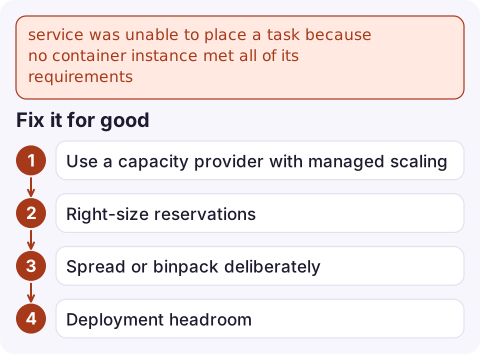
Fix it for good
- Use a capacity provider with managed scaling on the Auto Scaling group. ECS then scales the group out when tasks can't be placed, instead of leaving them pending.
- Right-size reservations. Set task CPU and memory from observed usage plus headroom; oversized reservations waste capacity and cause this error first.
- Spread or binpack deliberately.
binpackon memory fills instances fully and leaves room for large tasks elsewhere;spreadacross AZs improves resilience. - Deployment headroom. Rolling deployments with a maximum percent of 200% need room for the new tasks before old ones stop. Lower it or keep spare capacity.
If you don't need to manage instances, moving the service to Fargate removes this whole class of placement problem.
Questions
What does unable to place a task mean in ECS?
No registered EC2 container instance had enough free resources, ports or network interfaces, or met the placement constraints, for the task. The message names the closest instance and its shortfall.
Why is my ECS deployment stuck with tasks unable to be placed?
Rolling deployments start new tasks before stopping old ones. If the cluster has no spare room, the new tasks can't be placed. Add capacity or lower the deployment's maximum percent.
Does this error happen on Fargate?
No. This message is for EC2-based capacity. Fargate reports its own errors when it can't provide capacity.

Placement failures leave a service below its desired count, which is the moment you want to know about. CloudConsole, a phone app for AWS, is built to show running versus desired tasks and the service's events on your phone.
Did it start after a deploy? What changed? on the app’s alarm screen lists the deploys and configuration changes from the hour before the alarm fired.
About the app → · Download on the App Store