 CloudConsole
How to scale an ECS service
To scale out or in right now, change the service's desired count: in the console update the service and set Desired tasks, or run aws ecs update-service --desired-count. For scaling that follows load, register the service with Application Auto Scaling and add a target tracking policy on CPU, memory or requests per target. To give each task more CPU or memory, register a new task definition revision.
Manual scaling
Console: in the Amazon ECS console, open the cluster, select the service, choose Update, change Desired tasks and save.
CLI:
aws ecs update-service --cluster prod --service orders-api --desired-count 6

aws ecs describe-services --cluster prod --services orders-api \
  --query 'services[0].{desired:desiredCount,running:runningCount,pending:pendingCount}'
If auto scaling is attached, a manual desired count is only temporary: the next scaling activity moves it back inside the minimum and maximum. To force a floor, raise the scalable target's minimum capacity instead.
Service Auto Scaling with target tracking
# Allow the service to run between 2 and 20 tasks
aws application-autoscaling register-scalable-target \
  --service-namespace ecs \
  --resource-id service/prod/orders-api \
  --scalable-dimension ecs:service:DesiredCount \
  --min-capacity 2 --max-capacity 20

# Keep average CPU around 60%
aws application-autoscaling put-scaling-policy \
  --service-namespace ecs \
  --resource-id service/prod/orders-api \
  --scalable-dimension ecs:service:DesiredCount \
  --policy-name cpu60 \
  --policy-type TargetTrackingScaling \
  --target-tracking-scaling-policy-configuration '{
    "TargetValue": 60.0,
    "PredefinedMetricSpecification": {"PredefinedMetricType": "ECSServiceAverageCPUUtilization"},
    "ScaleOutCooldown": 60,
    "ScaleInCooldown": 300 }'
Other predefined metrics are ECSServiceAverageMemoryUtilization and ALBRequestCountPerTarget (which needs a ResourceLabel identifying the load balancer and target group). Request count suits web services whose CPU doesn't track load well. Target tracking creates and manages its own CloudWatch alarms; don't edit them.
Vertical scaling: bigger tasks
CPU and memory are set in the task definition. Register a new revision with larger values, then point the service at it:
aws ecs update-service --cluster prod --service orders-api \
  --task-definition orders-api:43
On Fargate, CPU and memory must be one of the supported combinations. On EC2, a task can't be bigger than the largest container instance. Check memory first if tasks are being killed: see OutOfMemoryError and exit code 137.
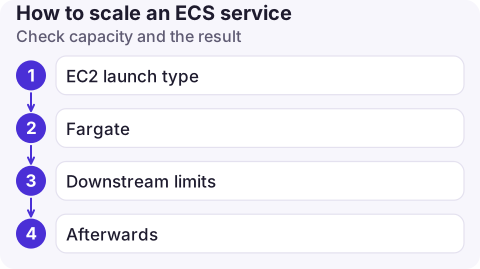
Check capacity and the result
- EC2 launch type: more tasks need more container instances. Without a capacity provider with managed scaling, extra tasks sit in PENDING and the service events show unable to place a task.
- Fargate: no cluster capacity to manage, but account vCPU quotas still apply.
- Downstream limits: doubling tasks doubles database connections. Check the database's connection limit before scaling a busy service.
- Afterwards:
aws application-autoscaling describe-scaling-activities --service-namespace ecs --resource-id service/prod/orders-apishows what auto scaling did and why.
Common mistakes
- Setting the desired count to 0 to "restart"; it causes an outage. Use a forced deployment.
- A scale-in cooldown so short that the service flaps between sizes.
- Scaling on CPU for a service that is I/O-bound; it never scales out while latency climbs.
- Waiting for target tracking to react to a known spike (a launch, a sale). Raise the minimum capacity beforehand, or use a scheduled action created with
aws application-autoscaling put-scheduled-action.
Questions
How do I scale an ECS service to zero?
Set the desired count to 0 with aws ecs update-service --desired-count 0. If auto scaling is attached, also set the scalable target's minimum capacity to 0, or it will scale back up.
Why doesn't my ECS service scale out?
Check the scalable target's maximum capacity, whether the policy's metric is actually above target, scaling activities for errors, and on EC2 whether there is spare cluster capacity.
Can I schedule ECS scaling?
Yes. Application Auto Scaling supports scheduled actions that change minimum and maximum capacity at set times, for example to shrink a service overnight.

A traffic spike often needs one quick change to desired count. CloudConsole, a phone app for AWS, is built to show service capacity and load on your phone, with guardrails on production changes.
About the app → · Download on the App Store