 CloudConsole
SQS vs Kinesis Data Streams
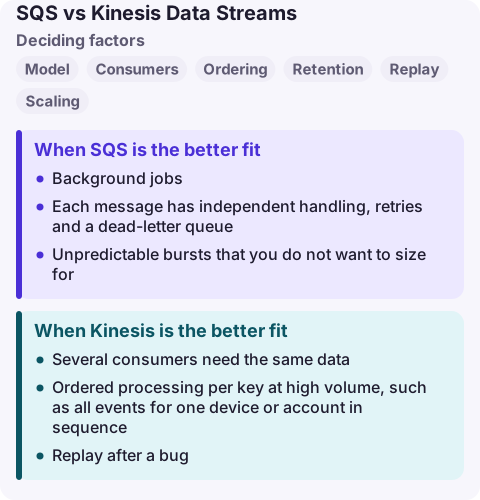
Use SQS for task queues where each message is processed once and deleted, throughput scales without planning, and ordering matters little (or per group with FIFO). Use Kinesis Data Streams when several applications must read the same ordered stream independently, you need to replay data, or you aggregate high-volume records per key, such as clickstreams, logs or telemetry.
SQS vs Kinesis compared
| Factor | Amazon SQS | Kinesis Data Streams |
|---|---|---|
| Model | Queue: receive, process, delete | Append-only log read by position (shard iterator) |
| Consumers | Competing consumers; each message to one | Many independent consumers read every record |
| Ordering | Best effort (standard) or per message group (FIFO) | Strict order per shard (partition key) |
| Retention | 1 minute to 14 days, deleted after processing | 24 hours by default, up to 365 days, regardless of reads |
| Replay | No (once deleted it is gone) | Yes, from any point within retention |
| Scaling | Automatic for standard queues | On-demand mode or provisioned shards (1 MB/s or 1,000 records/s write each) |
| Max record | 1 MiB | Up to 10 MiB |
| Pricing model | Per request (64 KB chunks) | Per stream hour plus per GB written and read (on-demand), or per shard hour (provisioned) |
When SQS is the better fit
- Background jobs: send email, resize images, call a slow API.
- Each message has independent handling, retries and a dead-letter queue.
- Unpredictable bursts that you do not want to size for.
- Low or moderate volume, where per-request pricing is cheap and there is no hourly stream charge.
When Kinesis is the better fit
- Several consumers need the same data: one Lambda writes to S3, another updates metrics, a third feeds a fraud model.
- Ordered processing per key at high volume, such as all events for one device or account in sequence.
- Replay after a bug: rewind the iterator and reprocess the last day.
- Analytics pipelines into Firehose, Managed Service for Apache Flink or streaming tables.
Plan partition keys carefully. A hot key concentrates traffic on one shard and throttles writes with ProvisionedThroughputExceededException, even if the stream as a whole has headroom.
Using both
Streams and queues often sit side by side: Kinesis for the high-volume event log, SQS for the individual follow-up tasks a stream consumer decides to create. Lambda can consume both, but behaves differently: with SQS, a failed message is retried on its own; with Kinesis, a failing record blocks its shard until it succeeds, expires, or you configure bisecting, maximum retries and an on-failure destination.
If what you really want is "get records into S3 or a search index with minimal code", consider Amazon Data Firehose instead of building a consumer.
Common wrong reasons
- "Kinesis is faster." Both handle very high throughput. Pick on consumption model, not speed.
- "SQS FIFO gives me Kinesis-style ordering." It gives ordering per message group but one consumer path, no replay and deletion after processing.
- "Kinesis is cheap because it is per GB." On-demand streams also charge per stream hour, so many quiet streams add up.
Questions
Can multiple consumers read the same SQS message?
Not in the sense Kinesis allows. A message is hidden from others while one consumer processes it and is deleted afterwards. For many consumers, use Kinesis or SNS-to-SQS fan-out.
How long does Kinesis keep data?
24 hours by default. You can increase retention up to 365 days, at extra cost.
Is Kinesis more expensive than SQS?
At low volume, usually yes, because a stream has an hourly charge. At high sustained volume with several consumers, Kinesis can be cheaper than duplicating messages into several queues.
A stuck stream consumer shows up as iterator age climbing steadily; a stuck queue consumer as the oldest message getting older. CloudConsole is being built to show both alarms and the consumer's logs on a phone with production guardrails.
About the app → · Download on the App Store