 CloudConsole
aws cloudformation continue-update-rollback
aws cloudformation continue-update-rollback --stack-name my-stack retries a rollback that got stuck in UPDATE_ROLLBACK_FAILED. If a resource still cannot be rolled back, fix it outside CloudFormation and retry, or pass --resources-to-skip with its logical ID so the stack can return to UPDATE_ROLLBACK_COMPLETE.
What the command does
UPDATE_ROLLBACK_FAILED means an update failed, CloudFormation tried to put everything back, and putting at least one resource back also failed. In that state the stack accepts no updates. This command tells CloudFormation to try the rollback again from where it stopped.
Usually something outside the stack is in the way: a resource was changed or deleted by hand, a dependency has gone, or a permission was removed mid-update. Retrying without fixing that will fail the same way.
Syntax
aws cloudformation continue-update-rollback --stack-name <name> \
  [--resources-to-skip <LogicalId> [<NestedStack>.<LogicalId>] ...] \
  [--role-arn <service-role-arn>]
Worked examples
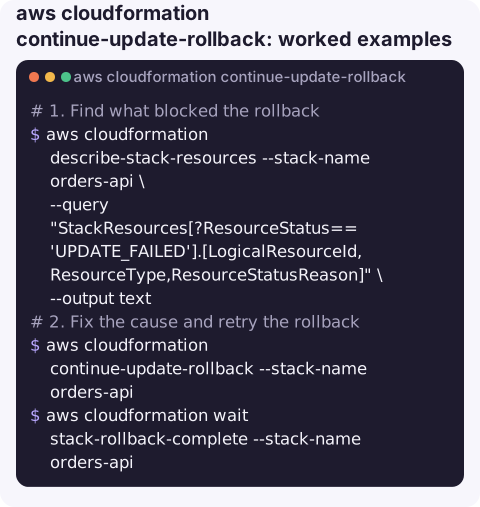
1. Find what blocked the rollback. The resources in UPDATE_FAILED with a rollback-related reason are your candidates:
aws cloudformation describe-stack-resources --stack-name orders-api \
  --query "StackResources[?ResourceStatus=='UPDATE_FAILED'].[LogicalResourceId,ResourceType,ResourceStatusReason]" \
  --output text
2. Fix the cause and retry the rollback, then wait for it:
aws cloudformation continue-update-rollback --stack-name orders-api
aws cloudformation wait stack-rollback-complete --stack-name orders-api
The waiter succeeds on UPDATE_ROLLBACK_COMPLETE and fails if the stack lands in UPDATE_ROLLBACK_FAILED again.
3. Skip a resource that can never be rolled back, for example a Lambda version that was deleted by hand:
aws cloudformation continue-update-rollback --stack-name orders-api \
  --resources-to-skip ProcessorFunctionVersion
Skip a resource inside a nested stack by prefixing the nested stack's logical ID:
aws cloudformation continue-update-rollback --stack-name orders-platform \
  --resources-to-skip DatabaseStack.ParameterGroup
After the rollback completes
Once the stack reaches UPDATE_ROLLBACK_COMPLETE it accepts updates again, but do not immediately re-run the deploy that failed. First read the original failure in the stack events (the first UPDATE_FAILED before the rollback began) and fix that. If you skipped resources, compare them with the template and bring them back in line, either by recreating what was deleted or by adjusting the template, before the next update touches them.
Typical blockers
| Event reason mentions | Usual fix before retrying |
|---|---|
| Resource not found / does not exist | Someone deleted it manually. Recreate it with the same name if possible, or skip it |
| Access denied | Restore the permission on the deploying role, or pass a role with --role-arn |
| Limit exceeded | Free capacity or raise the quota, then retry |
| Resource in use / dependency violation | Detach whatever now depends on the old version |
Gotchas
- Skipping creates drift. Skipped resources are marked
UPDATE_COMPLETEbut do not match the template. Your next update must reconcile them, or it may fail and leave the stack unrecoverable. Run drift detection afterwards. - Only rollback failures can be skipped. Resources that are
UPDATE_FAILEDfor other reasons (such as a cancelled update) are rejected in--resources-to-skip. - Skip as little as possible. Dependents of a failed resource often recover once the root resource is fixed; skip the root cause, not everything that failed.
- If it is a new stack that failed on creation (
ROLLBACK_COMPLETE), this command does not apply; delete and recreate it instead.
Questions
What does UPDATE_ROLLBACK_FAILED mean?
An update failed and the automatic rollback also failed for at least one resource. The stack is frozen until you continue the rollback, with or without skipping resources.
Can I delete a stack in UPDATE_ROLLBACK_FAILED instead?
Yes, deletion is allowed from that state, but it deletes all the stack's resources. Continuing the rollback keeps them.
Is there an option to skip all failed resources at once?
The API has a --force-rollback flag that skips every resource whose rollback failed. It has the same drift consequences as listing them, so prefer naming specific resources.
A stack frozen in UPDATE_ROLLBACK_FAILED blocks every deploy behind it. CloudConsole, a phone app for AWS, is built to show stacks, resources and alarms on a phone so the state is visible before you sit down to fix it.
About the app → · Download on the App Store