 CloudConsole
aws cloudformation describe-stacks
aws cloudformation describe-stacks --stack-name my-stack returns a stack's status, status reason, parameters, outputs, tags and capabilities. Without --stack-name it lists every stack in the Region that has not been deleted; pair it with --query to pull out outputs such as an API URL.
What the command does
It returns an array under Stacks. The fields people read most are StackStatus (for example CREATE_COMPLETE, UPDATE_ROLLBACK_COMPLETE, ROLLBACK_COMPLETE), StackStatusReason, Outputs, Parameters, LastUpdatedTime and EnableTerminationProtection.
It tells you that something failed, but rarely why. The reason is almost always on a resource event, which is what describe-stack-events shows.
Syntax
aws cloudformation describe-stacks [--stack-name <name-or-stack-id>]Worked examples
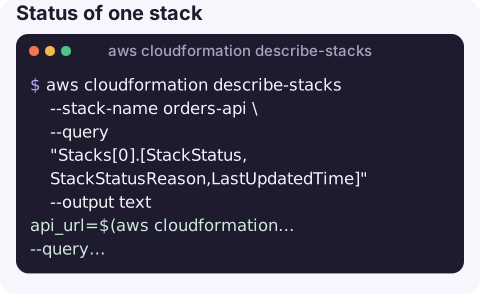
Status of one stack:
aws cloudformation describe-stacks --stack-name orders-api \
  --query "Stacks[0].[StackStatus,StackStatusReason,LastUpdatedTime]" --output text
Read an output value into a variable, the most common scripting use:
api_url=$(aws cloudformation describe-stacks --stack-name orders-api \
  --query "Stacks[0].Outputs[?OutputKey=='ApiUrl'].OutputValue" --output text)
All outputs as a table:
aws cloudformation describe-stacks --stack-name orders-api \
  --query "Stacks[0].Outputs[].[OutputKey,OutputValue]" --output table
Every stack that is not in a healthy final state:
aws cloudformation describe-stacks \
  --query "Stacks[?!contains(['CREATE_COMPLETE','UPDATE_COMPLETE','IMPORT_COMPLETE'], StackStatus)].[StackName,StackStatus]" \
  --output table
Parameters the stack was deployed with:
aws cloudformation describe-stacks --stack-name orders-api \
  --query "Stacks[0].Parameters[].[ParameterKey,ParameterValue]" --output text
Block a script until an update finishes (fails if it rolls back):
aws cloudformation wait stack-update-complete --stack-name orders-apiBefore you redeploy
Check three things with this command before re-running a failed pipeline. Is the stack in a state that accepts updates at all (anything ending _COMPLETE except ROLLBACK_COMPLETE)? Is termination protection on, if you are about to delete and recreate it? And are the parameters what you expect, since a pipeline may have passed an empty or stale value that caused the failure in the first place?
aws cloudformation describe-stacks --stack-name orders-api \
  --query "Stacks[0].{status:StackStatus,protected:EnableTerminationProtection,drift:DriftInformation.StackDriftStatus}"
Status values that need action
| Status | What it means | Next step |
|---|---|---|
ROLLBACK_COMPLETE | Creation failed and was rolled back | Delete the stack and create it again; see this error |
UPDATE_ROLLBACK_FAILED | An update failed and the rollback also failed | continue-update-rollback |
DELETE_FAILED | Some resources could not be deleted | Fix the blocker, or retry delete with retained resources |
UPDATE_ROLLBACK_COMPLETE | Update failed, stack is back to the old state | Read events, fix, deploy again |
*_IN_PROGRESS | Operation still running | Wait, or follow events |
Gotchas
- Deleted stacks need the stack ID. Listing without a name skips deleted stacks; describing a deleted stack by name fails with "does not exist". Use the full stack ID ARN, or
aws cloudformation list-stacks --stack-status-filter DELETE_COMPLETE. - Regional. "Stack does not exist" is very often the wrong
--region. - Outputs from nested stacks belong to the nested stack. Describe it by its own name or ID (shown as a resource in the parent).
- Secrets in parameters. Parameters with
NoEchoare masked as asterisks; others, including passwords passed in plain text, are shown to anyone with describe access.
Questions
How do I get a CloudFormation output value in a shell script?
Use --query "Stacks[0].Outputs[?OutputKey=='Name'].OutputValue" --output text and capture it with $(...). Exported values can also be read with aws cloudformation list-exports.
How do I list all CloudFormation stacks?
Run describe-stacks with no --stack-name for full details, or aws cloudformation list-stacks for a lighter summary that can also include deleted stacks.
How do I find why my stack failed?
describe-stacks shows only a summary. Run aws cloudformation describe-stack-events --stack-name <name> and look for the first event with a FAILED status.
A failed deploy at the end of the day leaves a stack in a state someone has to check. CloudConsole, a phone app for AWS, is built to show resources and their alarms on a phone.
About the app → · Download on the App Store