 CloudConsole
Stack is in ROLLBACK_COMPLETE state and can not be updated
ROLLBACK_COMPLETE means the stack's very first creation failed and CloudFormation removed what it had created. A stack in this state can never be updated; the only way forward is to find why creation failed, delete the stack, and create it again with the fix.
Why you cannot update it
An error occurred (ValidationError) when calling the UpdateStack operation:
Stack:arn:aws:cloudformation:eu-west-2:123456789012:stack/orders-prod/1a2b3c4d-...
is in ROLLBACK_COMPLETE state and can not be updated.
A stack that failed on creation has no last-known-good state to update from. It is an empty shell kept only so you can read its events. Contrast this with UPDATE_ROLLBACK_COMPLETE, which comes from a failed update; that stack still has its previous resources and can be updated normally.
Tools that wrap CloudFormation (aws cloudformation deploy, SAM, CDK, Serverless Framework) hit the same wall on the second deploy after a failed first one.
Find the original failure first
When one resource fails, CloudFormation cancels the others, so most failure events just say "Resource creation cancelled". You want the earliest CREATE_FAILED:
aws cloudformation describe-stack-events --stack-name orders-prod \
  --query "reverse(StackEvents[?ResourceStatus=='CREATE_FAILED'])[0].[LogicalResourceId,ResourceType,ResourceStatusReason]" \
  --output text
Common first failures: a resource name that already exists, a missing IAM capability or permission, an invalid property value, a quota, or an ECS service or custom resource that never stabilised. Fix that before recreating, or you will be back here in ten minutes.
Delete and recreate
aws cloudformation delete-stack --stack-name orders-prod
aws cloudformation wait stack-delete-complete --stack-name orders-prod
Deleting a ROLLBACK_COMPLETE stack is normally quick because there is little left in it. Then deploy again with your fix.
Before recreating, check for leftovers: resources with DeletionPolicy: Retain, or created with fixed names, may survive the rollback and then make the next create fail with "already exists". See resource already exists.
Debug the next attempt without rollback
For a stubborn failure, keep the successfully created resources in place so you can inspect them:
aws cloudformation create-stack --stack-name orders-prod \
  --template-body file://template.yaml \
  --capabilities CAPABILITY_IAM --on-failure DO_NOTHING
The stack then ends in CREATE_FAILED rather than rolling back, and you can look at the half-built resources, such as an ECS service's stopped tasks or a function's logs. Delete the stack once you are done, since it cannot be updated either.
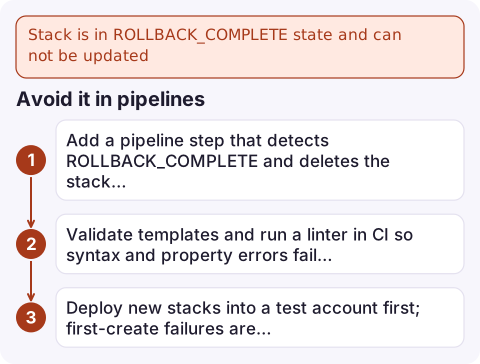
Avoid it in pipelines
- Add a pipeline step that detects
ROLLBACK_COMPLETEand deletes the stack before redeploying (only for stacks that never held data). - Validate templates and run a linter in CI so syntax and property errors fail before reaching CloudFormation.
- Deploy new stacks into a test account first; first-create failures are cheapest there.
Questions
How do I fix a CloudFormation stack in ROLLBACK_COMPLETE?
Find the first CREATE_FAILED event to learn why creation failed, delete the stack, fix the cause and create it again. It cannot be updated.
What is the difference between ROLLBACK_COMPLETE and UPDATE_ROLLBACK_COMPLETE?
ROLLBACK_COMPLETE follows a failed stack creation and the stack is unusable. UPDATE_ROLLBACK_COMPLETE follows a failed update; the stack has its previous resources and can be updated again.
Will deleting a ROLLBACK_COMPLETE stack delete my data?
Usually there is nothing left to delete. Resources with DeletionPolicy Retain are kept, and they may block the next creation if they have fixed names.

A failed first deploy is rarely an emergency, but it can block a hotfix pipeline at the worst moment. CloudConsole, a phone app for AWS, is built to show deployment status and related alarms on your phone, so you know whether the release actually landed.
Did it start after a deploy? What changed? on the app’s alarm screen lists the deploys and configuration changes from the hour before the alarm fired.
About the app → · Download on the App Store