 CloudConsole
aws cloudformation describe-stack-events
aws cloudformation describe-stack-events --stack-name my-stack lists every status change for a stack and its resources, newest first, with a ResourceStatusReason for failures. To find why a deployment failed, look for the earliest event ending in _FAILED in the latest operation; later failures are usually just the rollback cascading.
What the command does
Each event records one resource changing state: LogicalResourceId, ResourceType, ResourceStatus, ResourceStatusReason and Timestamp. Events for the stack itself have the stack name as their logical ID. The CLI fetches every page by default, so on a long-lived stack the full history can be thousands of events; use --max-items and --query.
Syntax
aws cloudformation describe-stack-events --stack-name <name-or-stack-id> [--max-items <n>]Worked examples
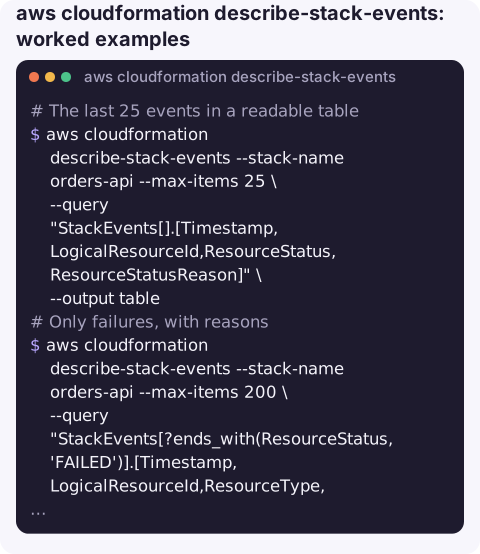
The last 25 events in a readable table:
aws cloudformation describe-stack-events --stack-name orders-api --max-items 25 \
  --query "StackEvents[].[Timestamp,LogicalResourceId,ResourceStatus,ResourceStatusReason]" \
  --output table
Only failures, with reasons:
aws cloudformation describe-stack-events --stack-name orders-api --max-items 200 \
  --query "StackEvents[?ends_with(ResourceStatus, 'FAILED')].[Timestamp,LogicalResourceId,ResourceType,ResourceStatusReason]" \
  --output text
The root cause: the oldest failure in that list is usually the real one. Reverse the order to read it first:
aws cloudformation describe-stack-events --stack-name orders-api --max-items 200 \
  --query "reverse(StackEvents[?ends_with(ResourceStatus, 'FAILED')])[0].[LogicalResourceId,ResourceStatusReason]" \
  --output text
Follow a deployment live with a simple loop (prints the newest few events every 10 seconds):
while true; do
  clear
  aws cloudformation describe-stack-events --stack-name orders-api --max-items 15 \
    --query "StackEvents[].[Timestamp,LogicalResourceId,ResourceStatus]" --output text
  sleep 10
done
Common failure reasons and what they mean
| Reason contains | Usually means |
|---|---|
Resource handler returned message: ... AccessDenied | The deploying role (or your credentials) lacks permission for that resource type |
already exists | A resource with that physical name exists outside the stack; see resource already exists |
Resource creation cancelled | Not the cause: another resource failed first and CloudFormation cancelled the rest |
did not stabilize | The resource was created but never became healthy, e.g. an ECS service whose tasks keep failing |
Requires capabilities | You must pass --capabilities; see requires capabilities |
Gotchas
- Newest first. The top of the list is the end of the story (often
ROLLBACK_COMPLETE), not the start. - Nested stacks hide the real error. The parent shows the nested stack resource as failed with a generic message. Describe the nested stack's own events, using its physical ID from the parent's events.
- Deleted stacks need the stack ID ARN, not the name.
- Operations are interleaved. Events from last month's update and today's sit in one list. Find the most recent stack-level
UPDATE_IN_PROGRESSorCREATE_IN_PROGRESSevent and only read events after its timestamp. - Who started it is not here. Events say what happened, not which person or pipeline ran the deploy; CloudTrail records the
UpdateStackorExecuteChangeSetcall and its caller. - Pagination cost. Without
--max-itemsthe CLI fetches the entire history, which is slow on busy stacks.
Questions
How do I see only the failed events of a CloudFormation stack?
Filter with --query "StackEvents[?ends_with(ResourceStatus, 'FAILED')]" and add --max-items so the CLI does not fetch the whole history.
Why do I see "Resource creation cancelled" on many resources?
Those resources were stopped because another resource failed. Scroll further back for the first FAILED event; that one has the real reason.
Is there a way to stream CloudFormation events?
Not with this command; poll it with a loop. CloudFormation can also send stack events to EventBridge, where a rule can notify you or trigger automation.
Deploys that fail after hours tend to leave a puzzle for the morning. CloudConsole is built to put AWS resources, alarms and logs on a phone so you can see how bad it is right away.
About the app → · Download on the App Store