 CloudConsole
aws cloudformation validate-template
aws cloudformation validate-template --template-body file://template.yaml checks that a template is well-formed JSON or YAML with a valid CloudFormation structure, and reports its parameters and required capabilities. It does not check that resource properties are valid, so a template can pass here and still fail on deploy.
What the command does
It sends the template to CloudFormation for a structural check: parseable syntax, recognised top-level sections, valid intrinsic function shapes and references. On success it returns the template's Parameters, Description, any Capabilities the template will need (such as CAPABILITY_IAM) with a CapabilitiesReason, and any declared transforms.
On failure you get a ValidationError with a message such as Template format error: Unresolved resource dependencies [AppRole] in the Resources block of the template.
Syntax
aws cloudformation validate-template --template-body file://template.yaml
aws cloudformation validate-template --template-url https://my-bucket.s3.eu-west-2.amazonaws.com/template.yaml
Worked examples
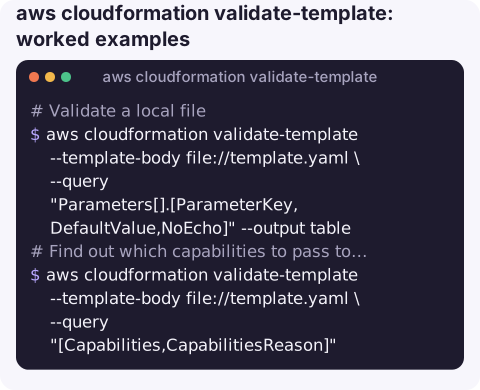
Validate a local file and print the parameters it expects:
aws cloudformation validate-template --template-body file://template.yaml \
  --query "Parameters[].[ParameterKey,DefaultValue,NoEcho]" --output table
Find out which capabilities to pass to deploy:
aws cloudformation validate-template --template-body file://template.yaml \
  --query "[Capabilities,CapabilitiesReason]"
If this lists CAPABILITY_NAMED_IAM, your deploy command needs --capabilities CAPABILITY_NAMED_IAM; see requires capabilities.
Validate a large template from S3 (needed above the inline size limit):
aws s3 cp template.yaml s3://my-bucket/templates/template.yaml
aws cloudformation validate-template \
  --template-url https://my-bucket.s3.eu-west-2.amazonaws.com/templates/template.yaml
As a CI step that fails the build on any error:
for t in templates/*.yaml; do
  aws cloudformation validate-template --template-body "file://$t" >/dev/null || exit 1
done
Where it fits in a pipeline
Treat validation as the cheapest of several gates. Run it (or a local linter) on every commit, create a change set on merge to see what CloudFormation would actually do, and only then execute. Each gate catches a different class of mistake, and validate-template alone gives a false sense of safety: a template that passes can still try to replace a production database because a property that forces replacement changed.
What it catches and what it misses
| Catches | Misses |
|---|---|
| Invalid YAML or JSON | Wrong or misspelt resource property names |
| Unknown top-level sections | Invalid property values (e.g. an unsupported instance type) |
Ref / GetAtt to resources that do not exist | Resources that already exist with the same name |
| Malformed intrinsic functions | Missing IAM permissions for the deploy |
| Circular dependencies | Service quotas |
For property-level checks, run a linter such as cfn-lint locally, and create a change set to let CloudFormation evaluate the template against your account before executing it.
Gotchas
- Size limit.
--template-bodyaccepts up to 51,200 bytes. Larger templates must be uploaded to S3 and passed with--template-url. file://is required for local files. Without it, the CLI sends the literal path string as the template and you get a format error.- It needs credentials and a Region. Validation happens in the CloudFormation service, not locally.
- Transforms are not expanded. SAM templates (
Transform: AWS::Serverless-2016-10-31) are only checked structurally; the transform runs at change-set time. - Error messages are terse. See Template format error for the common ones.
Questions
Does validate-template check resource properties?
No. It checks syntax and structure. Invalid property names or values only fail when you create a change set or deploy.
Why does validate-template say the template is invalid when it looks fine?
Check that you used file:// before the path, that the YAML indentation is consistent, and that every Ref and GetAtt points to a logical ID that exists.
Can I validate a template without AWS credentials?
Not with this command, which calls the CloudFormation API. Local linters such as cfn-lint work offline.
A template error caught in CI is one fewer failed deploy to deal with later. CloudConsole is built to show stacks, resources and alarms on a phone for the failures that still get through.
About the app → · Download on the App Store