 CloudConsole
Template format error
"Template format error" means CloudFormation could not parse or structurally validate your template before doing anything else. The text after the colon tells you which problem: malformed YAML or JSON, a Ref to a resource that does not exist, an unknown resource type (often a missing SAM Transform), or "unsupported structure", which usually means you passed a file path without file://.
Variants and what they mean
| Message after "Template format error:" | Usual cause |
|---|---|
unsupported structure. | The template body is not a JSON or YAML mapping: --template-body template.yaml without file:// sends the literal string; a template URL returning an HTML error page; an empty file |
YAML not well-formed. (line 42, column 7) | Indentation, tabs, an unquoted colon in a value, or a stray character |
JSON not well-formed. | Trailing comma, unbalanced braces |
Unresolved resource dependencies [OrdersTable] in the Resources block of the template | Ref, GetAtt or DependsOn names a logical ID that does not exist (typo, or resource removed) |
Unrecognized resource types: [AWS::Serverless::Function] | Missing Transform: AWS::Serverless-2016-10-31, or a typo in a resource type |
Every Outputs member must contain a Value object | Outputs entry missing Value, or mis-indented |
At least one Resources member must be defined. | Empty or missing Resources section |
The "unsupported structure" fix
This is the one people hit from the CLI. The template parameters accept text, so without the file:// prefix the CLI sends the filename itself:
# wrong: sends the string "template.yaml"
aws cloudformation validate-template --template-body template.yaml

# right
aws cloudformation validate-template --template-body file://template.yaml
With --template-url, make sure the URL points at the object itself (an S3 HTTPS URL) and that CloudFormation can read it; a URL that returns an error page is parsed as a broken template.
Validate before deploying
validate-template checks syntax and structure quickly without creating anything:
aws cloudformation validate-template --template-body file://template.yaml \
  --query 'Parameters[].ParameterKey'
It does not check property names or values against resource schemas, so a template can validate and still fail during deployment. Add cfn-lint (the open-source CloudFormation linter) to CI; it catches unknown properties, wrong types, bad references and many resource-specific mistakes.
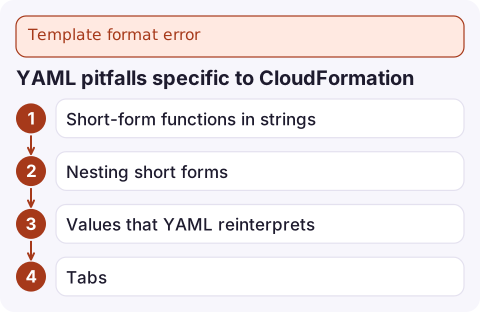
YAML pitfalls specific to CloudFormation
- Short-form functions in strings:
!Sub,!Refand!GetAttare YAML tags. Generic YAML tools that do not know them may reject or rewrite the file; use a CloudFormation-aware linter. - Nesting short forms:
!Base64 !Sub ...works, but some combinations such as a short-form!GetAttdirectly inside another short form are not allowed; switch the inner one to the long form (Fn::GetAtt). - Values that YAML reinterprets:
yes,no,on,offand version numbers such as3.10become booleans or floats; quote them. - Tabs: YAML indentation must be spaces.
Size limits
Templates passed inline with --template-body are limited to 51,200 bytes; larger ones must be uploaded to S3 and referenced with --template-url (up to 1 MB at the time of writing). Exceeding the inline limit gives a validation error about member length rather than a template format error. aws cloudformation deploy and package handle the S3 upload when you give them a bucket.
Questions
What does Template format error: unsupported structure mean?
CloudFormation received something that is not a JSON or YAML mapping. Most often you passed --template-body template.yaml without the file:// prefix, so the CLI sent the filename as the template.
How do I validate a CloudFormation template from the CLI?
Run aws cloudformation validate-template --template-body file://template.yaml. Add cfn-lint for deeper checks of properties and references.
Why does CloudFormation not recognise AWS::Serverless::Function?
The template needs Transform: AWS::Serverless-2016-10-31 at the top level so CloudFormation expands SAM resources.

Template errors are caught before anything changes, so they are a blocked release rather than an outage. CloudConsole, a phone app for AWS, is built to show deployment and alarm status on your phone, which tells you whether a failed pipeline has any live impact.
Did it start after a deploy? What changed? on the app’s alarm screen lists the deploys and configuration changes from the hour before the alarm fired.
About the app → · Download on the App Store