 CloudConsole
Requires capabilities: [CAPABILITY_IAM]
Your template creates IAM resources (or uses macros), and CloudFormation needs an explicit acknowledgement before it will deploy it. Add --capabilities CAPABILITY_IAM to the command; use CAPABILITY_NAMED_IAM if any IAM resource has a custom name, and CAPABILITY_AUTO_EXPAND if the template uses a transform or macro.
What it means
An error occurred (InsufficientCapabilitiesException) when calling the
CreateStack operation: Requires capabilities : [CAPABILITY_IAM]
Capabilities are a safety catch, not a permission. Templates that can change who has access to your account must be acknowledged by whoever deploys them, so that a template from a third party cannot quietly create an admin role. You still need IAM permissions to create the resources; the capability only confirms you meant to.
Which capability you need
| Capability | Required when the template... |
|---|---|
CAPABILITY_IAM | Creates or changes IAM resources such as AWS::IAM::Role, Policy, ManagedPolicy, User, Group, AccessKey or InstanceProfile, with generated names |
CAPABILITY_NAMED_IAM | Does the same but sets a custom name (RoleName, UserName, GroupName, ManagedPolicyName, InstanceProfileName); it covers the unnamed case too |
CAPABILITY_AUTO_EXPAND | Uses macros or transforms that CloudFormation expands, including AWS::Serverless in some deployment paths and nested stacks containing macros |
The error lists exactly which ones are missing, so pass what it names.
Fix it on the command line
aws cloudformation create-stack --stack-name orders-prod \
  --template-body file://template.yaml \
  --capabilities CAPABILITY_NAMED_IAM

aws cloudformation update-stack --stack-name orders-prod \
  --template-body file://template.yaml \
  --capabilities CAPABILITY_IAM CAPABILITY_AUTO_EXPAND

aws cloudformation deploy --stack-name orders-prod \
  --template-file packaged.yaml --capabilities CAPABILITY_IAM
Change sets take the same flag on create-change-set. SAM's sam deploy and CDK's cdk deploy pass capabilities for you in most cases; with SAM you can set them in samconfig.toml.
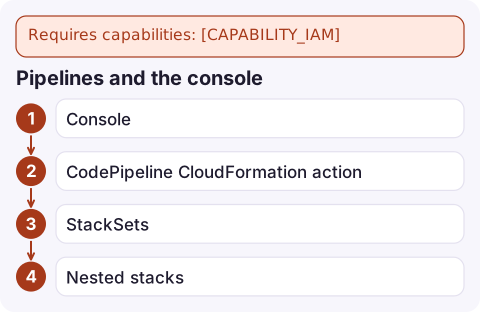
Pipelines and the console
- Console: tick the acknowledgement boxes ("I acknowledge that AWS CloudFormation might create IAM resources") on the final page before creating or updating.
- CodePipeline CloudFormation action: set the action configuration's
Capabilitiesfield, comma-separated for several. - StackSets: pass capabilities when creating or updating the stack set.
- Nested stacks: capabilities given to the parent apply to its nested stacks; acknowledge everything the children need when deploying the parent.
Before you just add the flag
The capability is a prompt to read what the template does to IAM. Before acknowledging, check the roles and policies it creates for wildcards such as "Action": "*" or "Resource": "*", trust policies that let other accounts assume roles, and access keys being created for users. Preferring generated names (and so CAPABILITY_IAM instead of CAPABILITY_NAMED_IAM) also avoids name clashes when the same template is deployed twice in one account.
Questions
What is the difference between CAPABILITY_IAM and CAPABILITY_NAMED_IAM?
CAPABILITY_IAM covers IAM resources with names generated by CloudFormation. CAPABILITY_NAMED_IAM is required when any IAM resource sets an explicit name, and also covers the unnamed case.
When do I need CAPABILITY_AUTO_EXPAND?
When the template uses macros or transforms that CloudFormation must expand before deploying, such as some SAM deployment paths or nested stacks that contain macros.
Does adding --capabilities give CloudFormation extra permissions?
No. It only acknowledges that the template creates IAM resources. Your user or the stack's service role still needs IAM permissions to create them.

A missing capability only blocks a deploy, but if that deploy is an urgent fix you want to know it stalled. CloudConsole, a phone app for AWS, is built to show deployment and alarm status on your phone so a stuck release does not go unnoticed.
Did it start after a deploy? What changed? on the app’s alarm screen lists the deploys and configuration changes from the hour before the alarm fired.
About the app → · Download on the App Store