 CloudConsole
aws cloudfront create-invalidation
aws cloudfront create-invalidation --distribution-id E1234567890ABC --invalidation-batch '{"Paths":{"Quantity":1,"Items":["/*"]},"CallerReference":"deploy-42"}' tells CloudFront to drop cached copies of the matching paths so the next request goes to the origin. It returns an invalidation ID in InProgress state; completion usually takes a few minutes.
What the command does
It removes objects from CloudFront edge caches before they expire. It does not touch the origin and does not push new content; viewers get the fresh object on their next request. Paths are case-sensitive, start with /, and may end in a single * wildcard.
The CLI also has a shorthand --paths option (for example --paths "/*") that builds the batch and caller reference for you. The examples below use the full --invalidation-batch form, which maps directly to the API.
Syntax
aws cloudfront create-invalidation --distribution-id <id> \
  --invalidation-batch '{"Paths":{"Quantity":<n>,"Items":["/path1","/path2*"]},"CallerReference":"<unique>"}'
Worked examples
Find the distribution ID for a domain:
aws cloudfront list-distributions \
  --query "DistributionList.Items[?Aliases.Items && contains(Aliases.Items, 'www.example.com')].[Id,DomainName]" --output text
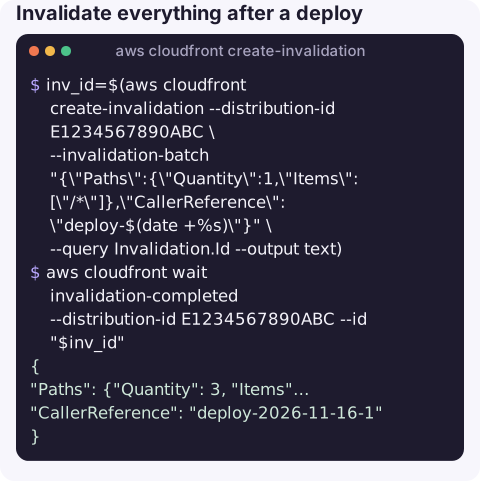
Invalidate everything after a deploy and wait for it:
inv_id=$(aws cloudfront create-invalidation --distribution-id E1234567890ABC \
  --invalidation-batch "{\"Paths\":{\"Quantity\":1,\"Items\":[\"/*\"]},\"CallerReference\":\"deploy-$(date +%s)\"}" \
  --query Invalidation.Id --output text)
aws cloudfront wait invalidation-completed --distribution-id E1234567890ABC --id "$inv_id"
Only the files that change on every deploy, from a JSON file:
{
  "Paths": {"Quantity": 3, "Items": ["/index.html", "/service-worker.js", "/config/*"]},
  "CallerReference": "deploy-2026-11-16-1"
}
aws cloudfront create-invalidation --distribution-id E1234567890ABC \
--invalidation-batch file://invalidation.jsonCheck status of recent invalidations:
aws cloudfront list-invalidations --distribution-id E1234567890ABC --max-items 5 \
  --query "InvalidationList.Items[].[Id,Status,CreateTime]" --output table
Fitting it into a deploy
For a static site on S3 behind CloudFront, the usual sequence is: upload new hashed assets first, then upload the HTML and other entry points, then invalidate only those entry points. Uploading HTML before its assets exist, or invalidating before the upload finishes, gives users a page that references files CloudFront cannot find yet.
Cost and limits
| Item | Detail |
|---|---|
| Free allowance | A number of invalidation paths each month are free (1,000 at the time of writing); beyond that each path is charged. |
| Wildcard paths | /images/* counts as one path however many files it matches. |
| Concurrency | There are limits on how many paths and wildcard invalidations can be in progress per distribution at once; large batches can be rejected with TooManyInvalidationsInProgress. |
| Quantity | Must equal the number of items in the list, or the request is rejected. |
Gotchas
- Prefer versioned file names. Assets named with a content hash (
app.3f9c2a.js) never need invalidating; invalidate only the HTML or manifest that points to them. - Query strings and headers. Invalidating
/index.htmlclears all cached variants of that path, regardless of query string. - Paths must be URL-encoded as CloudFront sees them, and are case-sensitive.
- Browser caches are not affected. If
Cache-Controllets browsers cache for a day, users keep their copy regardless of the invalidation. - CallerReference must be unique per request; reusing one with a different batch fails.
Questions
How long does a CloudFront invalidation take?
Typically a few minutes until Status is Completed. Use aws cloudfront wait invalidation-completed to block a script until then.
Does /* invalidate everything?
Yes. It matches every path in the distribution and counts as a single path for billing.
Why do I still see old content after invalidating?
Usually the browser's own cache, a different distribution or path than you invalidated, or a cache in front of CloudFront. Test with curl and check the x-cache and age response headers.
A deploy that looks broken because of a stale cache is a common false alarm. CloudConsole is built to show CloudFront alarms and error rates on a phone so you can tell the two apart.
About the app → · Download on the App Store