 CloudConsole
aws s3 sync
aws s3 sync ./site s3://my-bucket/ copies only files that are new or have changed (by size or modification time) from the source to the destination. Add --delete to remove files at the destination that no longer exist at the source, and always try --dryrun first when you do.
What the command does
sync lists both sides, compares them, and copies the difference. It works local to S3, S3 to local, and S3 to S3. By default a file is copied if it does not exist at the destination, if the sizes differ, or if the source is newer. Nothing is deleted unless you ask for it.
Syntax
aws s3 sync <source> <destination> \
  [--delete] [--exclude "<pattern>"] [--include "<pattern>"] \
  [--size-only] [--exact-timestamps] \
  [--sse aws:kms] [--storage-class <class>] [--dryrun]
Worked examples
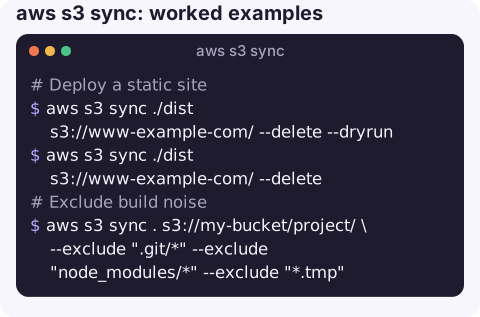
Deploy a static site, removing files that were deleted locally. Preview first:
aws s3 sync ./dist s3://www-example-com/ --delete --dryrun
aws s3 sync ./dist s3://www-example-com/ --delete
Dry-run output lines start with (dryrun) upload: or (dryrun) delete:; read the deletes carefully.
Exclude build noise:
aws s3 sync . s3://my-bucket/project/ \
  --exclude ".git/*" --exclude "node_modules/*" --exclude "*.tmp"
Download a prefix to a local folder, for example logs for analysis:
aws s3 sync s3://my-bucket/logs/2026/11/16/ ./logs-1116/Bucket to bucket, server-side, into another Region:
aws s3 sync s3://prod-assets s3://dr-assets --source-region eu-west-2 --region eu-west-1Different cache headers for HTML and assets in two passes:
aws s3 sync ./dist s3://www-example-com/ --exclude "*.html" \
  --cache-control "public, max-age=31536000, immutable"
aws s3 sync ./dist s3://www-example-com/ --exclude "*" --include "*.html" \
  --cache-control "no-cache"
How sync decides
| Direction | Copied when |
|---|---|
| Local to S3 | The object is missing, the sizes differ, or the local file is newer than the object's last-modified time |
| S3 to local | The file is missing or the sizes differ. Same-sized files are skipped unless the local copy is newer than the object; with --exact-timestamps, any timestamp difference triggers a copy |
| S3 to S3 | The destination object is missing, the sizes differ, or the source is newer |
Checksums are not compared, which keeps sync fast on large trees but explains the occasional skipped file.
sync vs cp
aws s3 sync | aws s3 cp --recursive | |
|---|---|---|
| Copies unchanged files | No | Yes |
| Can delete extra files at destination | Yes, with --delete | No |
| Single file | No (directories and prefixes only) | Yes |
| Needs list permission on destination | Yes | No |
Gotchas
--deletedeletes. Syncing an empty or wrong source directory with--deleteempties the destination. On a versioned bucket you can recover; on an unversioned one you cannot.- Same size, same time, different content is not detected. A file edited without changing size and synced from S3 to local can be skipped;
--exact-timestampshelps for S3-to-local, and--size-onlyis the opposite trade-off. - Empty directories are not synced. S3 has no directories, only keys.
- Access denied usually means listing. sync needs
s3:ListBucketon every bucket involved, as well as get and put rights; see S3 AccessDenied. - CloudFront keeps serving old files until their TTL expires; invalidate the entry points with create-invalidation.
Questions
How do I exclude files or folders from aws s3 sync?
Use --exclude with a pattern relative to the source, such as --exclude "node_modules/*" or --exclude "*.log". Add --include after an --exclude to bring specific files back.
Why does aws s3 sync copy files every time?
Timestamps differ between source and destination, for example after a fresh checkout or build sets new modification times. Use --size-only if size is a reliable signal for your files.
Does aws s3 sync delete files?
Only with --delete. Without it, sync only adds and updates.
A sync with --delete pointed at the wrong folder is a memorable way to empty a bucket. CloudConsole is built with production guardrails and to show S3 resources and alarms on a phone.
About the app → · Download on the App Store