 CloudConsole
aws cloudwatch describe-alarm-history
aws cloudwatch describe-alarm-history --alarm-name my-alarm --history-item-type StateUpdate lists when an alarm changed state and why. Use --history-item-type Action to see whether notifications actually went out, and ConfigurationUpdate to see when the alarm was changed. History only goes back a limited time, so capture anything you need to keep.
What the command does
Every alarm keeps a log of three kinds of event:
- StateUpdate: transitions such as
OKtoALARM, with the datapoints that caused them. - Action: attempts to run an alarm action, and whether they succeeded.
- ConfigurationUpdate: the alarm being created, changed or deleted.
Each item in AlarmHistoryItems[] has AlarmName, Timestamp, HistoryItemType, a human-readable HistorySummary and HistoryData, a JSON string with the full detail.
Syntax
aws cloudwatch describe-alarm-history \
  [--alarm-name <name>] \
  [--history-item-type StateUpdate|Action|ConfigurationUpdate] \
  [--start-date 2026-11-15T00:00:00Z] [--end-date 2026-11-16T00:00:00Z] \
  [--alarm-types MetricAlarm CompositeAlarm] \
  [--scan-by TimestampDescending|TimestampAscending] \
  [--max-records 50]
Without --alarm-name it returns history for all alarms in the region, which is useful for "what fired overnight?".
Worked examples
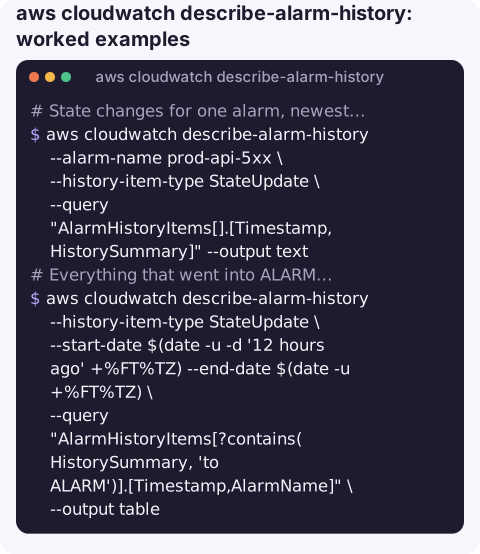
State changes for one alarm, newest first:
aws cloudwatch describe-alarm-history --alarm-name prod-api-5xx \
  --history-item-type StateUpdate \
  --query "AlarmHistoryItems[].[Timestamp,HistorySummary]" --output text
Everything that went into ALARM overnight:
aws cloudwatch describe-alarm-history --history-item-type StateUpdate \
  --start-date $(date -u -d '12 hours ago' +%FT%TZ) --end-date $(date -u +%FT%TZ) \
  --query "AlarmHistoryItems[?contains(HistorySummary, 'to ALARM')].[Timestamp,AlarmName]" \
  --output table
How often an alarm fired this week (a flapping check; JSON so the count spans pages):
aws cloudwatch describe-alarm-history --alarm-name prod-api-5xx \
  --history-item-type StateUpdate --start-date $(date -u -d '7 days ago' +%FT%TZ) \
  --query "length(AlarmHistoryItems[?contains(HistorySummary, 'to ALARM')])" --output json
Did the notification go out?
aws cloudwatch describe-alarm-history --alarm-name prod-api-5xx --history-item-type Action \
  --query "AlarmHistoryItems[].[Timestamp,HistorySummary]" --output text
The datapoints behind a transition:
aws cloudwatch describe-alarm-history --alarm-name prod-api-5xx \
  --history-item-type StateUpdate --max-records 1 \
  --query "AlarmHistoryItems[0].HistoryData" --output text | jq '.newState'
What to look for
| Pattern | Meaning |
|---|---|
| Many ALARM/OK pairs minutes apart | Flapping: raise the threshold, use M of N datapoints or a longer period. |
| Action items saying the action failed | SNS topic policy, a deleted topic or KMS permissions on an encrypted topic. |
Transitions to INSUFFICIENT_DATA | The metric stopped reporting, often because the resource was replaced and the dimension value changed. |
| ConfigurationUpdate shortly before trouble | Someone changed the alarm; CloudTrail shows who. |
Gotchas
- Limited retention. History is only kept for a limited period. For longer records, send alarm state changes from EventBridge to a log group or S3.
- Composite alarms need
--alarm-types CompositeAlarmwhen you query without a name. HistoryDatais a string of JSON; parse it withjqrather than JMESPath.- Deleted alarms keep their history for the retention period, which helps when someone removed an alarm by mistake. Querying composite alarm history needs
cloudwatch:DescribeAlarmHistoryscoped to*. - Timestamps are UTC. Convert them before lining up alarm changes with application logs or deploy times recorded in local time.
Questions
How do I see when a CloudWatch alarm was triggered?
Run describe-alarm-history --alarm-name <name> --history-item-type StateUpdate and look for summaries that say the alarm was updated from OK to ALARM.
How long does CloudWatch keep alarm history?
Only for a limited period, measured in days or weeks rather than months. Capture state changes with EventBridge if you need a longer record.
How do I check if an alarm notification was sent?
Query --history-item-type Action. Successful and failed action attempts both appear there.
The first question after a page is usually "how long has this been going on?". CloudConsole, a phone app for AWS, is built to show an alarm's recent history alongside its metric on a phone.
About the app → · Download on the App Store