 CloudConsole
How to get CloudWatch alarm email notifications
CloudWatch alarms send email through Amazon SNS: create a topic, subscribe an email address to it, click the confirmation link that arrives, and add the topic as the alarm's action for the ALARM state (and OK if you want recovery emails). Nothing is delivered until the subscription is confirmed. Test it with aws cloudwatch set-alarm-state.
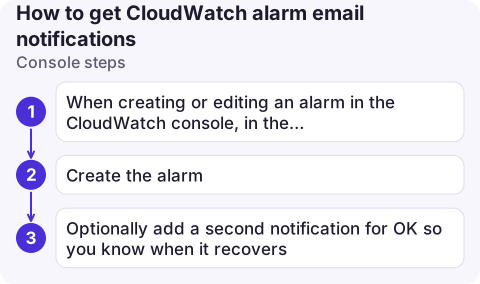
Console steps
- When creating or editing an alarm in the CloudWatch console, in the notification step choose In alarm and either select an existing SNS topic or create a new one, entering the email addresses.
- Create the alarm. Each address receives a subscription confirmation email from AWS Notifications; open it and confirm.
- Optionally add a second notification for OK so you know when it recovers.
CLI steps
TOPIC=$(aws sns create-topic --name ops-alerts --query TopicArn --output text)

aws sns subscribe --cli-input-json \
  '{"TopicArn":"arn:aws:sns:eu-west-2:123456789012:ops-alerts","Protocol":"email","Endpoint":"[email protected]"}'

# Point an existing alarm at it: re-run put-metric-alarm with the same settings plus
#   --alarm-actions "$TOPIC" --ok-actions "$TOPIC"

# Check the subscription is confirmed (PendingConfirmation means not yet)
aws sns list-subscriptions-by-topic --topic-arn "$TOPIC" \
  --query 'Subscriptions[].[Endpoint,SubscriptionArn]' --output text

# Fire a test email
aws cloudwatch set-alarm-state --alarm-name web-1-cpu-high \
  --state-value ALARM --state-reason "Testing email notification"
The usual shorthand for subscribing is --protocol email with --notification-endpoint [email protected]. Note that put-metric-alarm replaces the whole alarm definition, so include every existing setting when adding actions.
Not receiving emails?
| Check | How |
|---|---|
| Subscription confirmed | SubscriptionArn is an ARN, not PendingConfirmation. Resend by subscribing again. |
| Alarm actually changed state | Emails are sent on transitions. An alarm stuck in ALARM sends one email, not one per period. |
| Actions enabled | describe-alarms shows ActionsEnabled; someone may have disabled them during maintenance. |
| Encrypted topic | If the topic uses a customer managed KMS key, its key policy must allow cloudwatch.amazonaws.com to use the key, or publishing fails silently from your point of view. |
| Spam filtering | Mail comes from [email protected]; allow-list it. |
| Same Region | The topic and alarm must be in the same Region. |
Stopping spam and accidental unsubscribes
- Too many emails: raise datapoints to alarm (for example 3 of 3), drop the OK action for noisy alarms, or route many related alarms through one composite alarm.
- Someone clicked unsubscribe in a forwarded email and the whole team lost alerts. When confirming via the API you can require authentication for unsubscribes:
aws sns confirm-subscription --topic-arn … --token … --authenticate-on-unsubscribe true, using the token from the confirmation link. - Raw-looking messages: SNS sends the alarm details as plain text. For formatted messages, route alarm state changes from EventBridge through an input transformer, or use a chat integration.
- Subscribe a team list, not individuals: joiners and leavers are then handled by your mail system instead of by editing SNS subscriptions.
- Separate topics by urgency: paging-level and informational alarms rarely belong in the same inbox.
Questions
Why didn't I get a CloudWatch alarm email?
Most often the SNS email subscription was never confirmed, or the alarm didn't transition state. Check the subscription status and the alarm history.
Can I send CloudWatch alarm emails without SNS?
Not directly from the alarm. You can instead match alarm state change events in EventBridge and use AWS User Notifications, which can deliver email.
How do I stop CloudWatch alarm emails temporarily?
Disable the alarm's actions with aws cloudwatch disable-alarm-actions, or use an alarm mute rule for a scheduled window. See the guide on muting CloudWatch alarms.

Alarm emails compete with everything else in your inbox. CloudConsole, a phone app for AWS, is built to show alarm state changes with their context on your phone instead of as plain-text email.
About the app → · Download on the App Store