 CloudConsole
aws cloudwatch set-alarm-state
aws cloudwatch set-alarm-state --alarm-name my-alarm --state-value ALARM --state-reason "testing" forces an alarm into a state and runs that state's actions, which makes it the standard way to test notifications. The change is temporary: at the next evaluation the alarm returns to whatever its metric says.
What the command does
The command overrides an alarm's state for a moment. If the new state differs from the current one, CloudWatch records a state change and runs the actions configured for the new state, exactly as a real breach would. Metric alarms then return to their real state very quickly, often within seconds, when CloudWatch next evaluates the metric; the forced state may only be visible in the alarm's history.
It works on metric alarms and composite alarms.
Syntax
aws cloudwatch set-alarm-state \
  --alarm-name <name> \
  --state-value OK|ALARM|INSUFFICIENT_DATA \
  --state-reason "text shown in history and notifications" \
  [--state-reason-data '{"json": "for machines"}']
The command prints nothing on success.
Worked examples
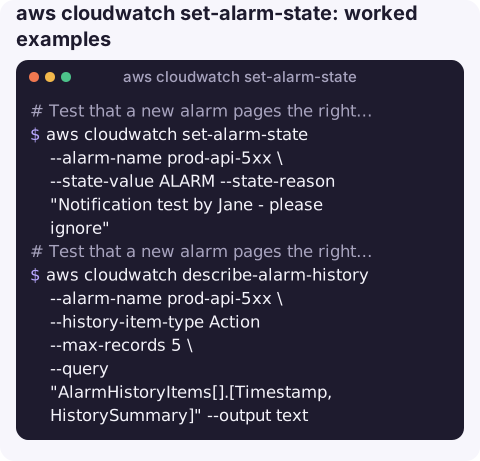
Test that a new alarm pages the right people:
aws cloudwatch set-alarm-state --alarm-name prod-api-5xx \
  --state-value ALARM --state-reason "Notification test by Jane - please ignore"
Then check delivery from the alarm's side:
aws cloudwatch describe-alarm-history --alarm-name prod-api-5xx \
  --history-item-type Action --max-records 5 \
  --query "AlarmHistoryItems[].[Timestamp,HistorySummary]" --output text
A summary like Failed to execute action points at the SNS topic policy or a missing subscription.
"Reset" an alarm after fixing the cause, so dashboards stop showing red before the next evaluation:
aws cloudwatch set-alarm-state --alarm-name prod-api-5xx \
  --state-value OK --state-reason "Manually reset after fix; metric will confirm"
Exercise an Auto Scaling or EC2 action in a test environment:
aws cloudwatch set-alarm-state --alarm-name staging-scale-out \
  --state-value ALARM --state-reason "Scale-out drill"
What happens next
| Situation | Result |
|---|---|
| Set to ALARM while metric is healthy | Actions fire, then the alarm returns to OK at the next evaluation and OK actions fire. |
| Set to OK while metric still breaches | Briefly OK, then back to ALARM, firing alarm actions again. |
| Set to the state it is already in | No transition, so no actions run. |
| Actions disabled on the alarm | State changes, but nothing is notified. |
Gotchas
- Warn people first. A test on a production alarm pages whoever is on call and may trigger automation such as scaling or instance recovery.
- Setting OK is not muting. If the problem persists, the alarm fires again almost immediately. To silence it, use
disable-alarm-actionsor an actions suppressor on a composite alarm. - Write a clear reason. It appears in notifications and history; "test" alone confuses the next person reading the timeline.
- Permissions. Restrict
cloudwatch:SetAlarmState; it can trigger any action wired to an alarm. - Testing composite alarms. A composite alarm reacts to its children's state, so forcing a child into
ALARMis a practical way to check the composite rule and its notifications end to end. - Look in history, not the console view. Because the forced state is overwritten so quickly,
describe-alarm-historyis the reliable place to confirm the test happened.
Questions
How do I test a CloudWatch alarm notification?
Run set-alarm-state with --state-value ALARM and a clear --state-reason. The alarm actions run as if the threshold had been breached.
How do I reset a CloudWatch alarm?
Use set-alarm-state --state-value OK. If the metric still breaches, the alarm goes straight back to ALARM at the next evaluation.
Will set-alarm-state keep the alarm in that state?
No. A metric alarm goes back to the state its data supports at the next evaluation, often within seconds.
Testing that an alarm actually reaches your phone is worth doing before you rely on it. CloudConsole, a phone app for AWS, is built to show alarm state changes and their history on a phone.
About the app → · Download on the App Store