 CloudConsole
How to get AWS alerts on your phone
Every route starts the same way: point the CloudWatch alarm (or EventBridge rule) at an SNS topic or AWS User Notifications. From there you can get push notifications in the AWS Console Mobile Application, text messages through SNS SMS, messages in Slack or Microsoft Teams on your phone, or pages through an on-call tool. For anything that should wake someone, use a paging tool rather than email or SMS alone.
The options compared
| Route | Good for | Watch out for |
|---|---|---|
| Email via SNS | Low-urgency alerts, audit trail | Easy to miss; no escalation |
| SMS via SNS | A small number of critical alerts | Sandbox, country registration rules, spend limits |
| AWS Console Mobile Application push | Individual engineers who use the AWS app | Configured through AWS User Notifications; per-person setup |
| Slack / Teams (Amazon Q Developer in chat applications, formerly AWS Chatbot) | Team visibility and discussion | Channel notifications must be on for the phone to buzz |
| On-call tool (via SNS HTTPS or EventBridge) | Anything that must wake someone | Separate product and cost; needs a rota |
Text messages with SNS
Subscribe a phone number (E.164 format) to the topic your alarms already use:
aws sns subscribe --cli-input-json \
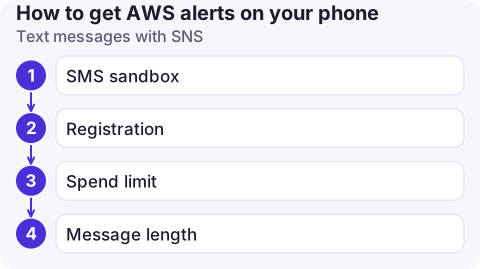
'{"TopicArn":"arn:aws:sns:eu-west-2:123456789012:ops-critical","Protocol":"sms","Endpoint":"+447700900123"}'- SMS sandbox: new accounts can only text verified destination numbers until you request production access in the SNS console.
- Registration: some countries require a registered origination identity before messages are delivered; the United States, for example, requires a registered toll-free number or 10DLC campaign.
- Spend limit: the account's monthly SMS spend limit starts low; raise it via a support request if you rely on texts.
- Message length: alarm text is truncated to fit SMS, so use a short, descriptive alarm name.
Push and chat
AWS Console Mobile Application: AWS User Notifications lets you create notification configurations (for example, CloudWatch alarm state changes in chosen Regions) and deliver them to the mobile app as push notifications, as well as to email and chat. Each person signs in to the app and enables notifications on their device.
Slack or Microsoft Teams: configure Amazon Q Developer in chat applications with a channel, subscribe it to the SNS topic, and alarms arrive as formatted messages your phone's chat app notifies you about. This is the most common setup for teams that aren't yet running a formal on-call rota.
Paging for real on-call
Paging tools accept alerts through an SNS HTTPS subscription or an EventBridge rule, then handle escalation, acknowledgement and rotas, which plain SMS can't. Whatever you use:
- Send only actionable, user-impacting alarms to the paging route; everything else goes to chat or email.
- Include the OK action so the incident auto-resolves and nobody chases a recovered alarm.
- Test end to end with
aws cloudwatch set-alarm-state --alarm-name orders-5xx --state-value ALARM --state-reason "pager test"and make sure the phone actually rings, including with do-not-disturb on.
Common mistakes
- One topic for everything. Separate critical and informational topics so phones only buzz for what matters.
- Alarms in several Regions but subscriptions on a topic in only one; topics are Regional, and an alarm can only notify a topic in its own Region.
- Nobody confirmed the subscription. Email and HTTPS subscriptions stay pending until confirmed.
- Personal phone numbers on shared topics that nobody removes when people change teams. Review subscriptions regularly with
aws sns list-subscriptions-by-topic.
Questions
Can AWS send SMS alerts for CloudWatch alarms?
Yes. Subscribe a phone number to the alarm's SNS topic with the sms protocol. Check the SMS sandbox, country registration requirements and your monthly SMS spend limit first.
Does the AWS Console Mobile Application send push notifications?
It can, through AWS User Notifications configurations that target the mobile app as a delivery channel.
What is the best way to get woken up by an AWS alarm?
Route that alarm to an on-call paging tool through SNS or EventBridge. It handles escalation and acknowledgement, which email and SMS alone do not.

This is exactly the gap CloudConsole is aimed at: it is a phone app for AWS, built to show alarms, the logs and metrics behind them, resources and costs on your phone, with guardrails for production.
About the app → · Download on the App Store