 CloudConsole
aws codepipeline get-pipeline-state
aws codepipeline get-pipeline-state --name my-pipeline shows the current state of every stage and action: their latest status, error details for failures, the revision each source produced, and the token of any approval that is waiting. It is the CLI view of the pipeline diagram in the console.
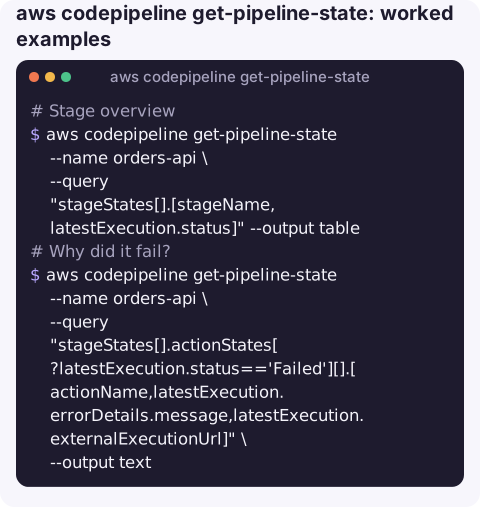
What the command does
The response lists stageStates in pipeline order. Each stage has latestExecution.status (InProgress, Succeeded, Failed, Stopped, Cancelled and so on), whether the inbound transition is enabled, and actionStates. Each action's latestExecution carries status, summary, errorDetails, lastStatusChange, a link to the external run (for example the CodeBuild log), and, for approvals, the token.
It shows the latest state per stage, which may come from different executions. For the history of one run, use get-pipeline-execution and list-action-executions.
Syntax
aws codepipeline get-pipeline-state --name <pipeline>Worked examples
Stage overview:
aws codepipeline get-pipeline-state --name orders-api \
  --query "stageStates[].[stageName,latestExecution.status]" --output table
Why did it fail? Every failed action with its error message:
aws codepipeline get-pipeline-state --name orders-api \
  --query "stageStates[].actionStates[?latestExecution.status=='Failed'][].[actionName,latestExecution.errorDetails.message,latestExecution.externalExecutionUrl]" \
  --output text
The external URL usually opens the CodeBuild or CodeDeploy run with the full logs.
Which commit is in each source action:
aws codepipeline get-pipeline-state --name orders-api \
  --query "stageStates[0].actionStates[].[actionName,currentRevision.revisionId]" --output text
Approval token for put-approval-result:
aws codepipeline get-pipeline-state --name orders-api \
  --query "stageStates[].actionStates[?latestExecution.token].[actionName,latestExecution.token][]" --output text
Disabled transitions, a common reason a pipeline "does nothing":
aws codepipeline get-pipeline-state --name orders-api \
  --query "stageStates[?!inboundTransitionState.enabled].[stageName,inboundTransitionState.disabledReason]" --output text
A quick triage routine
- Run the stage overview to see which stage is red.
- List failed actions with their error messages and external URLs.
- Open the build or deploy log behind the URL; the summary message is rarely enough on its own.
- Check the source revision, so you know which commit introduced the failure and who to ask.
- Decide: fix forward and push a new commit, retry the failed actions if the failure was transient, or start an execution on a known-good revision.
Transient failures (a flaky test, a throttled API call during deploy) are good candidates for a retry. Anything that failed the same way twice needs a code or configuration change.
Check every pipeline at once
for p in $(aws codepipeline list-pipelines --query "pipelines[].name" --output text); do
  printf '%-30s %s\n' "$p" "$(aws codepipeline get-pipeline-state --name "$p" \
    --query "stageStates[?latestExecution.status=='Failed'].stageName" --output text)"
done
Pipelines with an empty second column have no failed stage right now.
Gotchas
- Latest per stage, not per run. A later stage may still show
Succeededfrom yesterday's run while an earlier stage shows today's failure. - Error messages are summaries. The detailed reason is in the build or deploy logs behind
externalExecutionUrl. - No
latestExecutionon a stage means it has never run, for example a new stage added after the last execution. - Tokens expire when the approval is answered or times out.
Questions
How do I check CodePipeline status from the CLI?
Run aws codepipeline get-pipeline-state --name <pipeline> with --query "stageStates[].[stageName,latestExecution.status]" --output table.
How do I get the error for a failed CodePipeline action?
Filter actionStates for latestExecution.status == 'Failed' and read latestExecution.errorDetails.message, then open externalExecutionUrl for the full log.
How do I list recent pipeline runs?
aws codepipeline list-pipeline-executions --pipeline-name <pipeline> --max-items 10 shows each execution's ID, status, start time and trigger.
A failed release is usually noticed in chat before anyone opens the console. CloudConsole, a phone app for AWS, is built to show pipeline and resource state on a phone.
About the app → · Download on the App Store