 CloudConsole
How to retry a failed CodePipeline stage
Open the pipeline in the CodePipeline console and choose Retry on the failed stage, either re-running only the failed actions or the whole stage. From the CLI, run aws codepipeline retry-stage-execution with the pipeline name, stage name, pipeline execution ID and --retry-mode FAILED_ACTIONS or ALL_ACTIONS. A retry re-runs the same source revision; to deploy new code, release a change instead.
Retry or release a new change?
| The failure was | Do this |
|---|---|
| Transient: throttling, a flaky test, a timeout talking to a dependency | Retry the stage |
| Environmental, now fixed: missing IAM permission, full disk on a build host, a stack stuck in a bad state | Fix it, then retry the stage |
| A bug in the code being deployed | Push a fix; the new commit starts a new execution (or use Release change) |
| The pipeline definition was wrong | Edit the pipeline; retries of the old execution are then usually refused |
Read the failing action's details first: the console links to the CodeBuild logs, the CloudFormation events, or the CodeDeploy deployment behind it.
Console steps
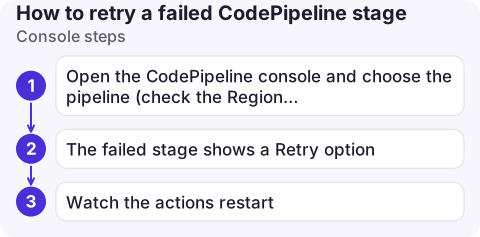
- Open the CodePipeline console and choose the pipeline (check the Region selector; pipelines are Regional, so a pipeline in eu-west-2 only appears there).
- The failed stage shows a Retry option. Choose it and pick whether to retry only the failed actions or all actions in the stage.
- Watch the actions restart. Actions that succeeded are left alone when you retry failed actions only.
The execution's details list the source revisions it used. If those aren't the commits you expected, a retry won't help; release a change instead.
CLI steps
# Find the execution ID of the failed stage
aws codepipeline get-pipeline-state --name my-pipeline \
  --query "stageStates[?latestExecution.status=='Failed'].[stageName,latestExecution.pipelineExecutionId]" \
  --output text

# Retry just the failed actions
aws codepipeline retry-stage-execution \
  --pipeline-name my-pipeline \
  --stage-name Deploy \
  --pipeline-execution-id 3137f7cb-7cf7-4fa5-9a2d-0123456789ab \
  --retry-mode FAILED_ACTIONS

# Or start the stage again from its first action
aws codepipeline retry-stage-execution --pipeline-name my-pipeline \
  --stage-name Deploy --pipeline-execution-id 3137f7cb-7cf7-4fa5-9a2d-0123456789ab \
  --retry-mode ALL_ACTIONS
Retrying all actions requires that nothing in the stage is still in progress.
When a retry is refused
StageNotRetryableException: the stage has no failed actions, or the pipeline structure or stage state changed after the failure (for example, someone edited the pipeline).NotLatestPipelineExecutionException: a newer execution has since failed in that stage; retry that one instead, using its execution ID.ConflictException: the pipeline is busy; try again shortly.
Automate it, and get told about failures
- Automatic retry: V2 pipelines can set failure conditions on a stage with a result of
RETRYand a retry mode, so transient failures retry themselves. AROLLBACKresult instead redeploys the last successful execution in that stage. - Notifications: CodePipeline emits events to EventBridge, including the "CodePipeline Pipeline Execution State Change" and stage and action state change events. A rule matching
"state": "FAILED"can notify an SNS topic or chat channel. - Don't loop: retrying a deterministic failure three times wastes build minutes and can leave partial deployments. Retry once, then read the logs.
Questions
Does retrying a CodePipeline stage use the latest commit?
No. A retry re-runs the stage with the same artefacts and source revision as the failed execution. To build the latest commit, release a change or push a new commit.
Can I retry a stage after editing the pipeline?
Usually not; structural changes make the old execution non-retryable. Start a new execution instead.
How do I restart a whole pipeline?
Choose Release change in the console or run aws codepipeline start-pipeline-execution --name my-pipeline. That starts a new execution from the source stage.

A failed deploy stage is a typical out-of-hours notification. CloudConsole, a phone app for AWS, is built to show pipeline failures and the logs behind them on your phone, with guardrails on production actions.
About the app → · Download on the App Store