 CloudConsole
aws codepipeline put-approval-result
aws codepipeline put-approval-result answers a manual approval action in CodePipeline with Approved or Rejected. You need the pipeline, stage and action names plus the approval token, which you get from aws codepipeline get-pipeline-state while the action is waiting.
What the command does
A manual approval action pauses a pipeline until someone responds or the approval times out (seven days). This command is the API equivalent of the Review button in the console. Approving lets the pipeline continue to the next action; rejecting fails the stage, which stops that execution.
The token ties your answer to one specific execution of the approval, so you cannot accidentally approve a later run with an old command.
Syntax
aws codepipeline put-approval-result \
  --pipeline-name <pipeline> --stage-name <stage> --action-name <action> \
  --result summary="<text>",status=Approved|Rejected \
  --token <token>
Worked examples
1. Get the token for the waiting approval:
token=$(aws codepipeline get-pipeline-state --name orders-api \
  --query "stageStates[?stageName=='Approve'].actionStates[] | [?actionName=='ProdApproval'].latestExecution.token | [0]" \
  --output text)
echo "$token"
If it prints None, the action is not currently waiting for approval.
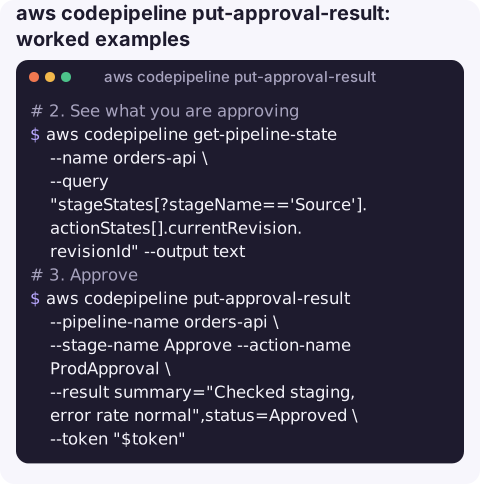
2. See what you are approving: the revision that is moving through the pipeline:
aws codepipeline get-pipeline-state --name orders-api \
  --query "stageStates[?stageName=='Source'].actionStates[].currentRevision.revisionId" --output text
3. Approve:
aws codepipeline put-approval-result --pipeline-name orders-api \
  --stage-name Approve --action-name ProdApproval \
  --result summary="Checked staging, error rate normal",status=Approved \
  --token "$token"
The response contains approvedAt.
Reject with a reason that will show in the pipeline history:
aws codepipeline put-approval-result --pipeline-name orders-api \
  --stage-name Approve --action-name ProdApproval \
  --result summary="Latency regression in staging, see INC-1234",status=Rejected \
  --token "$token"
Before you approve
- Check the revision and the changes it contains, not just that the earlier stages are green.
- Look at the staging environment's alarms and error rates since the deploy; an approval is often the last chance to catch a regression cheaply.
- Write a summary someone can understand later. The text is stored with the execution and shows up in the console history.
- If you are approving for someone else, say so in the summary.
Permissions
The caller needs codepipeline:PutApprovalResult on the action, whose ARN includes the stage and action names, plus codepipeline:GetPipelineState to read the token. Scoping approval rights to specific actions lets you give release managers approval rights without full pipeline control:
{
  "Effect": "Allow",
  "Action": "codepipeline:PutApprovalResult",
  "Resource": "arn:aws:codepipeline:eu-west-2:123456789012:orders-api/Approve/ProdApproval"
}
Gotchas
InvalidApprovalTokenException: the token belongs to an execution that has already been approved, rejected, superseded or timed out. Fetch a fresh one.ApprovalAlreadyCompletedException: someone else answered first.- Names are case-sensitive and must match the stage and action names in the pipeline definition, not the display text in a notification.
- Status values are exact:
ApprovedorRejected. - Summary commas. The shorthand
--resultsyntax splits on commas. For summaries with commas, pass JSON:--result '{"summary":"Checked, all good","status":"Approved"}'.
Questions
How do I find the approval token for CodePipeline?
Run aws codepipeline get-pipeline-state --name <pipeline> and read stageStates[].actionStates[].latestExecution.token for the approval action. It only exists while the action is waiting.
What happens if nobody approves?
The approval times out after seven days and the action fails, which stops that pipeline execution.
Can I approve from a notification?
Approval actions can publish to an SNS topic with a link to the console. Approving still needs a signed-in user or a put-approval-result call with valid credentials.
Release approvals tend to arrive when the approver is away from their desk. CloudConsole, a phone app for AWS, is built to show pipelines, alarms and resources on a phone, with guardrails around production actions.
About the app → · Download on the App Store