 CloudConsole
aws dynamodb update-item
aws dynamodb update-item changes individual attributes of one item using an --update-expression such as "SET #s = :s REMOVE tempFlag", leaving the rest of the item alone. If no item with that key exists, it creates one, so add a --condition-expression when you only want to modify existing items.
What the command does
UpdateItem is a read-modify-write that DynamoDB performs atomically on the server. That makes it the right tool for counters, status changes and appending to lists, where reading the item yourself and writing it back would race with other writers.
The update expression has four clauses, each used at most once: SET (add or replace attributes, arithmetic, list_append, if_not_exists), REMOVE (delete attributes or list elements), ADD (increment numbers or add to sets) and DELETE (remove elements from a set).
Syntax
aws dynamodb update-item --table-name <table> \
  --key '{"pk":{"S":"..."}}' \
  --update-expression "SET a = :a, #b = :b REMOVE c" \
  [--condition-expression "..."] \
  --expression-attribute-names '{"#b":"..."}' \
  --expression-attribute-values '{":a":{...}, ":b":{...}}' \
  [--return-values ALL_NEW|UPDATED_NEW|ALL_OLD|UPDATED_OLD|NONE]
Worked examples
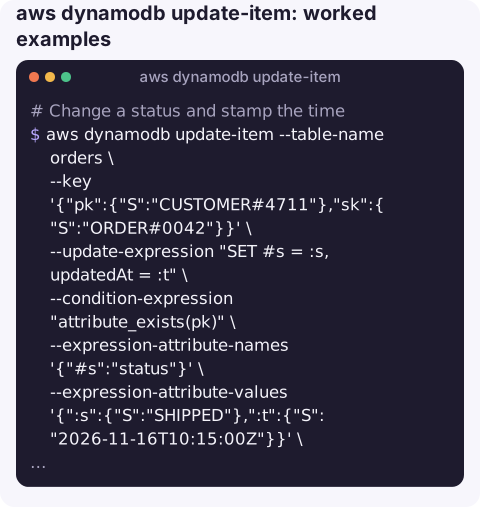
Change a status and stamp the time, only if the item already exists:
aws dynamodb update-item --table-name orders \
  --key '{"pk":{"S":"CUSTOMER#4711"},"sk":{"S":"ORDER#0042"}}' \
  --update-expression "SET #s = :s, updatedAt = :t" \
  --condition-expression "attribute_exists(pk)" \
  --expression-attribute-names '{"#s":"status"}' \
  --expression-attribute-values '{":s":{"S":"SHIPPED"},":t":{"S":"2026-11-16T10:15:00Z"}}' \
  --return-values UPDATED_NEW
Atomic counter that also works on the first increment:
aws dynamodb update-item --table-name page-stats \
  --key '{"page":{"S":"/pricing"}}' \
  --update-expression "SET views = if_not_exists(views, :zero) + :one" \
  --expression-attribute-values '{":zero":{"N":"0"},":one":{"N":"1"}}' \
  --return-values UPDATED_NEW --query "Attributes.views.N" --output text
Append to a list and remove an attribute in one call:
aws dynamodb update-item --table-name tickets \
  --key '{"id":{"S":"T-981"}}' \
  --update-expression "SET notes = list_append(if_not_exists(notes, :empty), :n) REMOVE escalationLock" \
  --expression-attribute-values '{":n":{"L":[{"S":"Restarted worker"}]},":empty":{"L":[]}}'
Add a tag to a string set:
aws dynamodb update-item --table-name users \
  --key '{"userId":{"S":"42"}}' \
  --update-expression "ADD tags :t" \
  --expression-attribute-values '{":t":{"SS":["beta"]}}'
Decrement stock without going below zero, letting the condition do the check instead of a separate read:
aws dynamodb update-item --table-name inventory \
  --key '{"sku":{"S":"MUG-001"}}' \
  --update-expression "SET stock = stock - :q" \
  --condition-expression "stock >= :q" \
  --expression-attribute-values '{":q":{"N":"2"}}'
Return value options
| --return-values | You get back |
|---|---|
NONE (default) | Nothing |
UPDATED_NEW | Only the attributes you changed, after the update |
ALL_NEW | The whole item after the update |
UPDATED_OLD / ALL_OLD | The changed attributes, or the whole item, as they were before |
Gotchas
- Upsert by default. A typo in the key creates a new, partial item. Guard with
attribute_exists(pk)when you mean "update". - Key attributes cannot be updated. To change a key, write a new item and delete the old one.
- Reserved words.
status,name,data,countand many more must go through--expression-attribute-names. - Every placeholder must be used. An unused
:valueor#namein the maps causes aValidationException. - A failed condition changes nothing and raises ConditionalCheckFailedException; add
--return-values-on-condition-check-failure ALL_OLDto see why.
Questions
How do I update a DynamoDB table (not an item) from the CLI?
Table settings such as billing mode, capacity, streams and indexes are changed with aws dynamodb update-table. update-item only changes data in a single item.
How do I increment a number atomically?
Use SET counter = if_not_exists(counter, :zero) + :one, or ADD counter :one. Both run atomically on the server, so concurrent callers do not lose increments.
Can update-item update several items at once?
No, it changes exactly one item. For several items in one all-or-nothing operation use transact-write-items; otherwise loop over update-item.
Flipping a stuck record's status is a classic fix during an incident. CloudConsole, a phone app for AWS, is built with production guardrails so the context around such changes is visible from a phone.
About the app → · Download on the App Store