 CloudConsole
aws dynamodb put-item
aws dynamodb put-item --table-name my-table --item file://item.json creates an item, or completely replaces an existing item with the same primary key. Add --condition-expression "attribute_not_exists(pk)" if you want it to fail instead of overwriting.
What the command does
PutItem writes a whole item. If an item with the same key exists, every attribute is replaced: anything you leave out is gone afterwards. To change some attributes and keep the rest, use update-item instead.
The item has to be in DynamoDB's typed JSON and include the full primary key. Items are limited to 400 KB including attribute names.
Syntax
aws dynamodb put-item --table-name <table> \
  --item '{"pk":{"S":"..."}, "attr":{"N":"1"}}' | --item file://item.json \
  [--condition-expression "..."] \
  [--expression-attribute-names '{...}'] [--expression-attribute-values '{...}'] \
  [--return-values ALL_OLD] [--return-consumed-capacity TOTAL]
Worked examples
Write an item from a JSON file. item.json:
{
  "pk": {"S": "USER#42"},
  "sk": {"S": "PROFILE"},
  "email": {"S": "[email protected]"},
  "plan": {"S": "pro"},
  "seats": {"N": "5"},
  "active": {"BOOL": true},
  "tags": {"SS": ["beta", "eu"]},
  "address": {"M": {"city": {"S": "Leeds"}, "postcode": {"S": "LS1 4AP"}}}
}
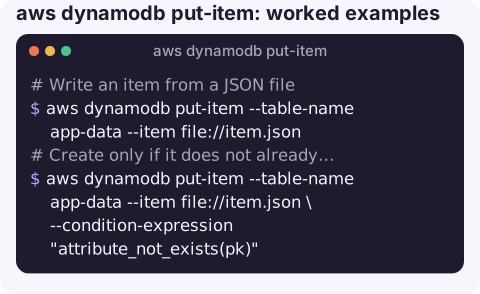
aws dynamodb put-item --table-name app-data --item file://item.jsonCreate only if it does not already exist:
aws dynamodb put-item --table-name app-data --item file://item.json \
  --condition-expression "attribute_not_exists(pk)"
If the item exists you get ConditionalCheckFailedException and nothing is written. Checking the partition key is enough: the condition is evaluated against the item with this exact key.
Overwrite only if the version matches (optimistic locking), and see what was replaced:
aws dynamodb put-item --table-name app-data --item file://item-v4.json \
  --condition-expression "version = :v" \
  --expression-attribute-values '{":v":{"N":"3"}}' \
  --return-values ALL_OLD
Several items: loop for a handful, or use batch-write-item for up to 25 per call:
for f in items/*.json; do
  aws dynamodb put-item --table-name app-data --item "file://$f"
done
Converting plain JSON. If your data is ordinary JSON, you have to wrap every value in a type descriptor first. A small script with an SDK helper (for example the type serializer in boto3) is less error-prone than hand-editing, especially for nested maps and lists.
Type descriptors
| Descriptor | Type | Example |
|---|---|---|
S | String | {"S":"pro"} |
N | Number (sent as a string) | {"N":"5"} |
BOOL | Boolean | {"BOOL":true} |
NULL | Null | {"NULL":true} |
M / L | Map / list | {"L":[{"S":"a"}]} |
SS / NS | String / number set (no duplicates, not empty) | {"SS":["a","b"]} |
Gotchas
- Silent overwrite. Without a condition, put-item happily replaces a production record. Make the condition a habit for anything that is not a deliberate replace.
--return-valuesonly supportsNONEorALL_OLDhere. You cannot get the new item back; you already have it.- Throughput errors. On a provisioned table you may see ProvisionedThroughputExceededException. The CLI retries a few times first; if it still fails, slow down or raise capacity.
- Empty sets are invalid and number values must be strings. Both give a
ValidationException. - The 400 KB limit includes attribute names; see Item size has exceeded the maximum allowed size.
Questions
How do I put an item from a JSON file?
Write the item in DynamoDB typed JSON (each value wrapped in S, N, BOOL and so on) and pass it with --item file://item.json. Plain JSON without type descriptors is rejected.
How do I put multiple items with the AWS CLI?
Use aws dynamodb batch-write-item with up to 25 PutRequest entries per call, and retry anything returned in UnprocessedItems. For a few items, a shell loop over put-item is simpler.
Does put-item update an existing item?
It replaces it entirely. Attributes not in your --item are removed. Use update-item to change individual attributes.
Fixing a single bad record by hand is a common late-night task. CloudConsole is built to show resources and alarms on a phone with production guardrails, so you can see the problem before you reach a terminal.
About the app → · Download on the App Store