 CloudConsole
aws dynamodb batch-write-item
aws dynamodb batch-write-item --request-items file://batch.json puts or deletes up to 25 items, across one or more tables, in a single call. It is not a transaction: some requests can succeed while others come back in UnprocessedItems, and you must resend those until the response is empty.
What the command does
Batch writing saves round trips for bulk loads and clean-ups. Each request in the batch is a PutRequest (same semantics as put-item, including full replacement) or a DeleteRequest (a key). Limits per call: 25 requests, 16 MB in total, and 400 KB per item.
What you cannot do: updates, condition expressions, or return values. If you need any of those, use individual calls or transact-write-items.
Syntax
aws dynamodb batch-write-item \
  --request-items file://batch.json \
  [--return-consumed-capacity TOTAL]
Worked examples
The request file, keyed by table name:
{
  "orders": [
    {"PutRequest": {"Item": {"pk": {"S": "CUSTOMER#4711"}, "sk": {"S": "ORDER#0043"}, "total": {"N": "18"}}}},
    {"PutRequest": {"Item": {"pk": {"S": "CUSTOMER#4711"}, "sk": {"S": "ORDER#0044"}, "total": {"N": "42"}}}},
    {"DeleteRequest": {"Key": {"pk": {"S": "CUSTOMER#4711"}, "sk": {"S": "ORDER#0001"}}}}
  ]
}
aws dynamodb batch-write-item --request-items file://batch.jsonA clean result looks like {"UnprocessedItems": {}}.
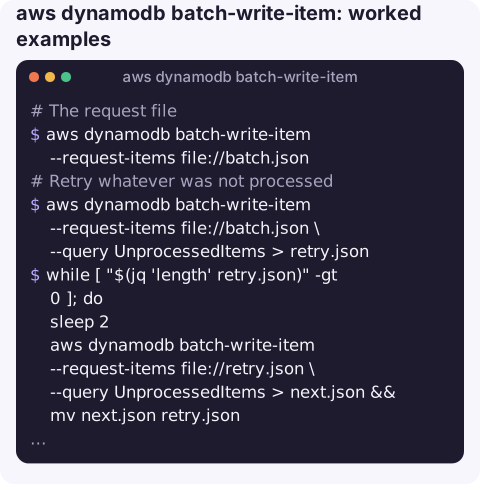
Retry whatever was not processed. The UnprocessedItems object has the same shape as the input, so you can feed it straight back:
aws dynamodb batch-write-item --request-items file://batch.json \
  --query UnprocessedItems > retry.json
while [ "$(jq 'length' retry.json)" -gt 0 ]; do
  sleep 2
  aws dynamodb batch-write-item --request-items file://retry.json \
    --query UnprocessedItems > next.json && mv next.json retry.json
done
Split a large file of put requests into batches of 25 with jq (input is a JSON array of typed items):
jq -c '[_nwise(25)] | .[] | {orders: map({PutRequest: {Item: .}})}' items.json |
while read -r batch; do
  aws dynamodb batch-write-item --request-items "$batch"
done
Checking consumption
Add --return-consumed-capacity TOTAL to see how many write units each call used. Multiply by the number of batches to estimate how long a load will take on a provisioned table, or what it will cost on an on-demand one, before you start a large job. If the numbers look too high, check whether your items are bigger than you thought: write units are charged per 1 KB of item size, rounded up.
Limits at a glance
| Limit | Value |
|---|---|
| Requests per call | 25 put or delete requests |
| Total request size | 16 MB |
| Item size | 400 KB |
| Same key twice in one call | Not allowed; the whole call is rejected |
| Conditions / updates | Not supported |
Gotchas
- Ignoring UnprocessedItems loses data. When a table is throttled, DynamoDB accepts part of the batch and hands the rest back; the command still exits successfully. Always check the response.
- Back off between retries. Unprocessed items usually mean you are over capacity; hammering immediately makes it worse. On a provisioned table, see ProvisionedThroughputExceededException.
- Validation fails the whole batch. One malformed item, a missing key attribute or a duplicate key rejects all 25.
- Puts replace items. There is no "only if not exists" in a batch.
- Large imports have better tools. For millions of items, DynamoDB's import from S3 creates a new table without using write capacity.
Questions
How do I do a batch delete in DynamoDB from the CLI?
Put DeleteRequest entries with each item's full key into the request file and run batch-write-item. Up to 25 deletes per call; retry anything in UnprocessedItems.
How do I batch get items?
Use aws dynamodb batch-get-item with a --request-items file listing Keys per table, up to 100 keys per call. Retry anything in UnprocessedKeys.
Is batch-write-item atomic?
No. Each request succeeds or fails on its own. For all-or-nothing writes across up to 100 items, use transact-write-items.
Bulk jobs often run unattended and fail quietly under throttling. CloudConsole is built to surface DynamoDB throttle alarms on your phone so you know when a load job is fighting for capacity.
About the app → · Download on the App Store