 CloudConsole
aws dynamodb delete-item
aws dynamodb delete-item --table-name my-table --key '{"pk":{"S":"USER#42"}}' removes one item by its full primary key. It succeeds even if the item did not exist, so add --return-values ALL_OLD to see what was actually deleted, or a --condition-expression to delete only when the item is in the state you expect.
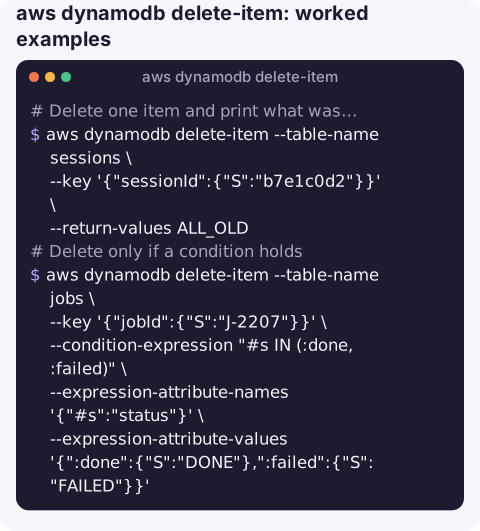
What the command does
DeleteItem removes a single item identified by its partition key and, if the table has one, its sort key. It is idempotent: deleting a key that is not there is not an error and returns nothing. That is convenient for retries, and confusing when a typo in the key means you deleted nothing at all.
There is no "delete where" in DynamoDB. To remove many items, you first find their keys with a query or scan, then delete them one by one or 25 at a time with batch-write-item.
Syntax
aws dynamodb delete-item --table-name <table> \
  --key '{"pk":{"S":"..."}, "sk":{"S":"..."}}' \
  [--condition-expression "..."] \
  [--expression-attribute-names '{...}'] [--expression-attribute-values '{...}'] \
  [--return-values ALL_OLD]
Worked examples
Delete one item and print what was removed:
aws dynamodb delete-item --table-name sessions \
  --key '{"sessionId":{"S":"b7e1c0d2"}}' \
  --return-values ALL_OLD
An empty response means there was no such item.
Delete only if a condition holds, for example a job that is no longer running:
aws dynamodb delete-item --table-name jobs \
  --key '{"jobId":{"S":"J-2207"}}' \
  --condition-expression "#s IN (:done, :failed)" \
  --expression-attribute-names '{"#s":"status"}' \
  --expression-attribute-values '{":done":{"S":"DONE"},":failed":{"S":"FAILED"}}'
Delete every item under one partition key: query the keys, then delete each. Print first, run second:
aws dynamodb query --table-name orders \
  --key-condition-expression "pk = :pk" \
  --expression-attribute-values '{":pk":{"S":"CUSTOMER#4711"}}' \
  --projection-expression "pk, sk" \
  --query "Items[].[pk.S, sk.S]" --output text |
while read -r pk sk; do
  echo aws dynamodb delete-item --table-name orders \
    --key "{\"pk\":{\"S\":\"$pk\"},\"sk\":{\"S\":\"$sk\"}}"
done
Remove the echo once the printed commands look right. For thousands of items, batch the keys into batch-write-item requests instead.
Deleting all items: your options
| Approach | Good for | Watch out for |
|---|---|---|
| Scan keys, then batch-write-item deletes | Keeping the table, its indexes, streams and settings | Consumes read and write capacity for every item; slow on big tables |
aws dynamodb delete-table and recreate | Wiping a large table quickly | Destroys indexes, streams, TTL, tags and backups settings; deletion protection must be off; downtime while recreating |
| TTL attribute set to the past | Gradual cleanup with no write cost | Deletion is background and can take days; see update-time-to-live |
Gotchas
- Destructive and immediate. There is no recycle bin. If point-in-time recovery is enabled you can restore the table to a new table from before the delete; otherwise the item is gone.
- Wrong key, silent success. A mistyped key deletes nothing and reports success. Use
--return-values ALL_OLDwhen it matters. - Deletes cost write units, based on the size of the deleted item.
- Global tables replicate deletes to every replica Region.
- Streams consumers see the delete as a
REMOVEevent, which may trigger downstream processing you did not intend.
Questions
How do I delete all items in a DynamoDB table with the CLI?
Scan for the keys with --projection-expression, then delete them with batch-write-item in groups of 25. For very large tables, deleting and recreating the table is faster but removes its settings too.
How do I delete a DynamoDB table?
aws dynamodb delete-table --table-name my-table. It is irreversible apart from backups, and it fails if deletion protection is enabled on the table.
Is there a batch delete in DynamoDB?
Yes: batch-write-item accepts DeleteRequest entries, up to 25 per call. It does not support condition expressions, so use delete-item when you need a condition.
Clean-up scripts are where accidental deletes happen. CloudConsole is built with production guardrails in mind, showing resources and alarms on a phone rather than handing out one-tap destructive actions.
About the app → · Download on the App Store