 CloudConsole
aws ec2 create-image
aws ec2 create-image --instance-id i-0123456789abcdef0 --name web-2026-11-16 creates an AMI by snapshotting every EBS volume on the instance. By default EC2 reboots the instance first so the file system is consistent; --no-reboot avoids the downtime but can capture half-written data.
What the command does
create-image takes an EBS snapshot of each volume attached to the instance, records the instance's launch settings (architecture, root device, boot mode) and registers the result as a new AMI owned by your account. It returns the new ImageId straight away; the image stays pending until all its snapshots complete, which can take from minutes to hours depending on how much data changed since the last snapshot of those volumes.
Common reasons to run it: a backup before a risky change, a "golden image" for an Auto Scaling group, or moving a server to another region or account (copy the AMI afterwards).
Syntax
aws ec2 create-image \
  --instance-id i-0123456789abcdef0 \
  --name "web-$(date +%Y%m%d-%H%M)" \
  [--description "Before PHP upgrade"] \
  [--no-reboot] \
  [--tag-specifications ...] \
  [--block-device-mappings ...]
The name must be unique among your AMIs in the region. Stick to letters, numbers, hyphens, dots and underscores to avoid rejected characters.
Worked examples
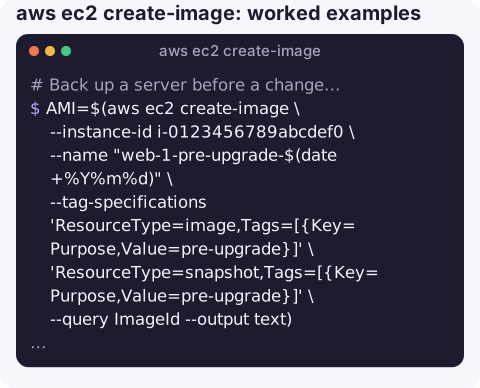
Back up a server before a change, tagging both the AMI and its snapshots:
AMI=$(aws ec2 create-image \
  --instance-id i-0123456789abcdef0 \
  --name "web-1-pre-upgrade-$(date +%Y%m%d)" \
  --tag-specifications 'ResourceType=image,Tags=[{Key=Purpose,Value=pre-upgrade}]' \
                       'ResourceType=snapshot,Tags=[{Key=Purpose,Value=pre-upgrade}]' \
  --query ImageId --output text)
aws ec2 wait image-available --image-ids "$AMI"
echo "$AMI ready"
The waiter gives up after a fixed number of polls; for large volumes, poll describe-images yourself or re-run the wait.
Image a production instance without rebooting it, accepting crash-consistent data:
aws ec2 create-image --instance-id i-0123456789abcdef0 \
  --name "db-replica-$(date +%Y%m%d)" --no-reboot
Leave a scratch volume out of the image by suppressing its device:
aws ec2 create-image --instance-id i-0123456789abcdef0 --name web-golden-v7 \
  --block-device-mappings '[{"DeviceName":"/dev/sdf","NoDevice":""}]'
Copy the AMI to another region for disaster recovery:
aws ec2 copy-image --source-region eu-west-2 --source-image-id "$AMI" \
  --name web-1-dr --region eu-west-1
Reboot or not?
| Default (reboot) | --no-reboot | |
|---|---|---|
| Downtime | A reboot, typically a minute or two | None |
| Data consistency | File systems flushed and quiesced | Crash-consistent: like pulling the power |
| Good for | Stateless web servers, golden images | Servers you cannot restart, if apps tolerate crash recovery |
For databases, either stop writes and flush first, or rely on the database's own backups rather than an AMI.
Gotchas
- Costs are the snapshots. An AMI has no charge of its own, but its snapshots are billed for storage until you deregister the image and delete the snapshots.
- Secrets travel with the image. SSH host keys, cached credentials,
.bash_historyand application config all end up in the AMI. Clean them before building images you share or reuse widely. - Instance store volumes are not captured; only EBS data is included.
- Encrypted volumes give encrypted snapshots under the same KMS key. Sharing the AMI with another account also means sharing that key, which is not possible with the AWS managed
aws/ebskey.
Questions
Does create-image stop the instance?
It reboots it by default, which causes a short outage. Add --no-reboot to avoid that, at the cost of crash-consistent rather than clean file systems.
How long does creating an AMI take?
It depends on how much data must be snapshotted. The first image of a large volume can take a long time; later images are faster because snapshots are incremental.
How do I delete an AMI completely?
Run aws ec2 deregister-image, then delete each snapshot listed in the image's BlockDeviceMappings with aws ec2 delete-snapshot.
A quick backup image before a risky change is good practice even when you are not at your desk. CloudConsole, a phone app for AWS, is built to show instance state and alarms on a phone, with guardrails around production.
About the app → · Download on the App Store